Ask AI: An Email Marketing Assistant You Actually Own
It’s Friday afternoon. You want three things before you close the laptop: how last week’s broadcast actually performed, whether your re-engagement segment is big enough to be worth a send, and confirmation that the send you scheduled for Monday is pointing at the right list. Normally that’s three different screens and a bit of clicking. In Broadcast 2.12 and up, it’s one question typed into a drawer.
That drawer is Ask AI, the in-app assistant we shipped in v2.12.0 and extended in v2.14.0. You open it from the right edge of any dashboard page, type in plain language, and it answers using your live channel data. It can also do the work: draft a broadcast, build a segment, schedule a send. The interesting part isn’t that it exists. Plenty of email tools bolted an AI feature on this year. The interesting part is who owns it. You bring your own API key and pick the model. Your subscribers’ personal data stays on your server. And it’s part of the license you already bought, not a tier you upgrade into.
It answers questions, then takes the next step
Open the drawer and it suggests a few prompts based on the page you’re on. Or ask your own question. How many active subscribers do I have? How many people would this segment match? How did last week’s broadcast do? It pulls the answer from your account data.
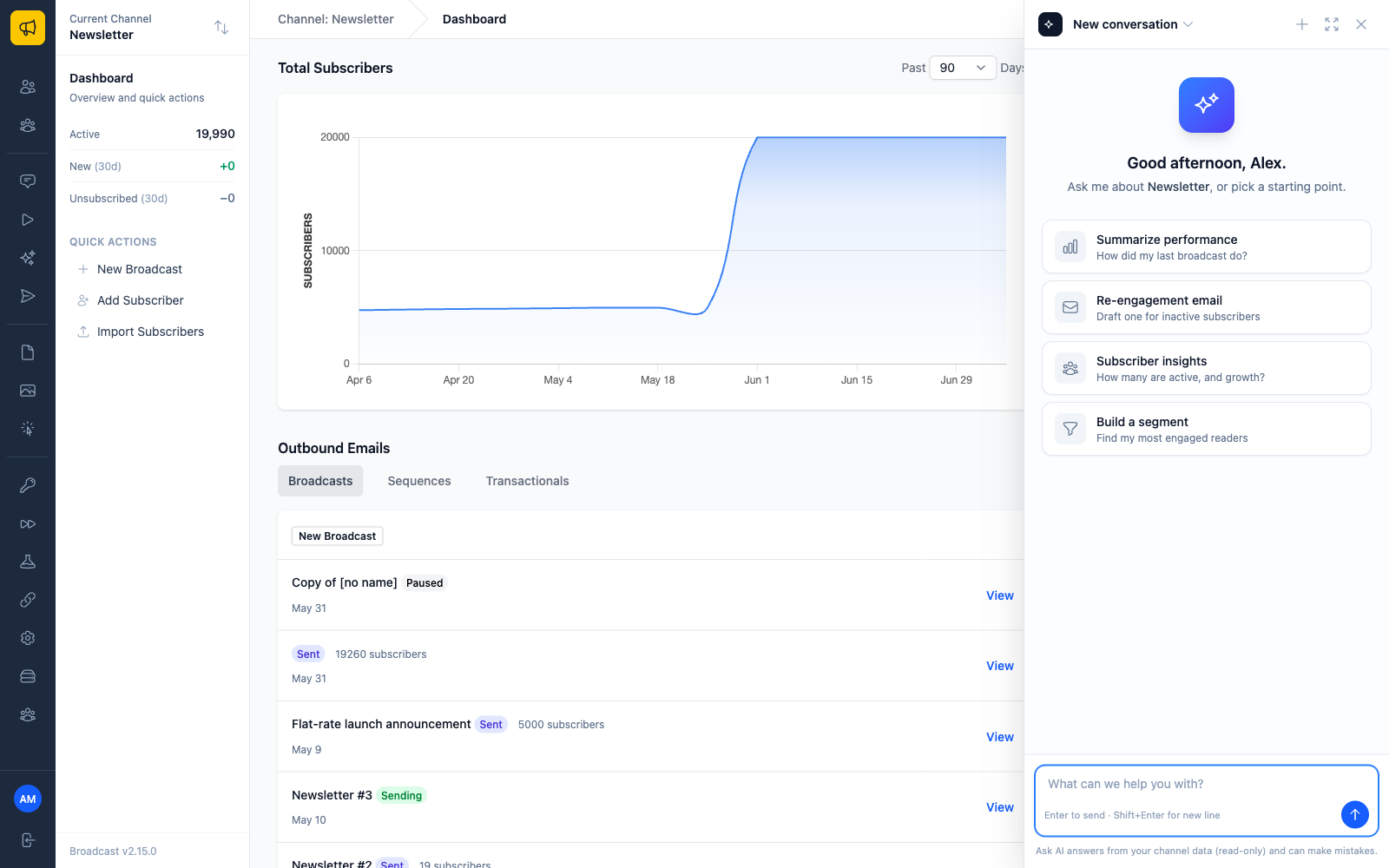
The replies stream in as formatted text, and the assistant’s reasoning is kept separate from its answer, so you can read the conclusion and, if you want, check the work behind it. Conversations get titled automatically from your first message, and the drawer stays open as you move around the app, so you can keep one thread going while you navigate. A history switcher lets you jump back into a past conversation.
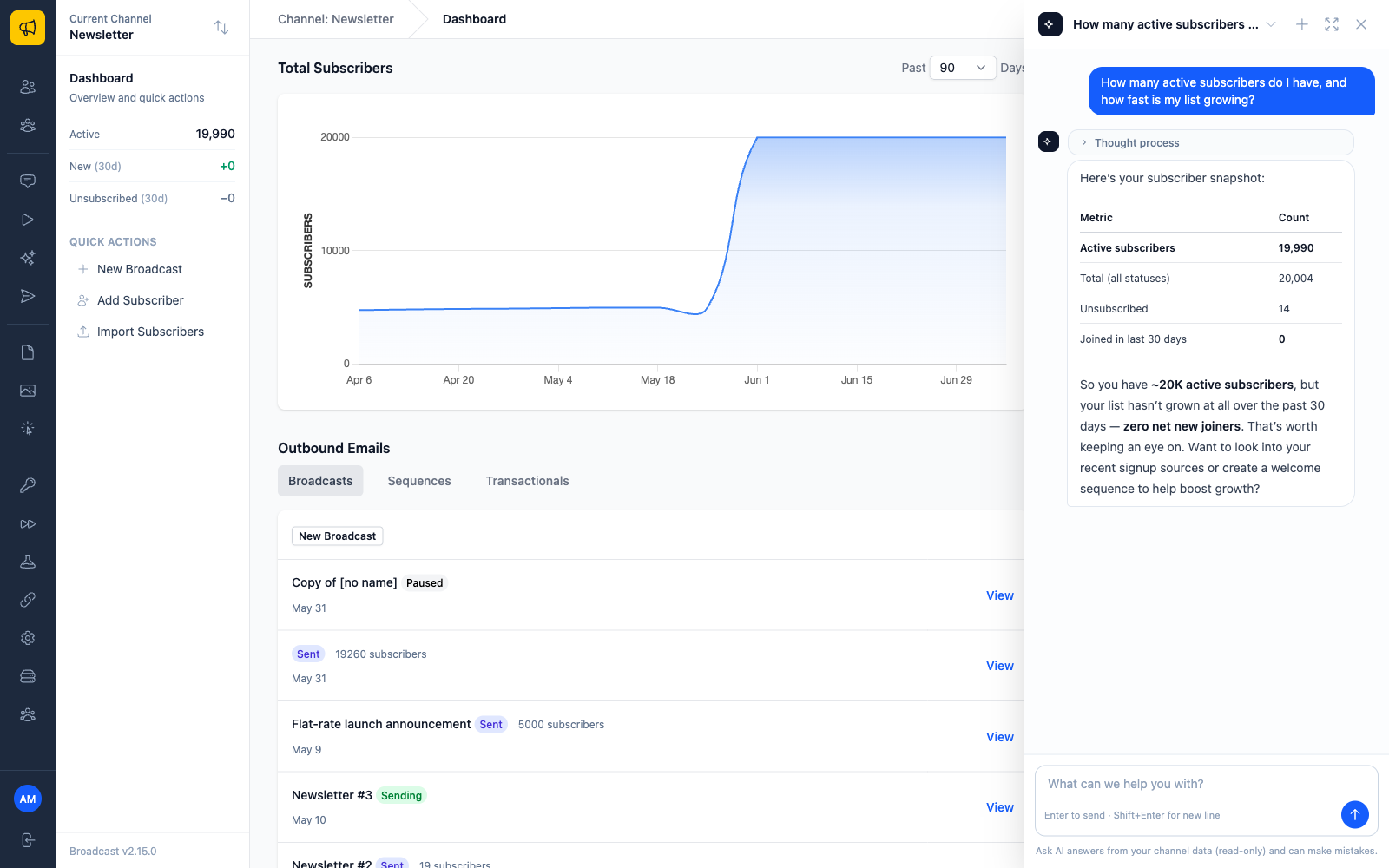
Under the hood it’s a couple dozen small tools, one per job: one fetches broadcast analytics, another previews a segment count, another searches subscribers. The assistant picks the right one for what you asked. It isn’t a chatbot pasted over a help doc. It’s wired into the same data and the same actions you’d reach through the UI.
Nothing changes until you click confirm
Reads run immediately. Writes wait for you. Ask it to create a segment, tag people, or schedule a send, and it stops and shows you a confirmation card describing exactly what it’s about to do. Nothing runs until you click Confirm.
This matters most for send and schedule, because those put real email in front of real subscribers and can’t be pulled back once they’re out. The confirmation summary spells out the target and the action so you can catch a mistake before it ships, not after. Every lookup and every action also lands in an activity log under Settings → AI → Activity, scoped per channel, showing whether each entry was a read or a write, its status, the record it touched, and, for writes, which user approved it. If you run a channel with other people, you can see exactly how the assistant has been used and who signed off on what.
You bring the key, and you pick the model
Here’s where owning it starts to matter. Ask AI doesn’t route through some Broadcast-operated AI service with our markup on top. You configure a provider under Settings → AI: Anthropic, OpenAI, or OpenRouter. You paste your own API key, which is stored encrypted and never shown again, and you point it at whichever model you want. Configure it once and it applies across the whole installation.
The model picker isn’t a short hard-coded list either. It loads OpenRouter’s live catalog and groups it by vendor, so you can choose current models from Anthropic, Google, Meta, DeepSeek, and the rest without waiting for us to ship an update that adds them. Want the cheapest capable model for quick lookups? Pick it. Want a stronger model for drafting? Pick that instead. You’re billed by your provider at your provider’s rates. We’re not in the middle of that transaction, which means we have no incentive to meter your usage or push a bigger bundle of tokens on you.
Your subscribers’ names never reach the model
This is the part most AI features get wrong. To answer a question about your audience, an assistant has to look at your audience. The naive way to build this is to ship subscriber rows straight to the AI provider and let the model sort it out. That means your customers’ names, email addresses, and whatever custom fields you store get copied to a third party every time someone asks a question.
Broadcast doesn’t do that. Subscriber personal information is replaced with placeholders before anything is sent to the AI provider. The assistant can still reason about a person, follow them through a segment, and tell you what it found, but it’s working with placeholder handles rather than real identities. The actual names and addresses stay on your server.
There’s a tool built specifically for the privacy question, too. Ask how subscriber data is handled and the assistant returns a factual map of what personal data this installation stores, where it lives, whether it’s encrypted at rest, and the mechanisms for redaction, suppression, and deletion, along with plain counts like how many subscribers you have and how many are suppressed. It never returns actual subscriber records to answer it. The assistant can describe your data and reason over it without exporting it.
Self-hosting already means your list lives on infrastructure you control. This keeps that promise intact when you add AI to the mix, instead of poking a hole in it.
It reads your real SPF, DKIM, and DMARC results
The v2.14.0 update taught Ask AI about deliverability, and it did it with real data rather than generic advice. Ask whether your emails are landing in spam or whether a domain is set up correctly, and the assistant checks the actual SPF, DKIM, and DMARC results captured for your sending domains. It reports per-mechanism status (in place, missing, or changed from its known-good state), flags any records that have drifted, and tells you when a domain should have a DMARC record it’s missing, including a suggested record to add.
The point is that it isn’t guessing from what a model read on the internet somewhere. It’s reading your domains’ current authentication state and answering from that. “Fix your SPF” is easy advice to give and useless without knowing what your SPF actually says. This knows.
An assistant that’s part of the license, not a paywalled tier
The subscription platforms have mostly settled on the same move: ship an AI assistant, then put it behind a higher plan or a separate usage meter. The assistant becomes one more line item on a bill that only moves up.
Ask AI is included. No AI tier, no per-message surcharge. Your only cost is what your provider charges for tokens, at a price set by the model you picked. Don’t want it? Don’t turn it on. It costs nothing sitting idle.
The rest of Broadcast works the same way. Pay once, run it yourself. Ask AI is that idea applied to the one feature everyone else is turning into a subscription inside a subscription.
Set it up with the Ask AI documentation, see why we sell a one-time license instead of renting you access, or check the pricing.
