Autopilot: The Newsletter That Writes Its First Draft Itself
Most newsletters do not die because sending is hard. They die on a Tuesday, in week nine, when you have a release to ship, a support queue to clear, and issue 37 is due tomorrow with not a word written. Sending an email reliably is the easy part. Broadcast has done that for years. The hard part is the blank page, every single issue.
That is the problem Autopilot goes after. It does not decide what is worth saying; that stays with you. What it removes is the excuse that there was no time to start. It shipped in Broadcast 2.0 back in March, and got a real upgrade in 2.9 in May. Here is how it actually works, and where I’ve deliberately drawn the line on what it will and will not do.
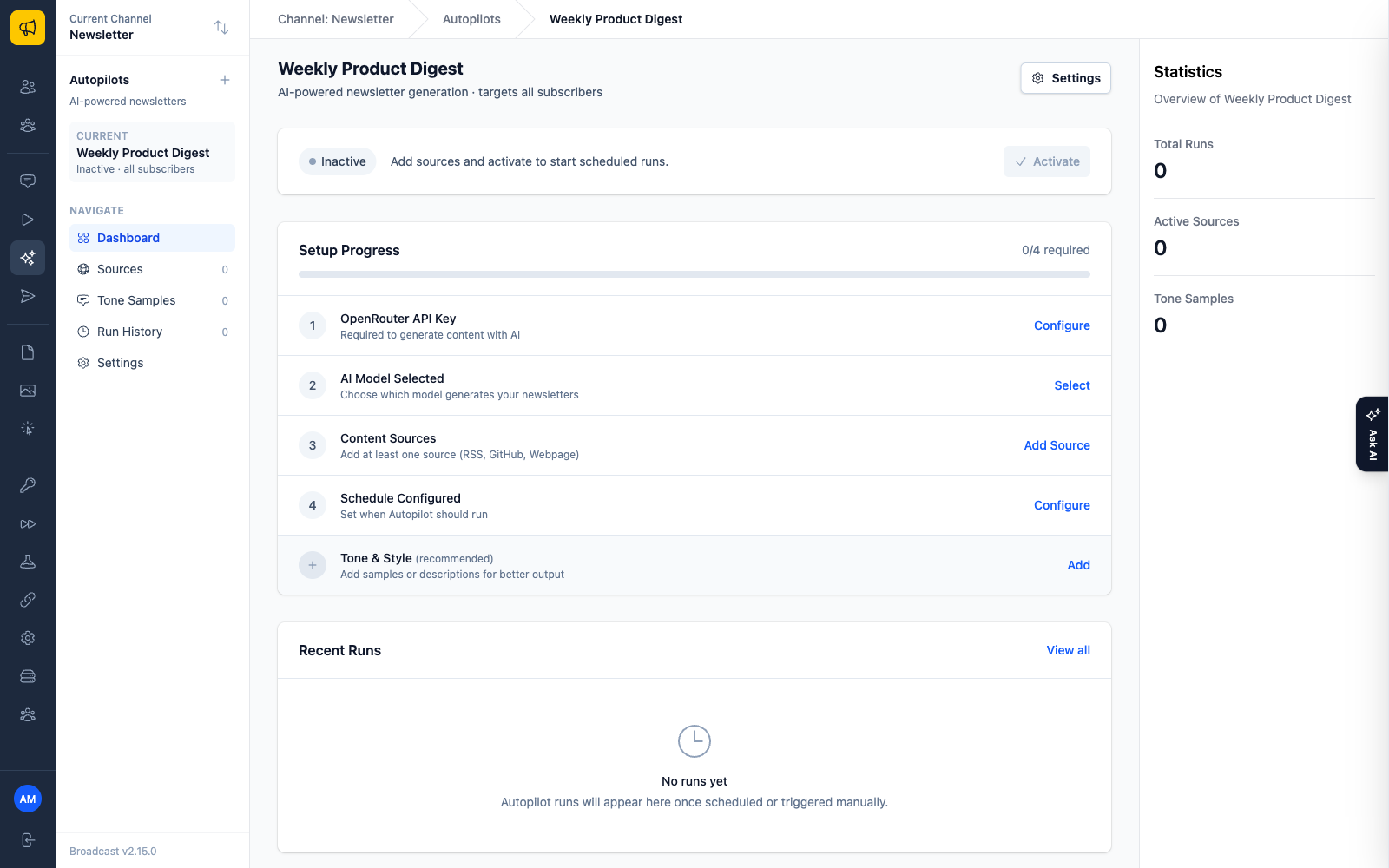
Point it at what you already produce
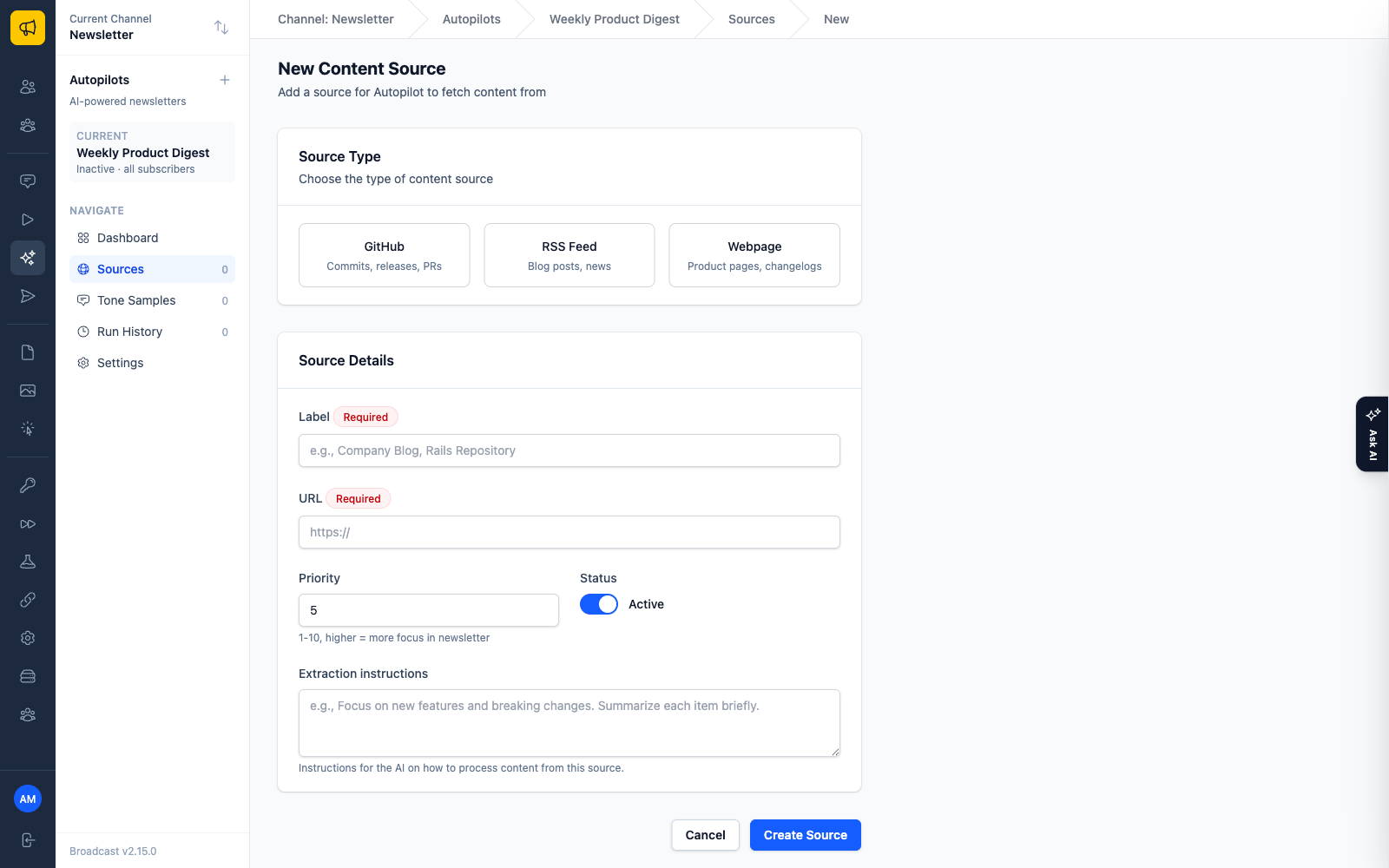
Autopilot generates a draft from sources you configure. There are three kinds, and they cover most of what a founder or small team already publishes:
- GitHub repositories. Track a public repo (or a private one with a personal access token), and choose what to pull in: commits, pull requests, issues, releases, or some mix. You set how many days back to look.
- RSS feeds. Any blog, news site, or announcement feed. You cap how many recent items to fetch and how far back to reach.
- Web pages. Point it at a URL and give it a CSS selector to target the part that matters (say,
articleor.content), plus selectors to strip out the noise like sidebars and comments.
Here is the example that made me want to build this in the first place. Point a source at your product’s repo, tell it to read the last two weeks of commits and merged pull requests, apply the built-in Product Changelog preset, and your commit history becomes a changelog newsletter. The work you already did shows up as a draft. You were going to write “here’s what shipped this month” from memory anyway. Autopilot reads the actual record instead.
You can mix source types in one newsletter and give each source a priority from 1 to 10, so your most important content gets the most attention in the draft. There’s a Test button on every source so you can confirm it’s pulling what you expect before it ever runs for real.
It should sound like you, not like a chatbot
A draft that reads like generic AI copy is worse than no draft, because you have to rewrite it from scratch and you can feel the sameness in every sentence. So Autopilot has two levers for voice.
The first is a plain tone description: how formal, what personality, what to avoid. The second matters more. You can add one to three tone samples, which are just complete examples of things you have actually written before. Paste in a past issue or two, label them, and the model has your real cadence to work from instead of an adjective. If the output isn’t matching your style, more samples is usually the fix.
You also tell it how to structure the newsletter (your section headings) and give it content instructions: what to lead with, what to skip, who the audience is. It fills your template from your sources, in your voice.
Every issue is a draft you approve, never an outbox
This is the part I care most about getting right, because it is where trust lives.
A run moves through stages: it fetches from your sources, analyzes what it found, generates the copy, and then stops at a review step. It produces a few complete drafts (you choose how many, up to five) and waits. You compare them, pick the one that’s closest, and click Create Broadcast. That copies the content into a normal broadcast draft, where you make your final edits and then schedule or send it yourself.
Autopilot does not send. It hands you a first draft in your voice and gets out of the way. The generation is automated; the judgment about whether this issue is good enough to send, and what to fix before it does, is still yours. I built it that way on purpose. An AI that emails your subscribers without a human reading the words first is not a feature I want to own.
One channel, many autopilots
Before version 2.9, a channel got one autopilot, which meant one set of sources, one tone, one schedule. That was too blunt. As of 2.9, a single channel can host several autopilots, each with its own sources, tone samples, schedule, and target segments.
Concretely, you can run two very different newsletters off the same install:
- A weekly product digest that reads your repo and changelog page, written in a warm, direct product voice, going out every Tuesday to your existing customers.
- A monthly roundup that pulls from a handful of industry RSS feeds, written in a more measured tone, going out on the first of the month to a segment of prospects who haven’t bought yet.
Two newsletters, one channel. Each autopilot targets the segments you assign, or every subscriber if you leave segments empty.
Two more fixes shipped in 2.9. Scheduled runs now actually fire on schedule; there was a bug where they didn’t always. And when a GitHub source fails, you now see the real HTTP error (a 404, a rate limit, a bad token) instead of a vague “something went wrong.”
Bring your own model
Autopilot runs on OpenRouter with your own API key. You pick the model, from budget options like DeepSeek V3 up through flagship Claude, GPT, and Gemini models. The dropdown groups them so you can find a sensible cost-to-quality trade-off without reading a spec sheet, and because the list is pulled live from OpenRouter’s catalog, newer flagship releases show up without waiting on a Broadcast update.
The billing is direct. You pay OpenRouter for the tokens each run uses, at their rates, with no markup from me sitting in the middle. Every run records its own token count and a cost estimate, so you can see what a given newsletter actually cost to generate rather than wondering. If you want to spend more for better prose on a customer-facing issue and less on an internal digest, that’s your call to make per autopilot.
It ships in the license
AI writing is usually the thing a SaaS dangles at the top pricing tier to justify the jump. Pay us more every month and the robot writes for you. That’s the wrong shape for how I sell Broadcast.
Autopilot arrived in a 2.x release, free to existing license holders like every 2.x release before it. The only per-issue cost is your own OpenRouter usage, billed to you at cost. That’s the same logic that makes self-hosted email cheaper as your list grows: you own the capability, and the marginal cost stays close to what the underlying service charges.
Autopilot will not tell you what mattered this week. That is still your job. It just makes sure the blank page is never the reason issue 37 doesn’t go out.
Set it up with the Autopilot documentation, or read why we sell Broadcast as a one-time license instead of charging you monthly for features like this one.
