Lesson 6 8 min read Completed
Grow a list the right way
Grow your list with consent, double opt-in and a reason to subscribe, so new readers help your reputation instead of hurting it.
The fastest way to grow a list is also the fastest way to ruin a sending domain. In this last lesson you learn to grow with consent: people who asked for your email, confirmed their address, and know what they will get. That kind of growth makes every later send land better.
Never buy a list
A bought, rented or scraped list looks like a shortcut. It brings three problems at once:
- Bounces. Old and invented addresses hard bounce, and a high bounce rate tells providers you do not clean your list.
- Spam traps. Lists like these often contain addresses that exist only to catch senders who did not get consent.
- Complaints. People who never agreed to hear from you report you as spam. That is the signal that hurts most.
Email providers forbid it too. Amazon SES, for example, asks how you collect addresses before it lets you leave the sandbox, and a hint of purchased lists gets follow-up questions or a denial.
The same rule applies to your own data. When you import customers from a shop, keep only those who accepted marketing email.
Give people a reason
People subscribe for what they get, not for “news”. State it plainly on the form: what you send, how often, and why it is useful. “One short email every Tuesday with the week’s best tip” beats “Subscribe to our newsletter”.
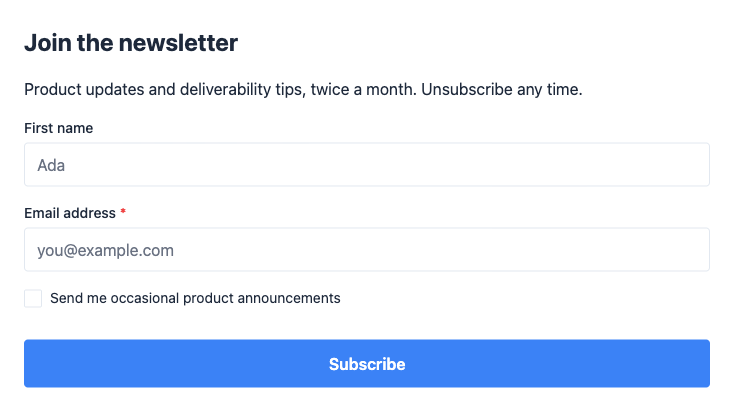
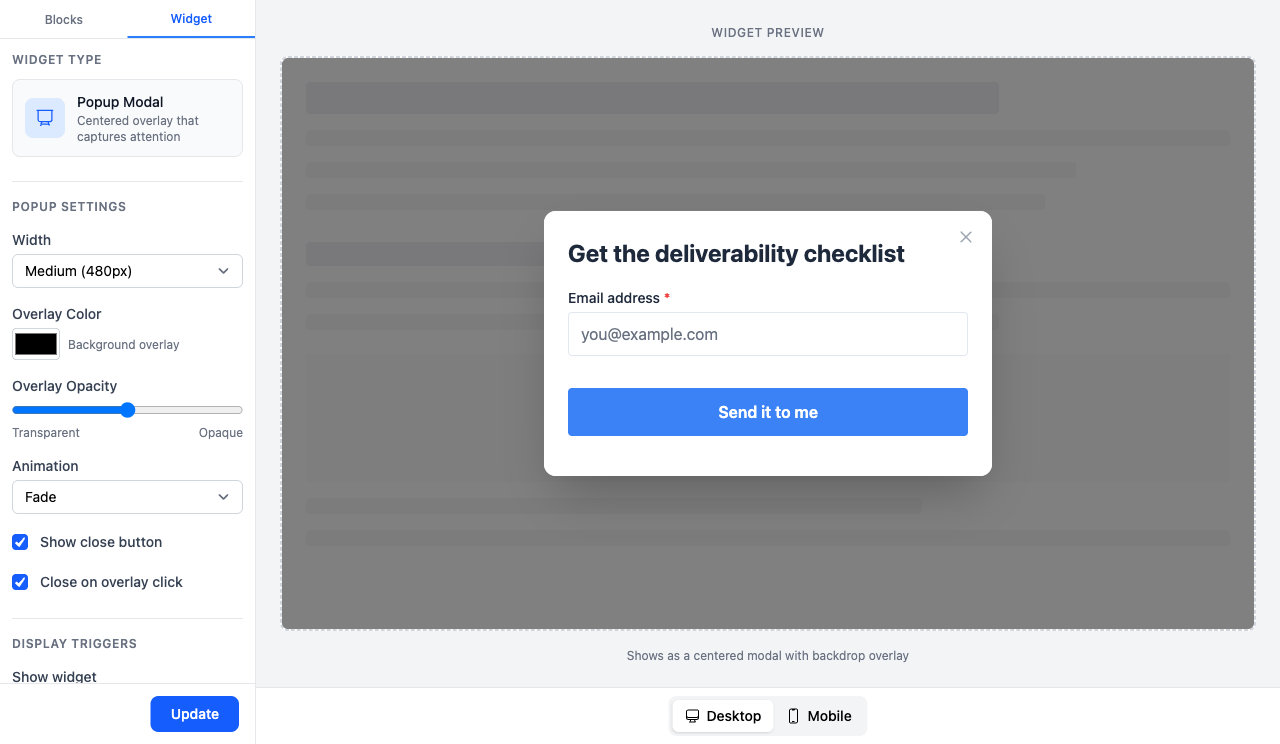
A lead magnet, such as a checklist, a template or a short course, gives a clear reason to sign up. Deliver it with the form’s Send welcome email, or with the first email of a welcome sequence.
Put the form where readers already are
Broadcast’s opt-in forms come in three types, and each fits a different place:
- Inline Embed at the end of a blog post or in the footer, right after a reader sees your best work.
- Popup Modal for a lead magnet, with a trigger that respects the reader: after they scroll most of the page, or on exit intent, rather than the moment the page loads. Set Show frequency so the same visitor does not see it on every visit, and consider desktop only.
- Full Page as a link in your social bio, a QR code or a talk slide, at
/opt_in/<identifier>.
The form’s page shows Views, Submissions and Conversion. Try one change at a time, and keep what improves conversion.
Confirm every address
Leave Double opt-in on. The subscriber gets a confirmation email and joins only after they click the link. That one step does a lot:
- A typo never confirms, so it never bounces.
- A bot that fills in a stranger’s address never confirms, so that stranger never gets your mail and never complains.
- You have a record that the person asked for your email.
A real reader
- Clicks the link
- Joins the list
- You have a record
A typo
- Nobody can click the link
- Never joins, never bounces
A bot with a stranger’s address
- The stranger does not click
- Never joins, never complains
Write a confirmation page that sounds like you, and say what happens next. The subscriber expects the welcome email, so send it.
Note
Broadcast protects unsubscribes on public forms. When someone submits an address that unsubscribed earlier, Broadcast sends the confirmation email first, even with double opt-in off. An address on a suppression list, after a hard bounce or a complaint, gets no email at all. Only the owner of the address can undo their unsubscribe. The form shows the same message for every address, so it never reveals who is on your list.
Ask about topics, not only yes or no
If you send more than one kind of email, add a Topic block to the form. A ticked box stores a yes. For a topic stored in a custom data field, an unticked box stores an explicit no, never “not set”. For a tag topic, an unticked box adds no tag. Either way, a reader who skipped “Offers” never gets offers. Readers who choose what they get complain less and stay longer.
Every topic change is recorded in the subscriber’s activity, with where it came from, and sent to your webhooks as subscriber.preferences_updated. That is your consent record.
Keep the bots out
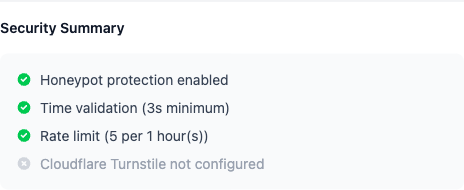
Bots that fill in forms add fake and stolen addresses to your list. Broadcast’s forms have a hidden honeypot field, a minimum time to submit, and a limit of 5 submissions per IP per hour, all on by default. Leave them on, and add Cloudflare Turnstile if bots still get through. Set Allowed Embedding Domains so nobody copies your form to another site.
The new subscriber’s first week
The first days after signup are when a reader is most interested. Use a welcome sequence: deliver what you promised, say what comes next, and ask a question they can reply to. Replies and clicks in that first week teach mailbox providers that your mail is wanted. Growth with consent and a strong first week is what keeps the list from the earlier lessons healthy.
- Deliver what you promised
- Say what comes next
- Ask a question One they can reply to
What you learned
- Never buy, rent or scrape a list. Import only people who agreed.
- Give a clear reason to subscribe, and put the right form type in the right place.
- Keep double opt-in on. Typos and bots never confirm.
- Topic checkboxes record an explicit choice. Bot protection is on by default.
Go deeper in the docs
Check what you learned
PassedAnswer all 3 questions correctly to complete this lesson.