Export What You’re Looking At
There is a particular kind of stuck that email tools are good at creating. Someone asks a question your dashboard cannot answer: which of these bounces are on the same domain, how did the last twelve sends trend, who clicked but never bought. And the data that would answer it is sitting right there on your screen, in a table, with no way out of it.
Broadcast has been guilty of exactly that. Worse, it was guilty of it dishonestly: an Export subscriber data permission has existed in the per-channel permission list for a long time, and it governed nothing at all. There was a route, a policy method, a checkbox, and no export behind any of it.
Version 2.19 fixes that. Subscribers, broadcasts, and a broadcast’s recipient activity each export to CSV, and the permission finally means something.
The rule: the file matches the screen
The one design decision worth explaining is what an export contains. It would have been easier to make every export dump the whole table. Instead, each export runs the same query the page you’re on is running, including your current search, tag, event filter and sort order.
So the workflow is: narrow the screen until it’s showing what you care about, then export that.
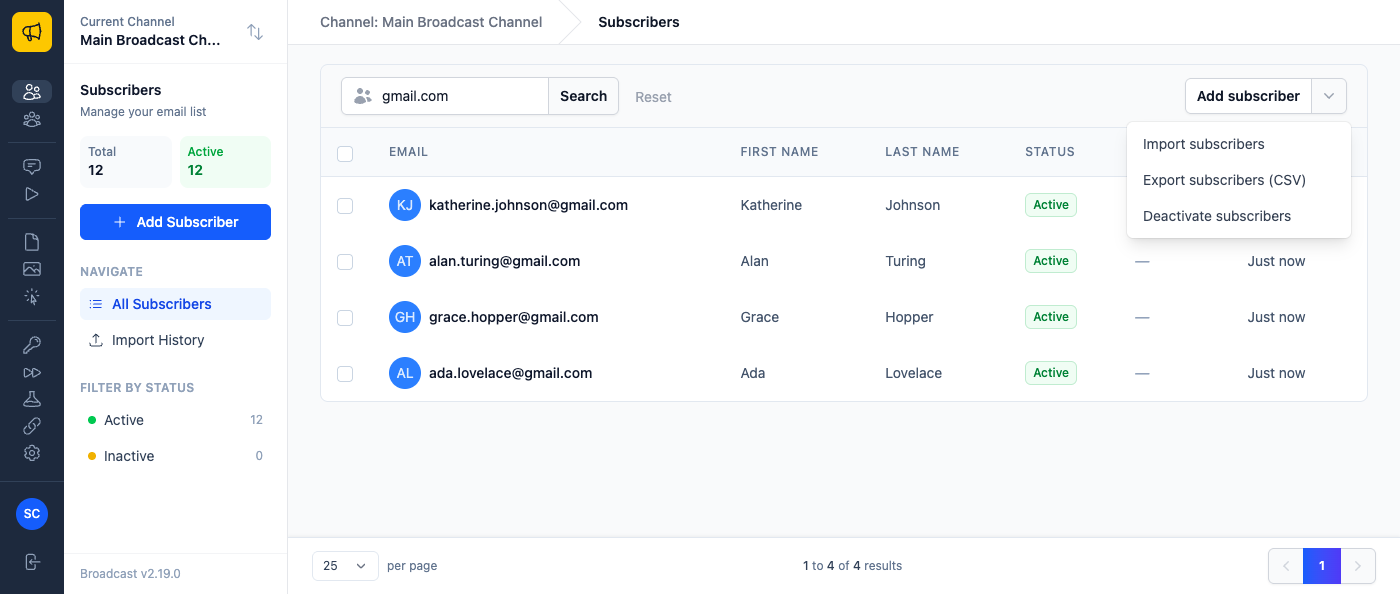
Search northwind.com on the subscribers list and export, and you get everyone at that company and nobody else. Filter a broadcast’s activity to Bounced and export, and the file is the bounce list. Clear the filters first if you want everything.
Under the hood, each list is now defined in exactly one place and called by both the page and the export, so a CSV cannot quietly drift from what the screen showed, or silently widen its own scope. That mattered most for subscribers: rebuilding the query independently would have re-exposed GDPR-redacted records that the list itself hides. Redacted subscribers are never in an export, and there is a test whose whole job is to keep it that way.
Three exports, three different jobs
Subscribers exports the list you’re looking at: email, first and last name, active flag, confirmed / subscribed / unsubscribed timestamps, source, tags and created date. It’s gated on the Export subscriber data permission, because paging through a list and walking away with the whole thing are genuinely different acts.
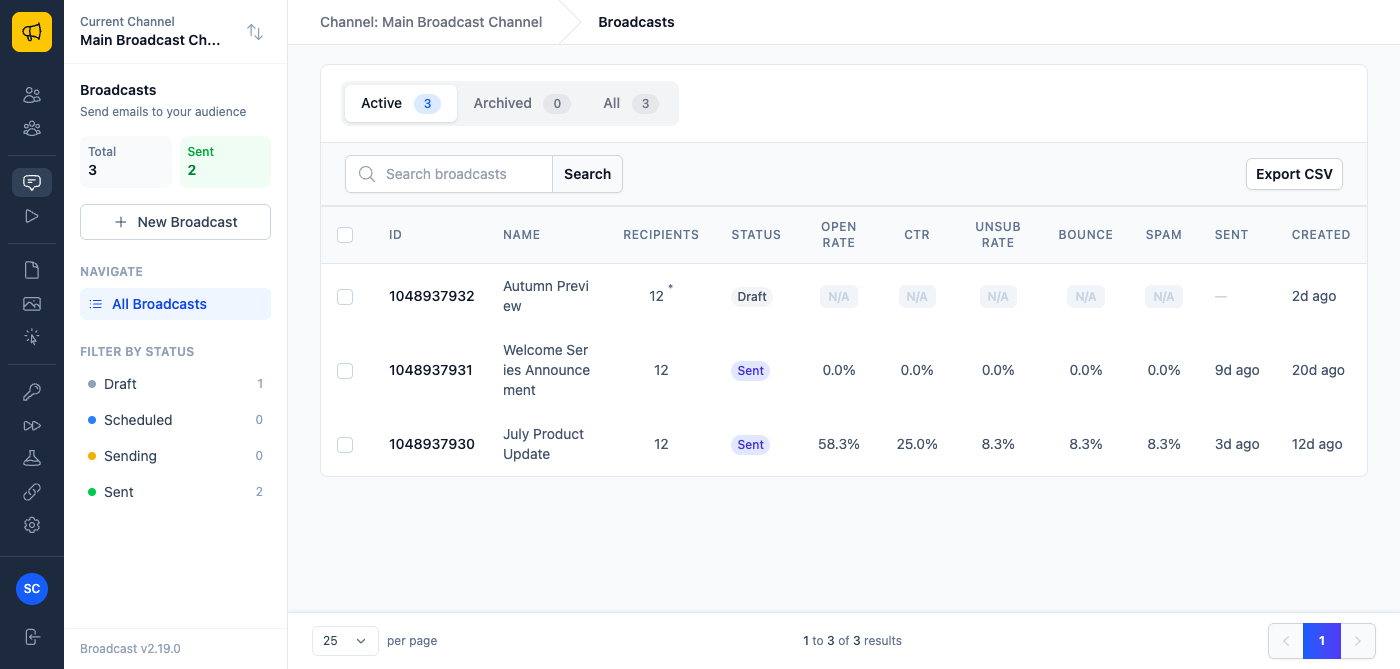
Broadcasts exports a performance summary: one row per send, with its open, click, unsubscribe, bounce and spam rates. It deliberately contains no recipient data at all, which is what makes it the thing you can hand to a client or paste into a board deck without a second thought. Where a rate is unmeasurable because tracking was off for that send, the file says so rather than exporting a misleading 0.0.
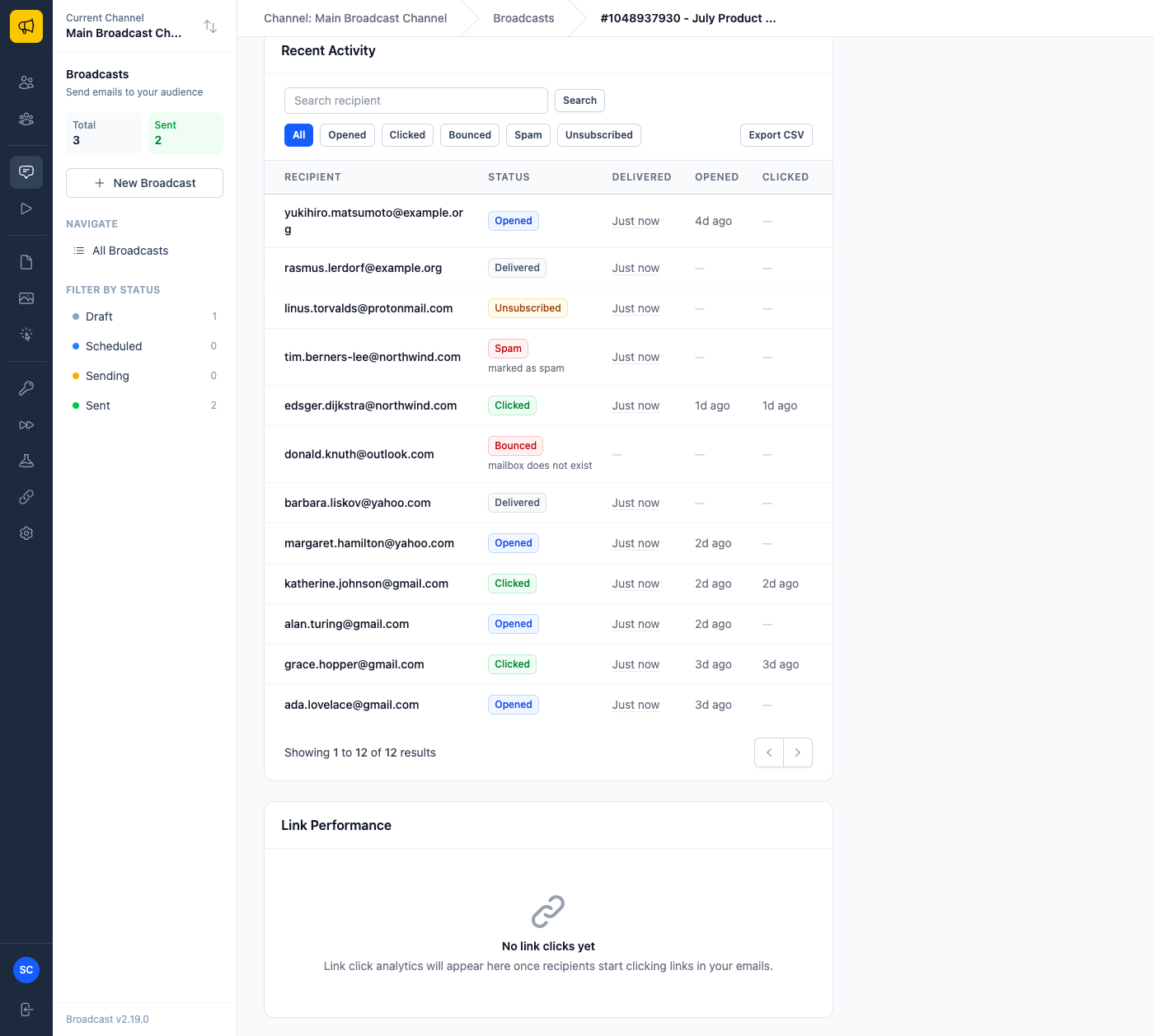
Broadcast activity exports the per-recipient detail for a single send: recipient, delivered / opened / clicked / bounced / spam / unsubscribed, the timestamp for each of those, and the failure reason where there is one. The panel on screen only has room to imply those timestamps; the CSV carries all of them.
What people are actually going to do with this
Three concrete ones, because “you can export data now” is not a use case.
Clean a list before it costs you. Filter a recent broadcast’s activity to Bounced, export, and you have a file of addresses with their bounce reasons attached. Feed it to whoever needs it (your CRM, a colleague, a suppression review) instead of squinting at a paginated panel and copying addresses by hand.
Send a client a report that took ten seconds. Filter the broadcasts list to the campaign or period in question, hit Export CSV, and you have a one-row-per-send performance summary with no recipient data in it. That’s a monthly report, done, with none of the “can you pull the numbers for August” dance.
Ask a question the UI doesn’t answer. Export a segment, open it in a spreadsheet, and pivot by domain, by source, by signup month, whatever the actual question was. The point of an export is that it lets you ask things I never anticipated when I built the pages.
The rest of 2.19
Two smaller fixes rode along. Clicking a recipient in a broadcast’s Recent Activity used to replace the panel with “Content missing”. It now opens that subscriber, as it always should have. And a recipient who opened an email no longer shows a dash under Delivered, because opening an email is fairly conclusive evidence that it was delivered.
An export covers up to 50,000 rows; beyond that the file ends with a row telling you it was truncated, so a short file is never mistaken for a complete one. Narrow with a search, a tag or a segment and export in pieces.
Your subscriber list and your sending history are yours. Self-hosting already meant they lived on your server rather than someone else’s; now getting them out of the interface takes one click.
See the managing subscribers documentation for the export details and permissions, or read about the true cost of email marketing at scale for why owning your data tends to matter more the bigger your list gets.
