Connecting an Email Provider Should Not Take an Afternoon
Self-hosted email software has one genuinely awkward moment, and it’s right at the start. The app is installed, the dashboard is up, and now you have to connect a sending provider.
Which historically meant: create an account, generate the right kind of API key (not that one, the other one), find your verified domains, copy each sender address across, work out what your install’s webhook URL is, paste it into the provider’s dashboard, select which event types to subscribe to, and then send a test to find out whether any of it worked. Across two browser tabs and one documentation page, with the failure mode being silence.
Version 2.1 replaced that with wizards.
Pick a provider, paste one key
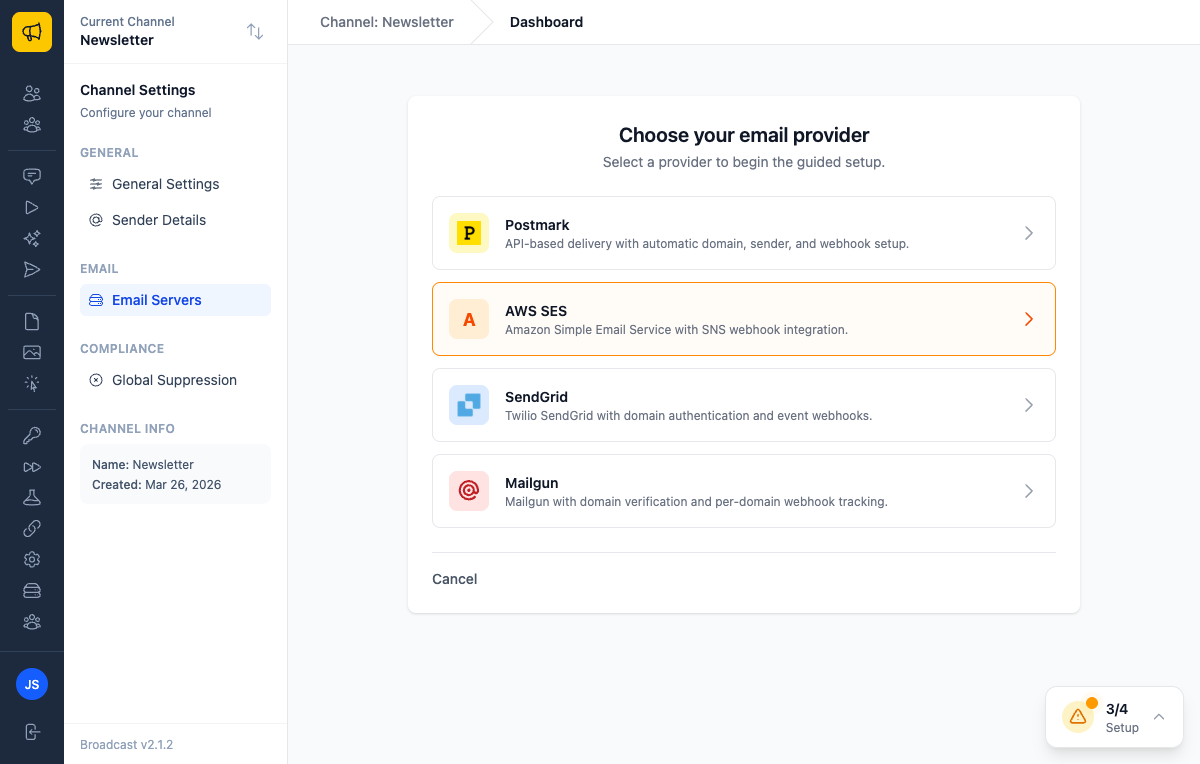
Four providers, each with a guided setup: Postmark, AWS SES, SendGrid, and Mailgun. Every one follows the same three steps (connect, verify, webhooks) so the shape of the task is identical no matter which you picked.
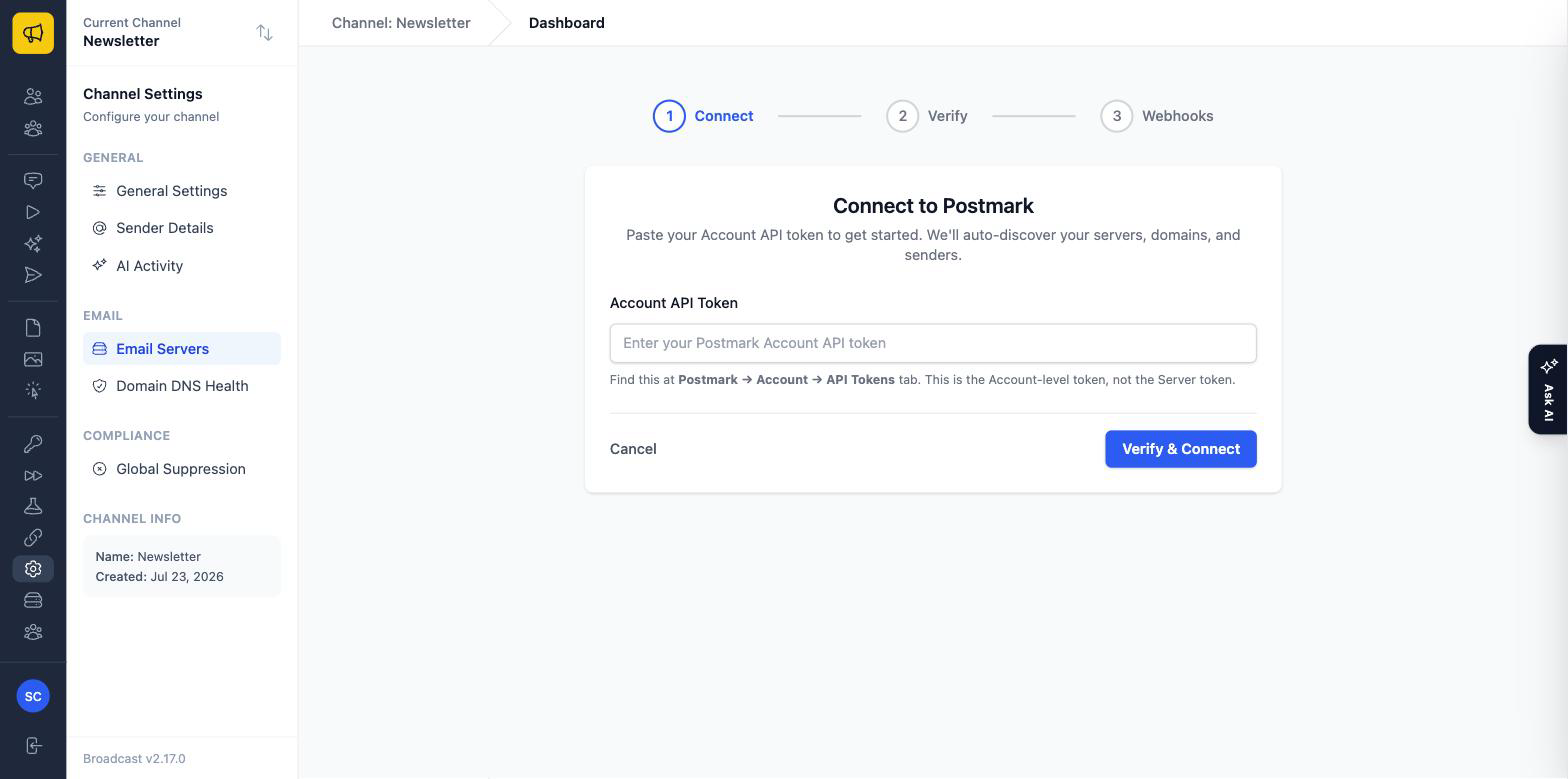
Note the detail on that screen: this is the Account-level token, not the Server token. That sentence exists because getting it wrong is the single most common way a Postmark setup fails, and the resulting error message is not remotely helpful. Half of what a good wizard does is pre-empt the specific mistake everyone makes.
From that one credential, Broadcast auto-discovers your servers, domains and senders rather than making you type them in. You confirm what it found instead of transcribing it.
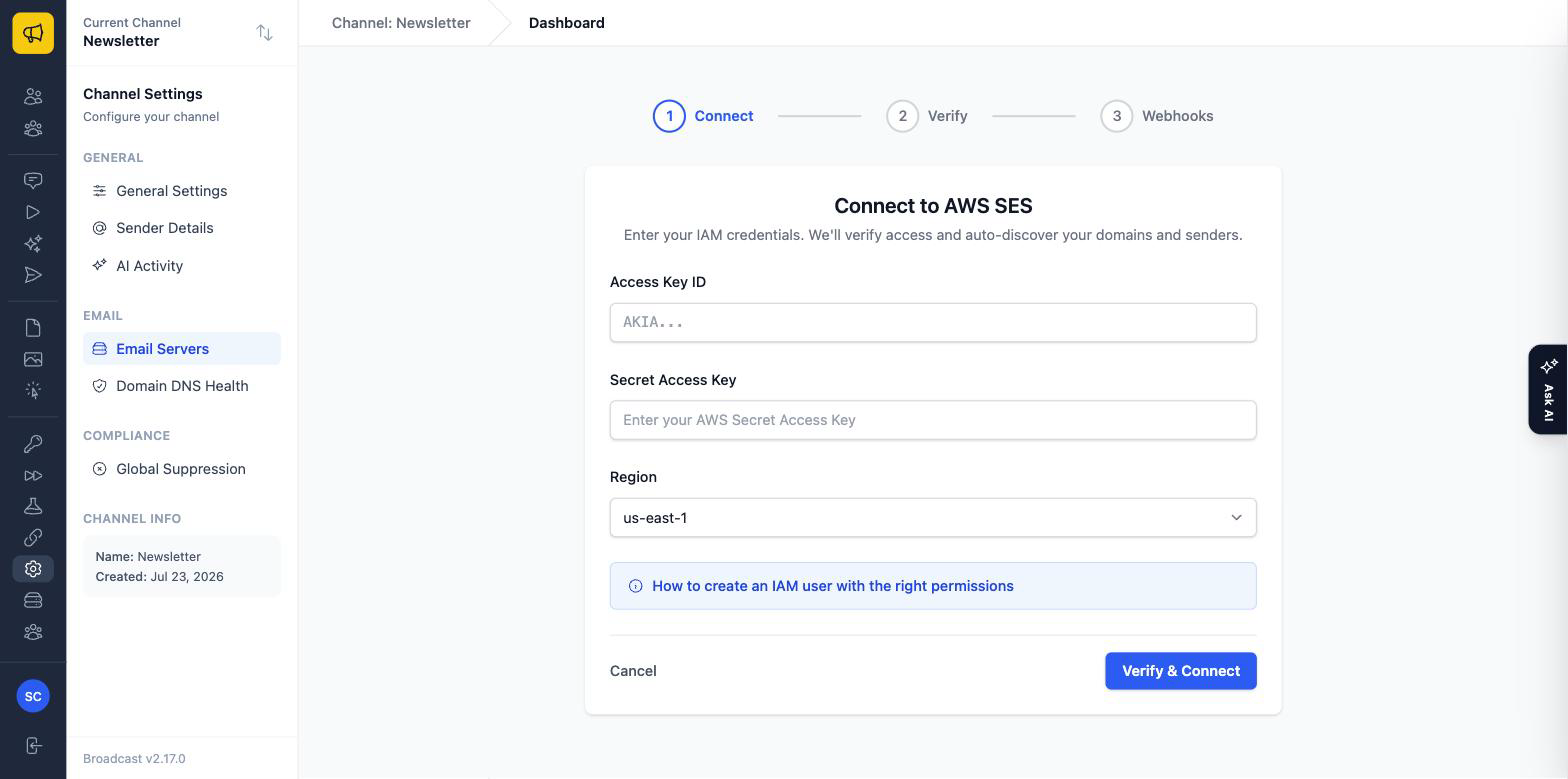
Same structure for SES, with a link to exactly which IAM permissions the user needs, because “create an IAM user with the right permissions” is a sentence that has cost the world a great deal of time.
Then the wizard registers the webhooks itself. That’s the step people most often skip or fumble, and it’s the one that determines whether you ever find out about a bounce. Without it your sending appears to work perfectly right up until you notice your list contains hundreds of addresses that have been hard-bouncing for months.
Proving it actually works
For SES the wizard can send a test email to the SES simulator and verify the whole round trip: the send goes out, the provider processes it, the webhook fires, and Broadcast confirms it received the event.
That’s a meaningfully stronger claim than “your credentials are valid”. It’s your entire pipeline works, end to end, including the part that reports back to you, verified before you’ve sent a single real email to a single real subscriber. The same instinct produced the end-to-end provider testing that runs in Broadcast’s own CI: the only test worth trusting for email is one where the message actually arrives.
Where it all lives now
2.1 also merged the old ESP Integrations section into Email Servers, giving each server its own detail page. Two concepts became one, which is how it should have been from the start: “an email server” and “an ESP integration” were never different things to anyone but the code.
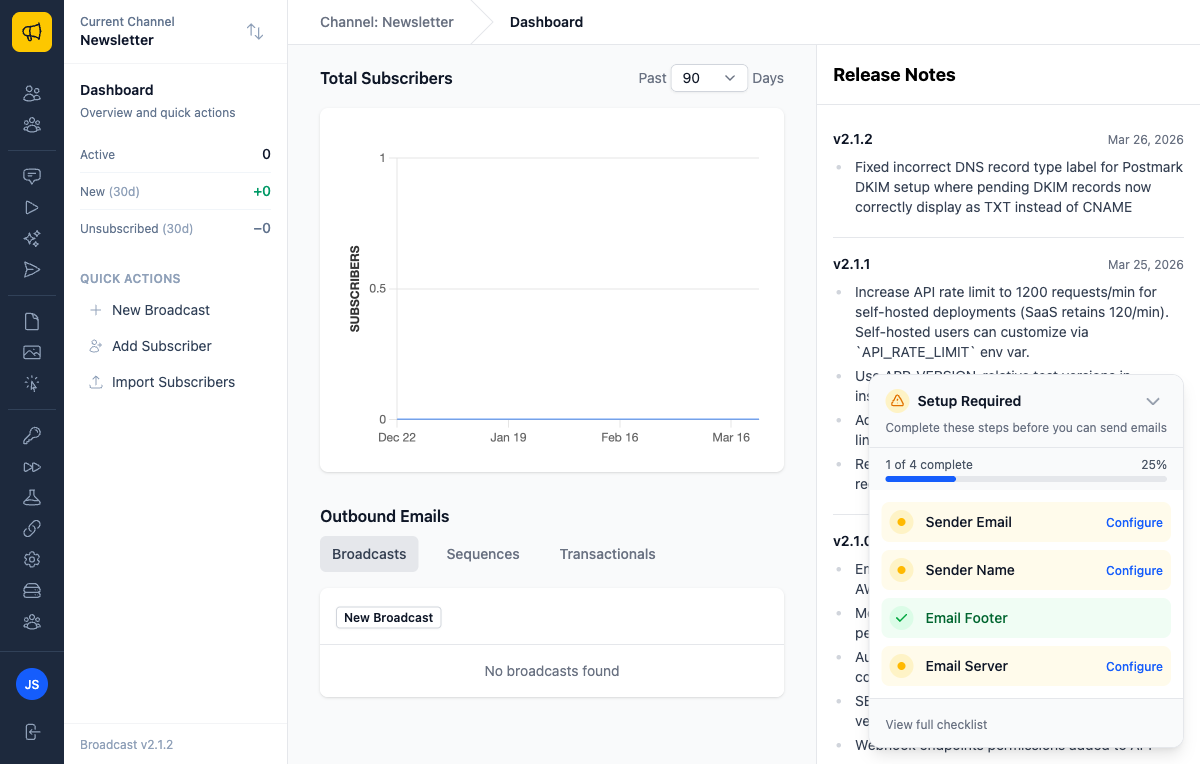
The setup checklist on the dashboard tracks what’s left, so a half-finished configuration is visible rather than something you discover when a send fails.
Three things this changes
First install. From docker compose up to a verified sending path in minutes, without a documentation tab open. That’s the difference between evaluating Broadcast on a free evening and giving up halfway.
Switching providers. Providers get expensive, or throttle you, or have an incident week. Running the wizard for a different one is a small enough task that switching becomes a real option rather than a project you keep postponing.
Adding a channel. Each channel can have its own sending setup. When adding one is a five-minute wizard, running separate channels per brand or per client stops being a hassle you avoid.
The rest of 2.1
SolidQueue worker concurrency is now auto-detected from the machine’s CPU cores, so a self-hosted install stops leaving throughput on the table (or oversubscribing a small VPS) because of a default that couldn’t know what hardware it landed on. Webhook endpoint permissions were added to the API token form. A handful of fixes landed too: the sequence link on completed-sequence activity pointed at the wrong path, table CSS in the transactional email preview was broken, and domain resolution for the installation domain misbehaved in step 2 of the wizard. Ruby went from 4.0.1 to 4.0.2.
Two patch releases followed within days, both from real setups hitting real edges: 2.1.1 raised the self-hosted API rate limit to 1200 requests/minute (configurable via API_RATE_LIMIT), and 2.1.2 fixed the Postmark DKIM setup showing pending records as CNAME when they’re TXT, a label that would send you to your DNS provider to create precisely the wrong record.
See the email provider integrations documentation for provider-specific setup, or read about how we verify emails actually arrive across all four providers.
