Your Install Should Tell You When It’s Out of Date
Hosted software nags you about updates because it already updated you. Self-hosted software has the opposite problem: nothing changes unless you go and change it, and nothing reminds you that there is anything to change.
So the usual pattern is that your install quietly falls behind. It runs fine. Nothing is broken enough to make you look. Then one day you go to the updates page for an unrelated reason and find that six versions have shipped, one of which fixed a thing you spent an afternoon working around two months ago.
Broadcast 2.20 closes that gap in the least annoying way I could think of.
A notice, not a nag
When a newer version is out, a notice appears in the corner telling you which version you are on and which one you could be on, with a link to the updates page.
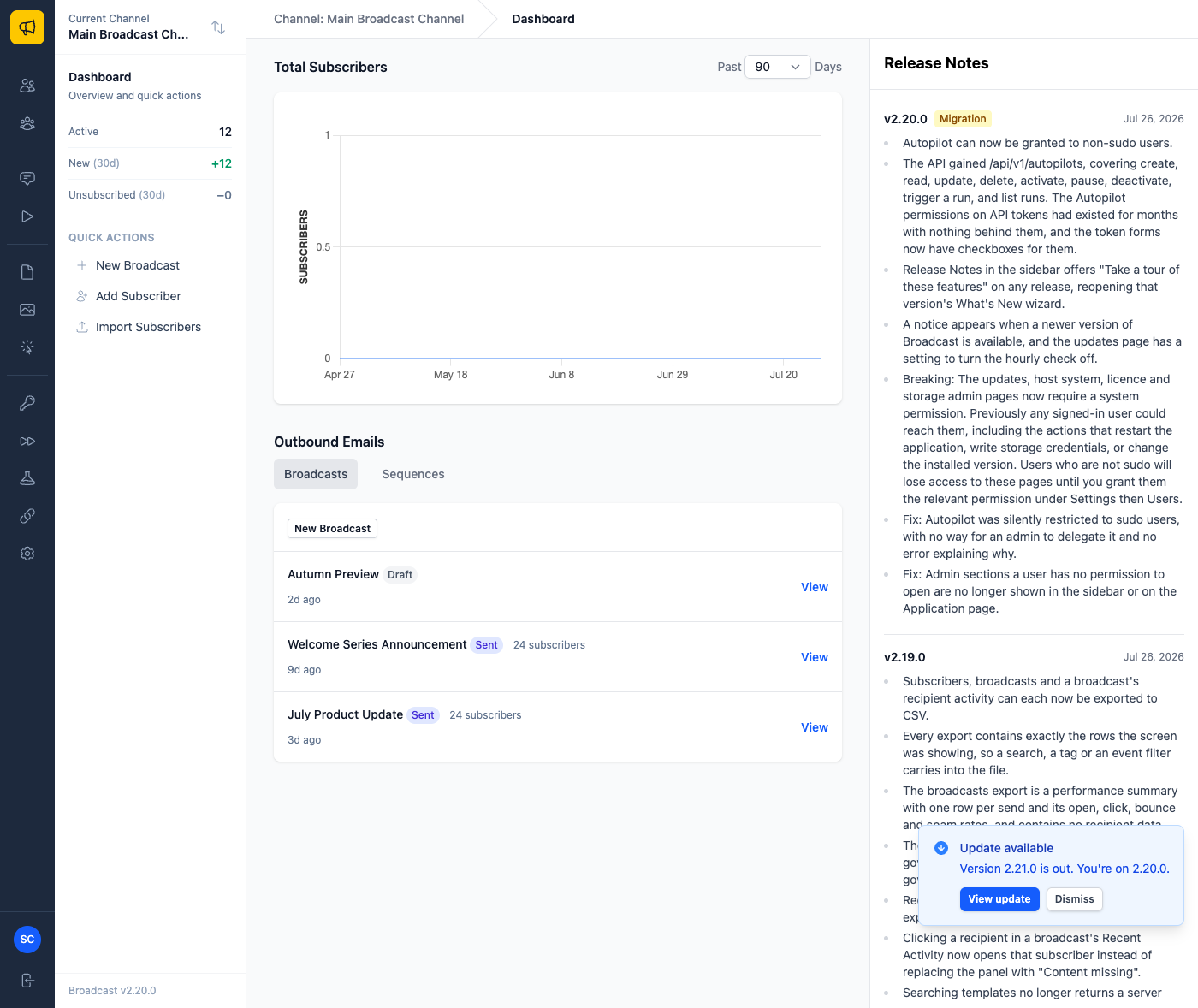
Two decisions in there are worth naming, because they are the difference between a useful notice and one you learn to ignore.
It never blocks a page. The version check runs hourly in the background and writes what it learns to the database. Rendering the notice reads that stored answer and makes no network call at all. If sendbroadcast.net is slow, or down, or your box has no outbound access this week, your dashboard is exactly as fast as it always was. A status indicator that can hang the page it sits on is worse than no indicator.
Dismissing it is remembered per version. Turn down 2.20 and it stays gone. For 2.20. When 2.21 lands you hear about it once. I have used too many tools where “dismiss” means “until you next open a tab”, and that is how you train someone to stop reading anything you put in the corner.
And a switch to turn it off
Some people run this on a box that is not supposed to reach out on a schedule, and that is a legitimate way to run it. Automatically check for updates on the updates page turns the hourly check off, and the notice with it.
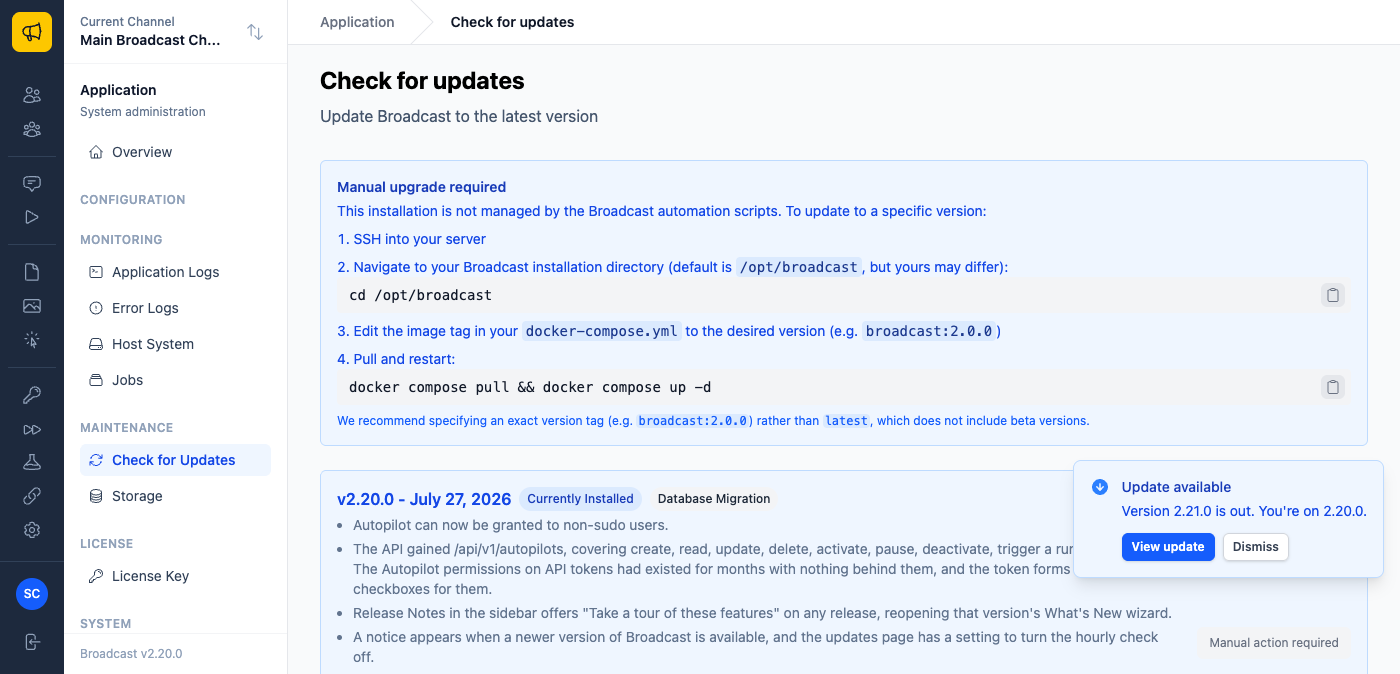
I want to be precise about what that switch does, because it would be easy to overpromise here. It stops the update check and the notice. It does not stop the What’s New wizard fetching release notes for the version you are already running. That is a different feature with a different purpose, and it will keep doing that. If someone tells you a checkbox makes an application completely silent, ask them which requests it actually stops.
Reading a release again
Broadcast has shown a short What’s New tour after an upgrade since 2.15. It had one flaw, which is that it was strictly one-shot: dismiss it, and it was gone permanently. If you clicked through on a Friday afternoon without reading, that was your only chance.
Every release in the Release Notes sidebar now offers Take a tour of these features, which reopens that version’s tour whenever you want it.
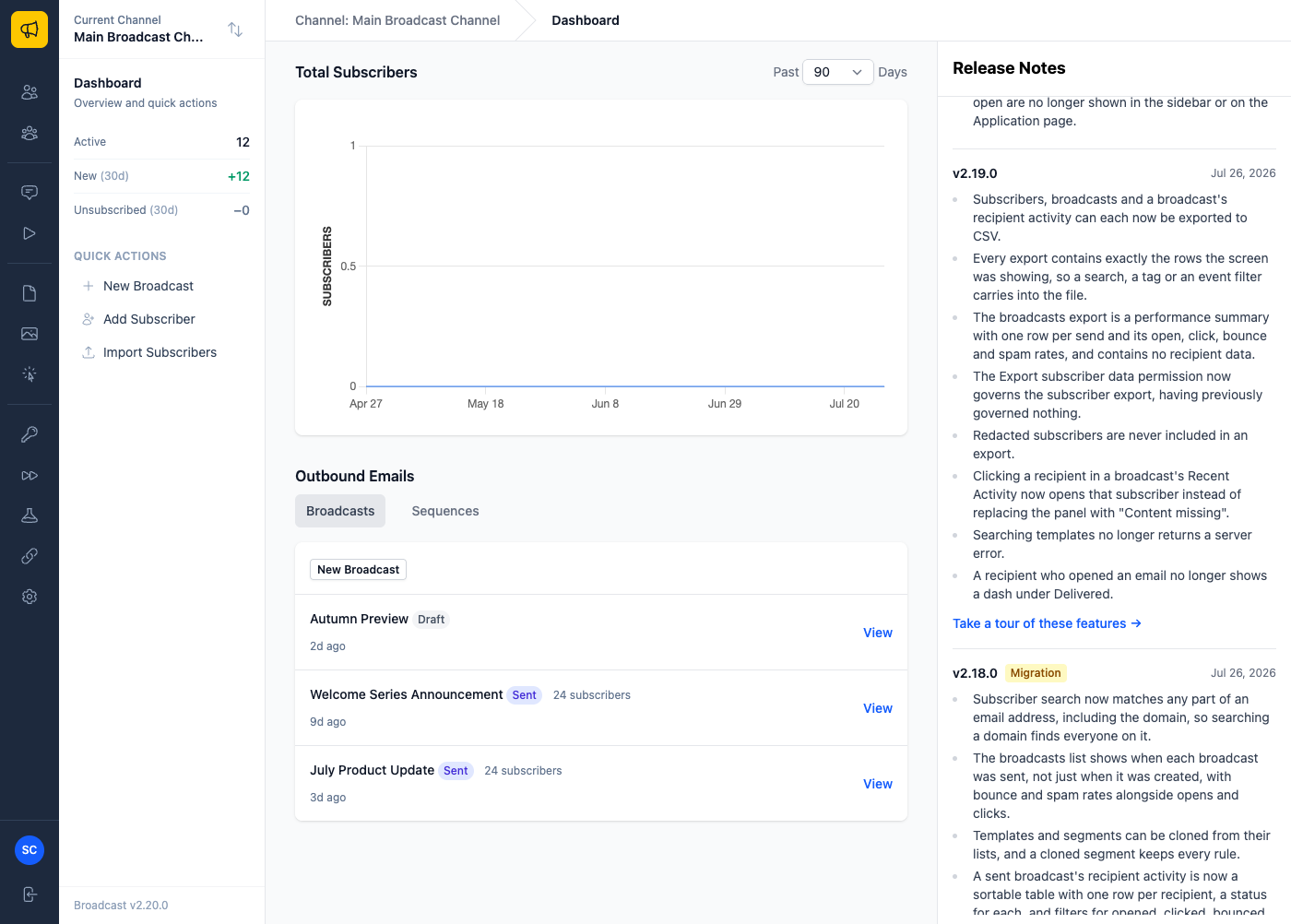
Reopening an old tour deliberately does not mark you as caught up. Read the 2.17 tour out of curiosity and the 2.20 one you have not seen yet is still waiting for you. Otherwise browsing history would silently eat the thing the feature exists to show you.
What this looks like in practice
You upgrade a client’s install on Tuesday and want to know what to tell them changed. Open the sidebar, hit the tour for that version, read three screens, close it. You have their release summary without leaving the app.
You run Broadcast on a locked-down network where scheduled outbound requests need a conversation with someone. Untick the box, and your team checks the updates page on their own cadence instead.
Someone joins and asks what the tagging feature everyone mentions actually does. It shipped in 2.18, so the tour for 2.18 is still there, screenshots and all.
One thing to do before you upgrade
2.20 also tightens who can reach the administration pages. The updates, host system, licence and storage pages now require a system permission, where previously any signed-in user could open them, including the pages that restart the application and hold your storage credentials.
That is a good change, and it is also a breaking one. If you have team members who are not sudo and who use those pages, grant them the relevant permission under Settings then Users before you upgrade, or their next visit is a 403 with no explanation. Sudo users are unaffected.
See the updates documentation for how upgrades work, or read why the What’s New tour exists at all.
