Put Every Newsletter Issue on the Web, on Your Own Domain
A newsletter issue only lives in inboxes. You cannot send someone a link to last month’s issue, a search engine never sees it, and a new subscriber has no way to read what they missed. People work around this by pasting every issue into a blog by hand, or by paying a second service to host an archive.
A customer asked for this directly. They publish a regular newsletter and wanted each issue on the web, a page that lists all of them, and all of it on their own domain, not on a URL that says “Broadcast”. It is a fair request for a self-hosted product: your list is yours, so your archive should be too. It shipped in 3.5.
One switch per broadcast
In the Settings step of a broadcast there is a new Web version card. Turn on Publish a web version and the issue gets a public page with a permanent URL. The URL is made from the subject, and you can change it before the send. After the send it does not change, so a link that someone shared keeps working.
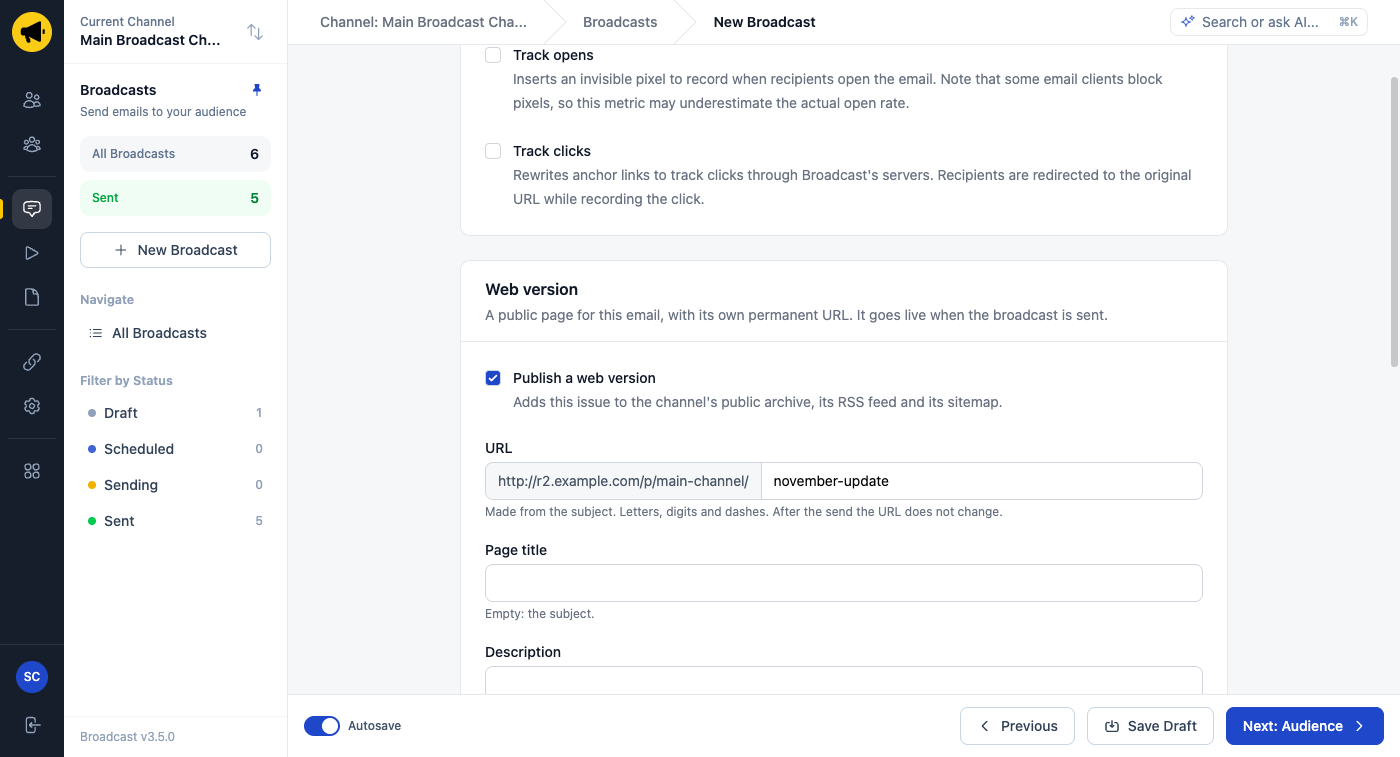
The email gets a View in browser link at the top, in the channel’s language. If you want the link somewhere else, put {{ web_version_url }} in the email yourself. Settings → Web Archive has a default for new broadcasts, so a channel that publishes every issue does not need the switch each time.
The page goes live when the send starts, not when it ends. The View in browser link is in the very first email that goes out, so the page has to be there for that reader.
I drew one line firmly: the web page is the email as nobody received it. Merge tags show their fallback ({{ first_name | default: "there" }} becomes “there”), unsubscribe and preference links are gone, and the page runs no script. A reader’s name never ends up on a public page because they shared the link.
You stay in control after the send
A sent broadcast shows its web version card with the URL, a Copy and an Open button, and how many people viewed the page in the last 30 days. Views are counted on the server, with no cookies, and search engine crawlers are not counted.
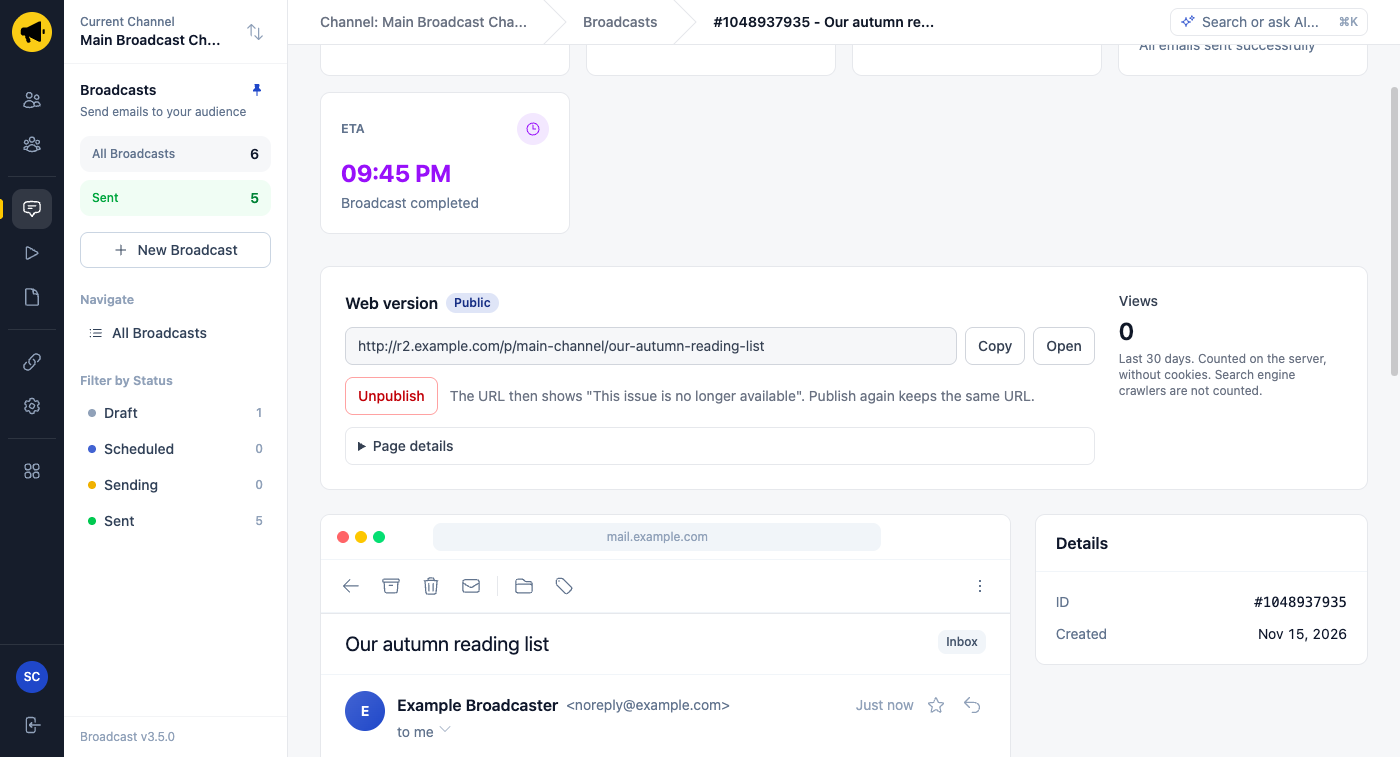
If an issue had a mistake, or an offer has ended, click Unpublish. The URL then says “This issue is no longer available” instead of a broken page, and it leaves the archive and the feed. Publish again brings it back at the same URL.
An archive of every issue
All published issues go into a public archive of the channel: newest first, with search, an RSS feed and a sitemap. It uses the colours, font and logo of your brand kit, and you can show one of your opt-in forms on it, so a visitor who likes an old issue can subscribe on the spot.
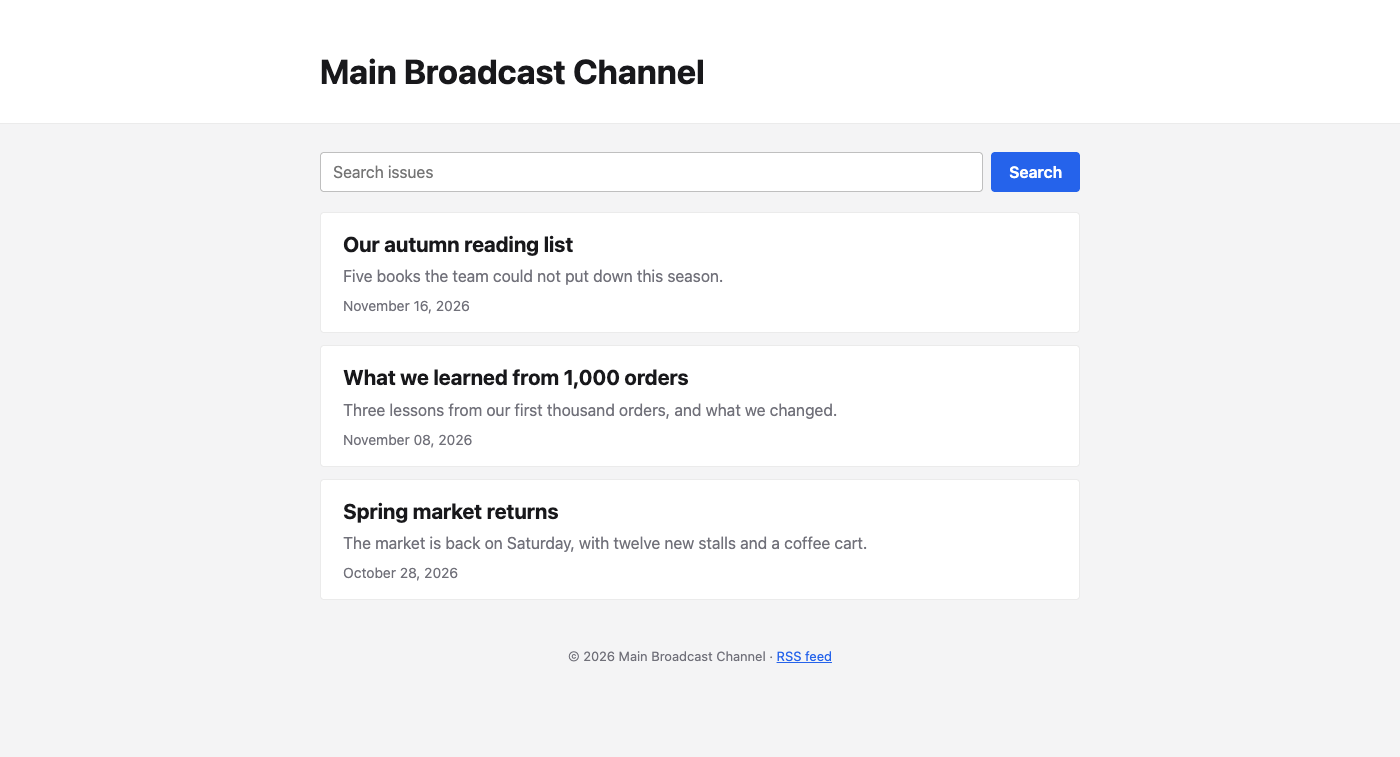
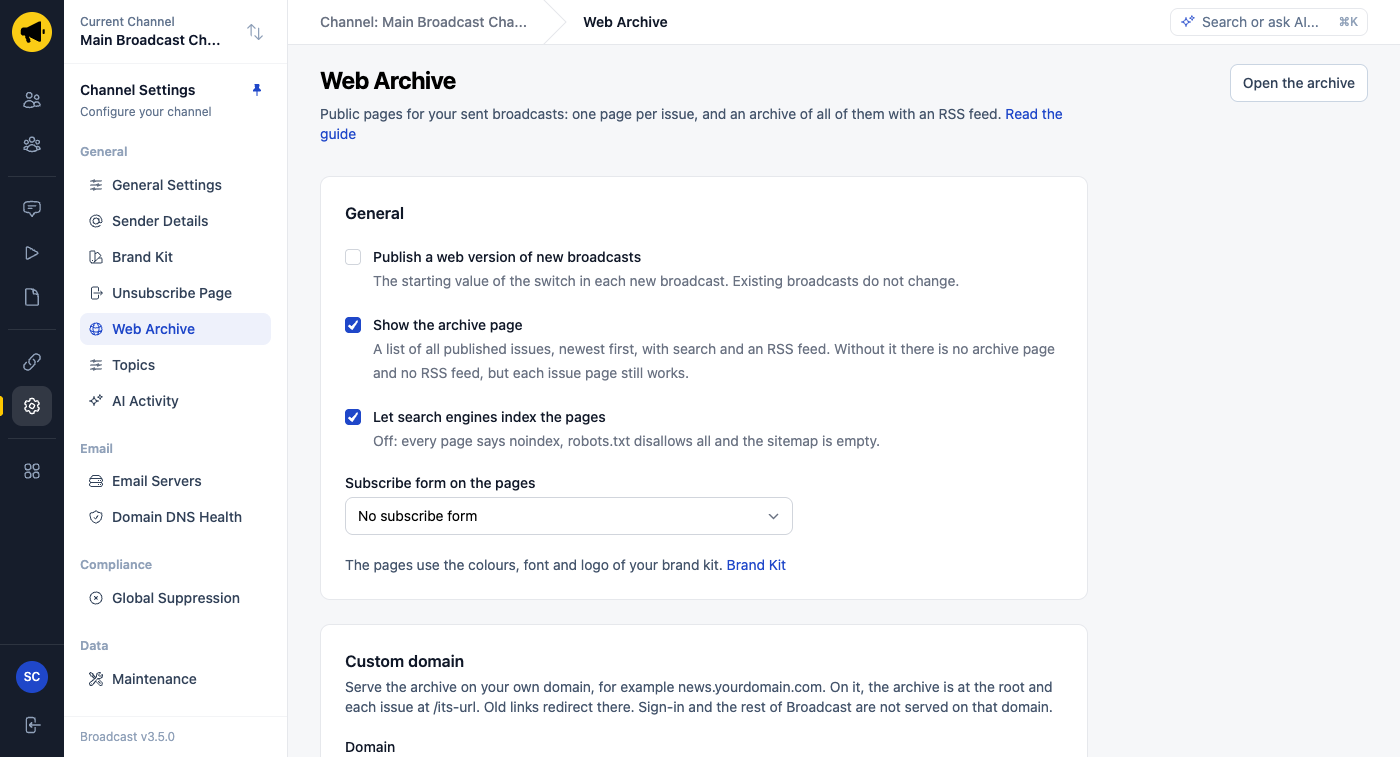
A channel that never published a web version has no archive page, so an upgrade does not suddenly put the name of every channel on the web. If you want the issue pages but not the list, switch off the archive page. If you want the pages but not in search results, switch off indexing: every page then says noindex and the sitemap is empty.
Your own domain
In Settings → Web Archive, add a domain such as news.yourdomain.com and point a CNAME record at your Broadcast server. Broadcast checks the DNS record and shows the certificate status. On that domain the archive is at the root, each issue is at its own path, and nothing else of Broadcast is served there: no sign-in page, no admin.
Old links do not break. A link to the issue on your Broadcast server redirects to the same issue on your domain, with a temporary redirect, so the links still work if you change the domain later.
What this looks like in practice
A local news newsletter goes out every Friday. A reader forwards the link to a neighbour instead of the email, and the neighbour reads the issue on news.example.com, sees the subscribe form under it, and signs up. Nobody had to copy the issue into a blog.
A software company sends a monthly product update. Support answers “when did the export change?” with a link to the October issue, and the October issue shows up when a customer searches for the feature.
A writer moves their newsletter to Broadcast and wants to look established from the first week. They switch on web versions for every new issue, add the RSS feed to their website, and the archive grows with each send.
The broadcasts API reads and writes the web version too, so a script or an AI agent that creates broadcasts can publish them on the web in the same call.
The web versions and archive guide covers the settings, the custom domain and the API. For the editor that makes your issues look right on the web and in the inbox, see the drag and drop email builder with a brand kit.