Plugins for Your Own Email Server, Without Giving Up Control
Until now, every good idea for Broadcast had the same path. I built it into Broadcast, and then every server carried it, also the servers that would never use it. Polls in an email and a referral program are good examples. Both are useful to some lists and noise to others. Neither one belongs in the core of an email server.
Broadcast 3.0 adds plugins. A plugin adds a feature to Broadcast: a page, a panel on a subscriber, a merge tag, a sequence step, a segment rule, an API endpoint. You install it once and turn it on per channel. If you never install one, Broadcast works as before.
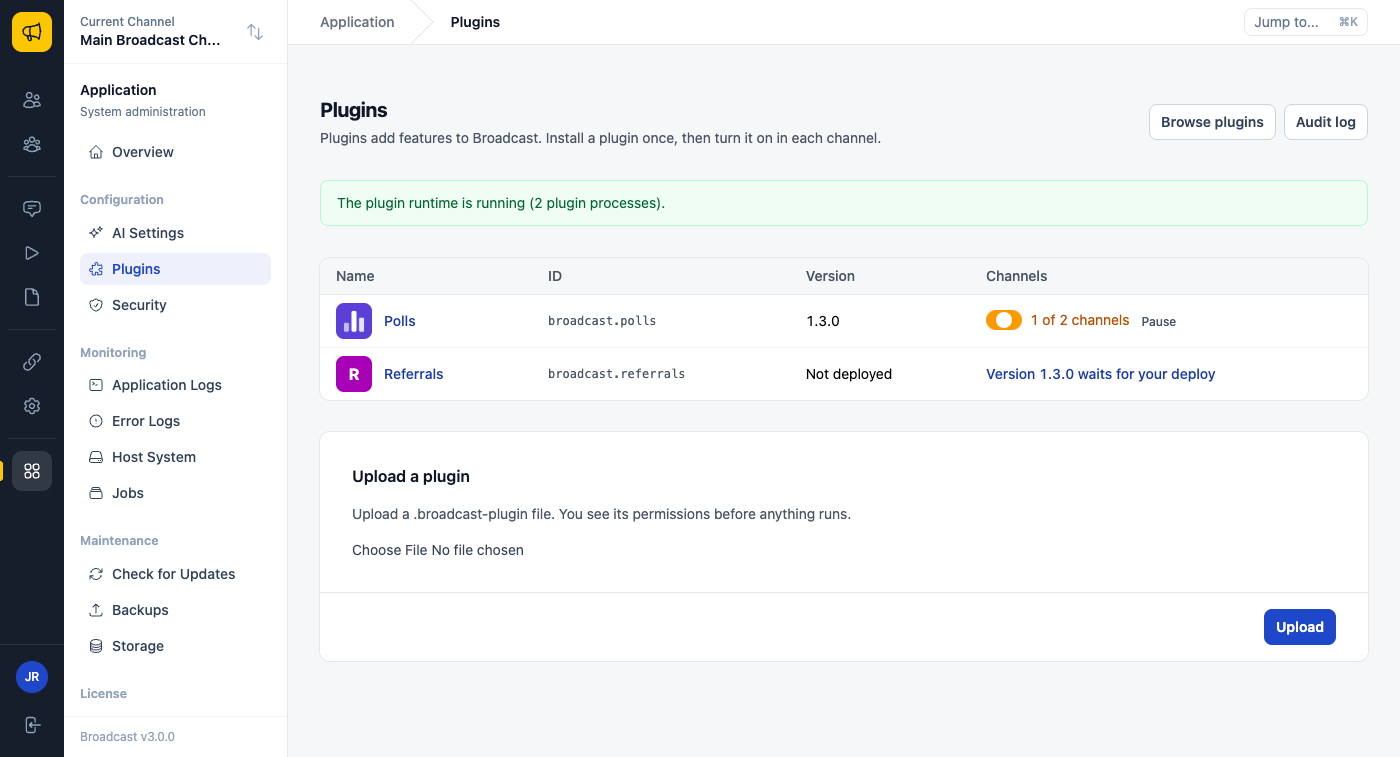
Your server, so your rules
A plugin runs code on your server, next to your subscriber list. That is the part I spent the most time on, because a self-hosted list is often the reason people run Broadcast at all.
So nothing runs until you read what it wants. Before a deploy, Broadcast shows each permission in plain words, the hooks it adds, and the code itself. An update that asks for a new permission waits for you again.
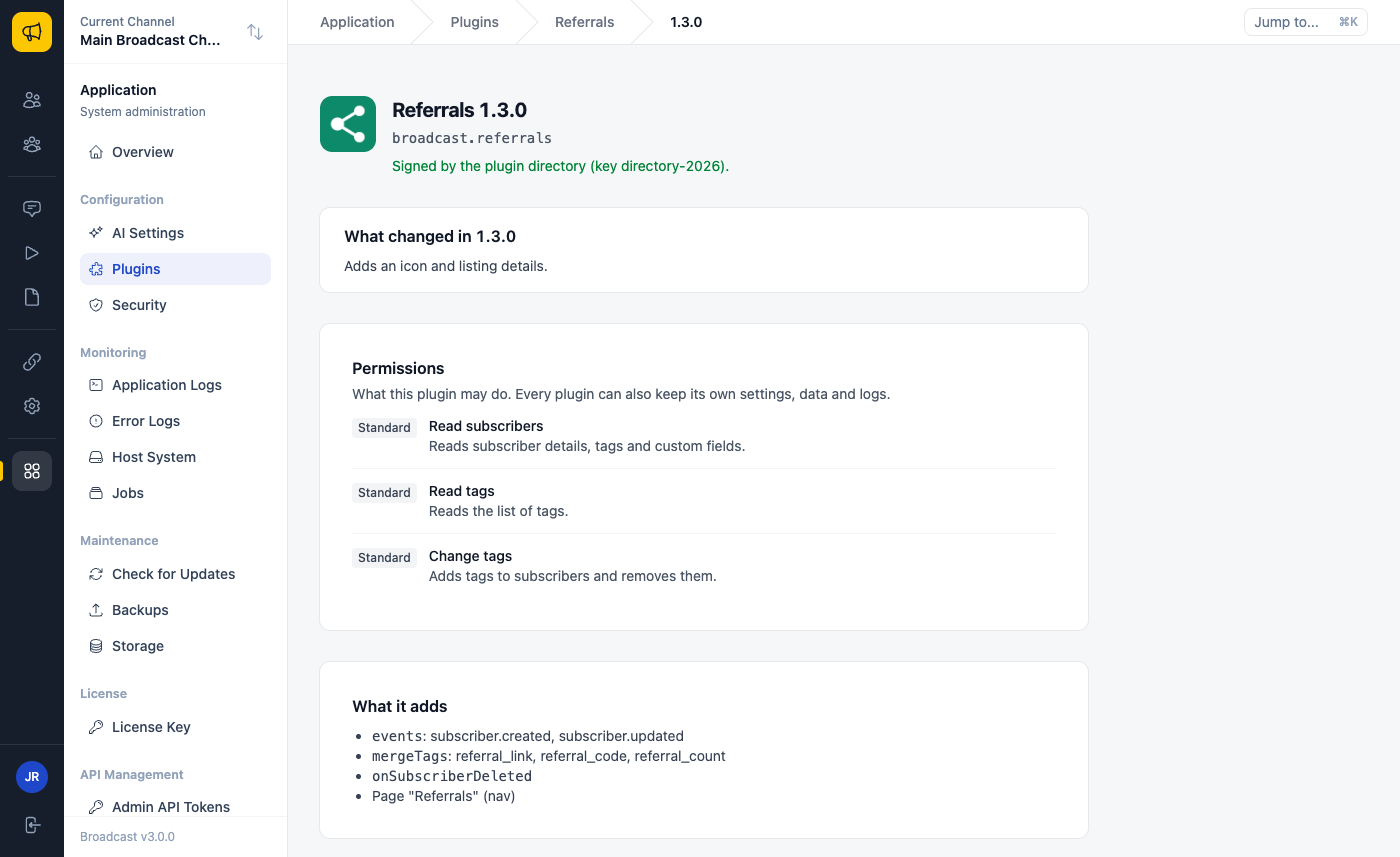
After the deploy, the plugin runs in its own process, not inside Broadcast. Its only way to the internet is a proxy that lets it reach the websites its manifest declares, and nothing else. A plugin that fails again and again is turned off by itself. If a published version turns out to be harmful, the plugin directory adds it to a signed blocked list, and your server turns it off in every channel. And if you ever need everything off at once, there is a safe mode.
Updates follow a policy that you set per plugin: automatic, ask first, or pinned to one version. You can pause a plugin, roll back to an earlier version, and an uninstall keeps the plugin’s data for 30 days in case you change your mind.
Polls and Referrals
The first two official plugins are the two examples from the top of this post.
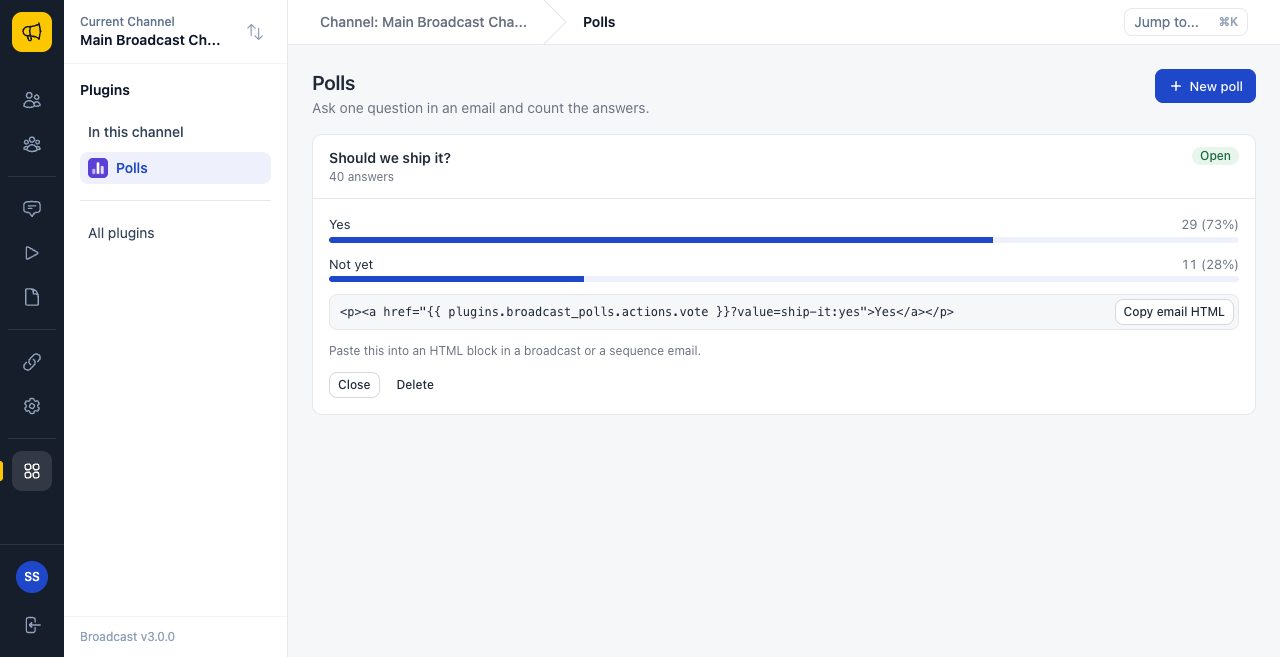
Polls puts a one-click question in an email. Ask “Which topic should next month’s issue cover?”, paste the poll into the broadcast, and the answers count up on the poll page as people click. A vote is one click in the email, with no form and no login.
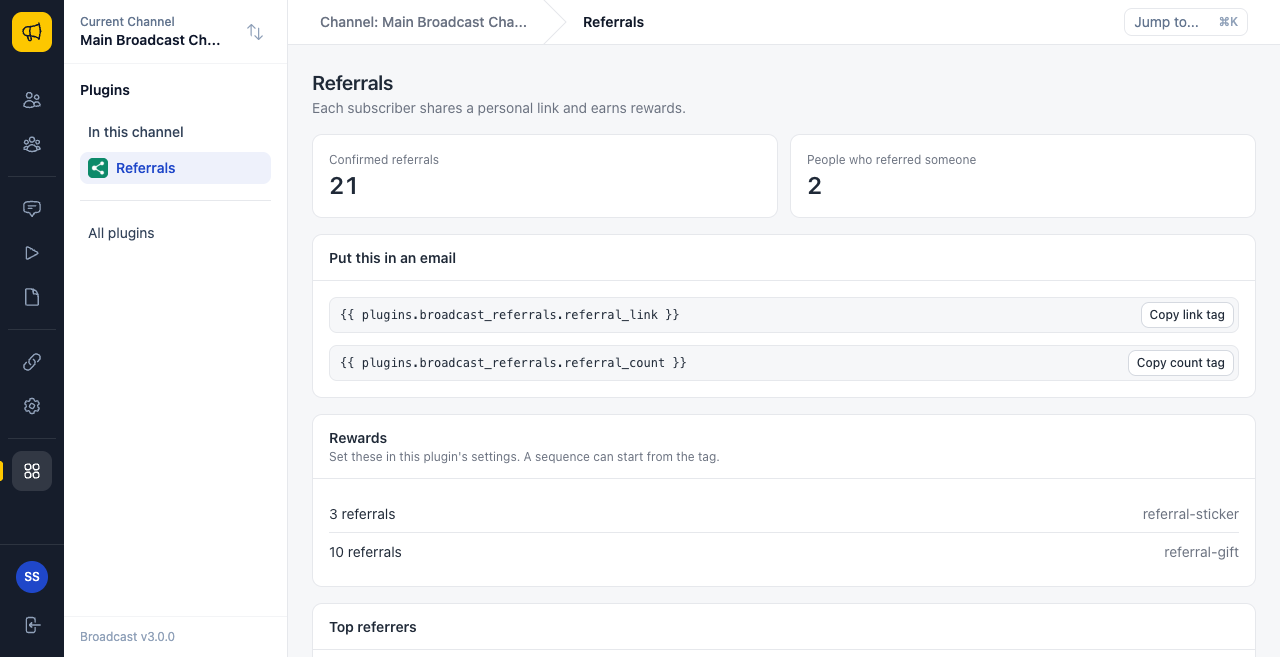
Referrals gives every subscriber a personal share link through a merge tag. When a friend signs up through that link and confirms, the referrer’s count goes up. At the counts you choose, Referrals adds a tag, so a reward is just a sequence that starts from that tag. Three referrals add referral-sticker, and a sequence sends the sticker form. Ten add referral-gift.
Build your own
The plugin kit is on npm as @send-broadcast/plugin-kit. broadcast-plugin init makes a new plugin, check tells you what Broadcast would refuse on upload, and serve opens a local sandbox at localhost with fake subscribers, a clock you can move, and the same rules as a real server. You can try a plugin that posts each new subscriber to your CRM, or one that adds a merge tag with the next event date, without a Broadcast server. When it works, pack makes the file that you upload.
Plugins can also be written with an agent. An agent can start a draft from scratch or from a plugin that you installed, and the draft goes through the same permission screen as anything else.
Two smaller things in 3.0
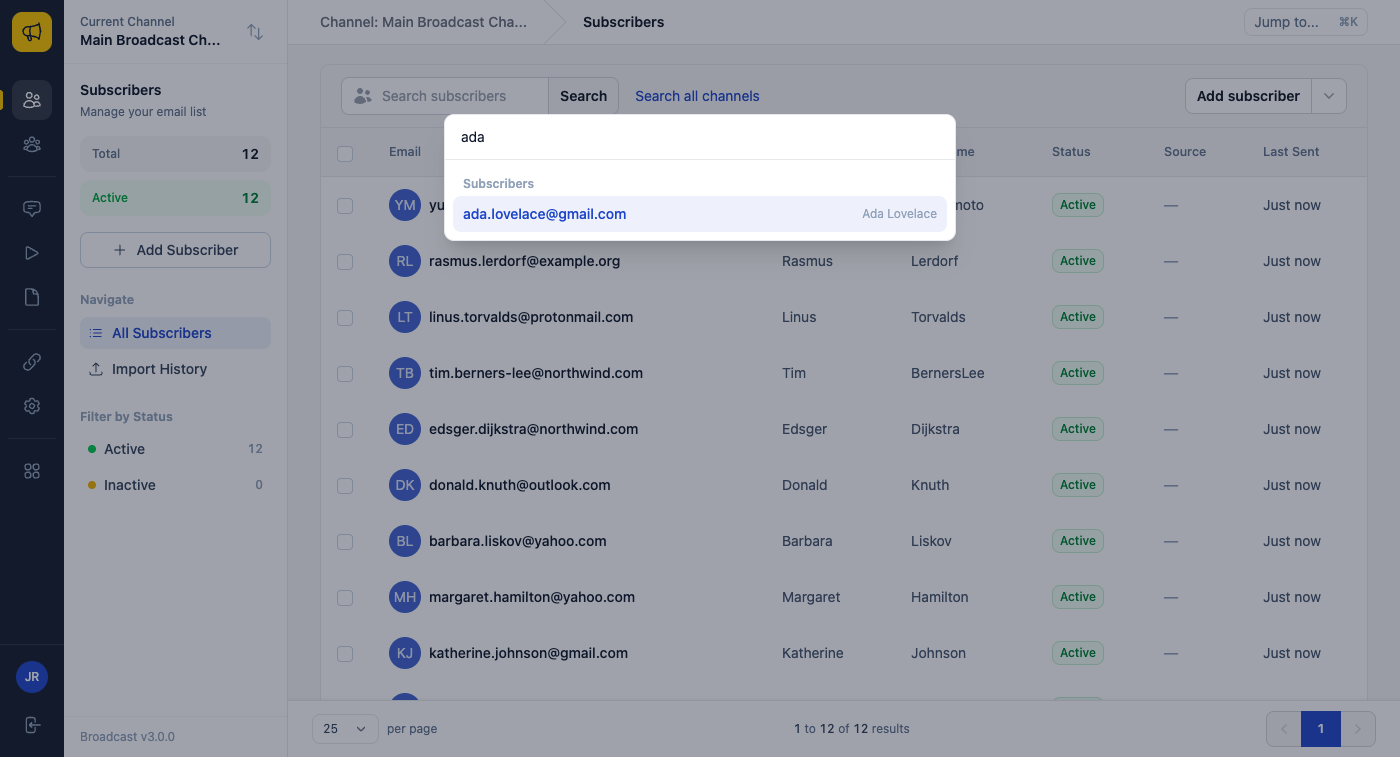
Press Cmd+K (or Ctrl+K) anywhere, type a few letters, and go to a page, a subscriber or a broadcast.
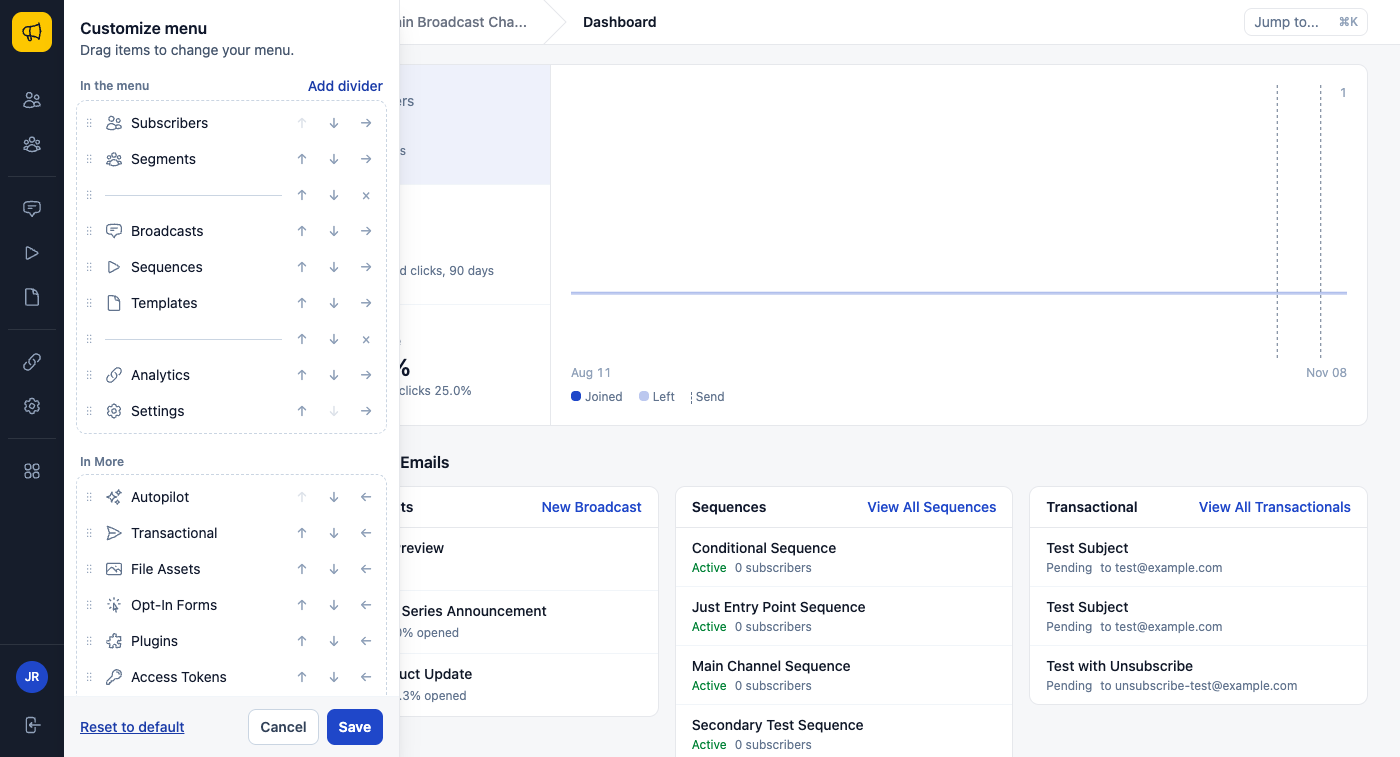
The sidebar is yours, too. Each user can drag items into the menu or out to More, add dividers, and reset to the default. A teammate who only writes broadcasts can keep a menu of three items.
Before you upgrade
Make a backup first. If you run your own PostgreSQL server, Broadcast 3.0 needs PostgreSQL 17 or newer; the automatic installation already runs 17. Plugins add two small containers, and a server that runs plugins should have 4 GB of RAM. Without plugins, 2 GB is still enough. The upgrade page has the steps.
See Upgrading to Broadcast 3.0 and the plugins documentation, or read what Broadcast 2.0 actually changed.