One Customer’s Feedback Email, Shipped
On a Thursday in July, a customer sent me a long email. Not a bug report and not a feature request in the usual sense: a list of nine things that got in their way, ranked by how much each one cost them, written by someone who had clearly been using Broadcast every day for months.
That email is the entire changelog for version 2.18. Six of their nine high-priority items shipped, plus two they’d rated as low priority that turned out to be cheap enough to do while I was already in the file. It is the best product input I’ve had all year, and it cost them twenty minutes of typing.
Here’s what came out of it.
Search that finds a domain
Subscriber search only matched from the start of a field, which meant searching gmail.com found nothing. The fix is small and the effect is not: search now matches any part of an email address, so a domain search pulls up everyone on it.
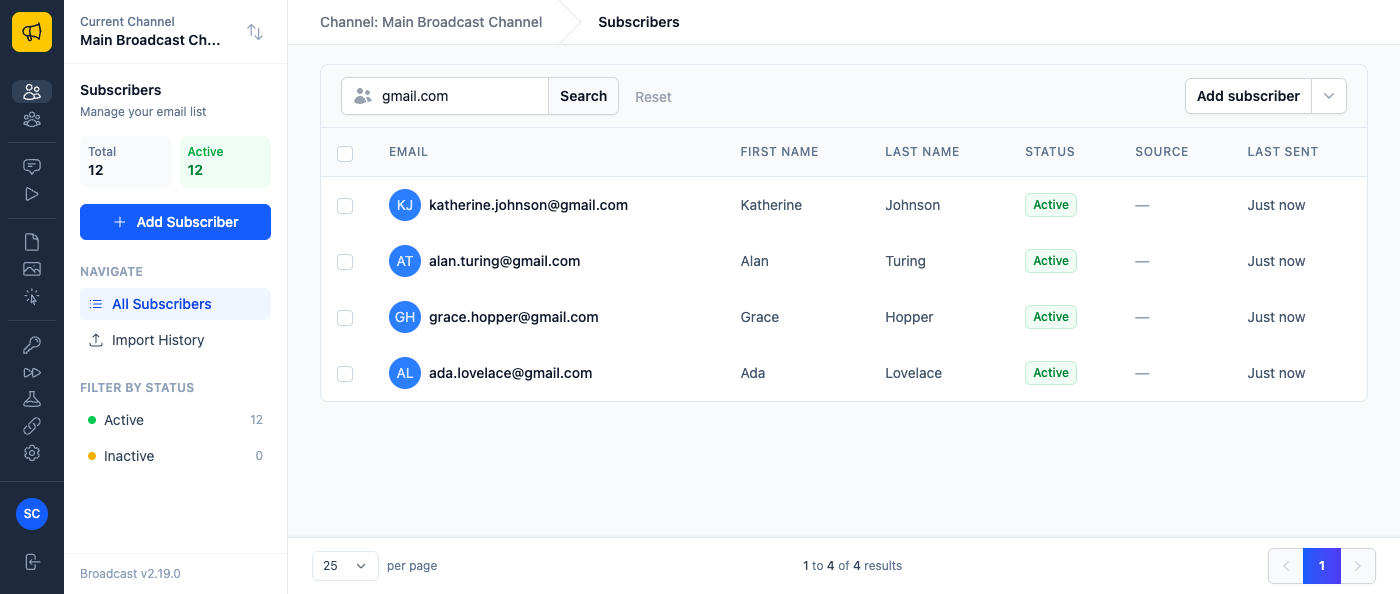
Search your biggest customer’s domain to see every contact you have there before a renewal call. Search gmail.com before investigating a deliverability complaint, since Gmail’s filters behave differently enough to be worth looking at on their own. Names and partial addresses work exactly as they did.
“Who bounced?” in one click
This was the highest-impact item on their list, and the one that took the most rethinking. A sent broadcast’s Recent Activity used to be a feed you scrolled. Now it’s a table: one row per recipient, a status for each, and a column per event.
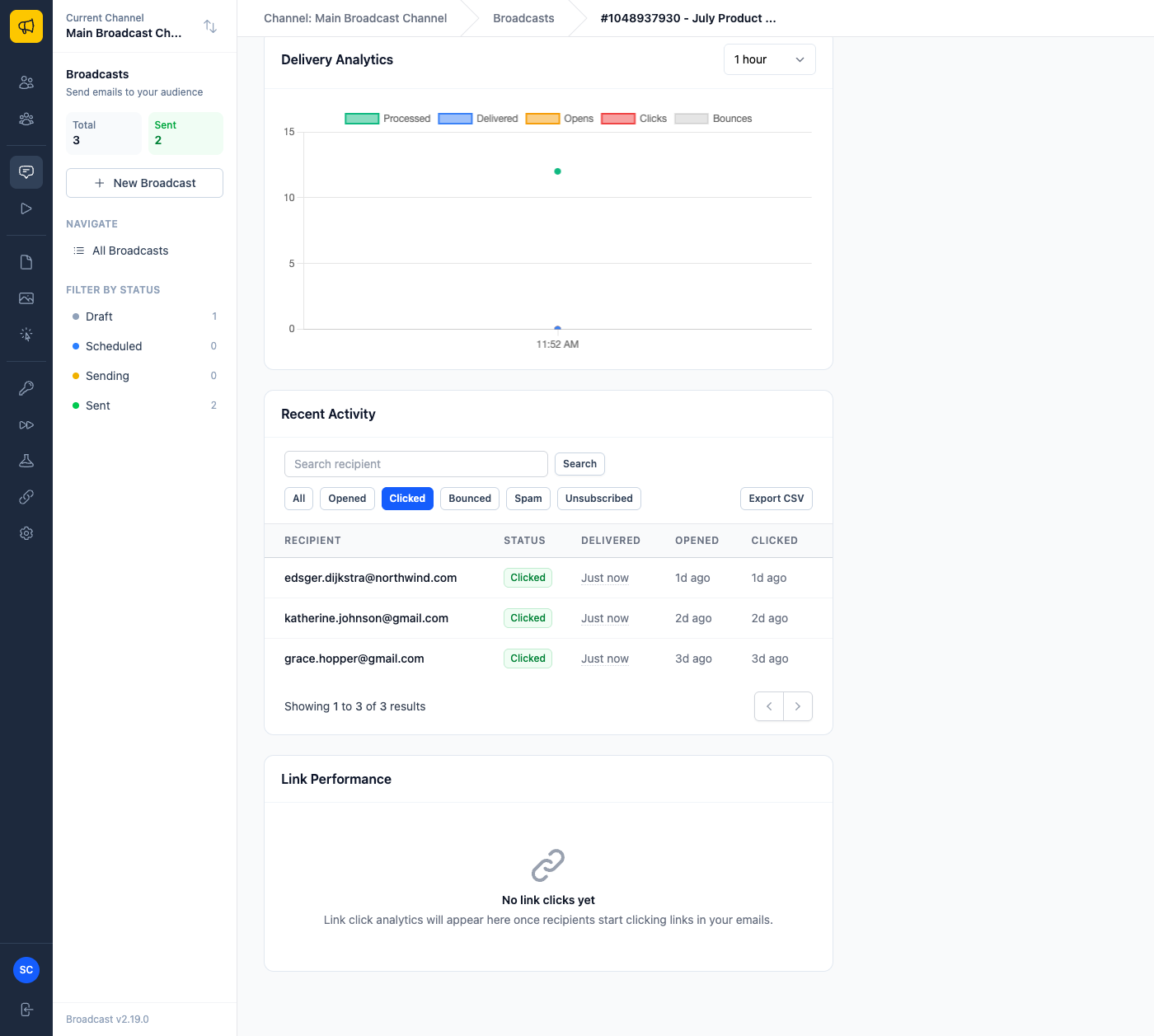
Sort by Opened or Clicked to see who engaged most recently. Search for one recipient, or a whole domain. Filter to Bounced, Spam or Unsubscribed. Search, filter and sort combine, and they stay applied as you page through, which sounds obvious right up until you use a tool where they don’t.
The practical version: send a campaign, filter to Clicked, sort by most recent, and you have your warm list for the follow-up. Or filter to Bounced before your next send instead of after it.
Numbers you can actually read
The broadcasts list now shows a Sent date beside Created. For anything scheduled days ahead, those are different dates, and an open rate only means something read against the day people actually received the email.
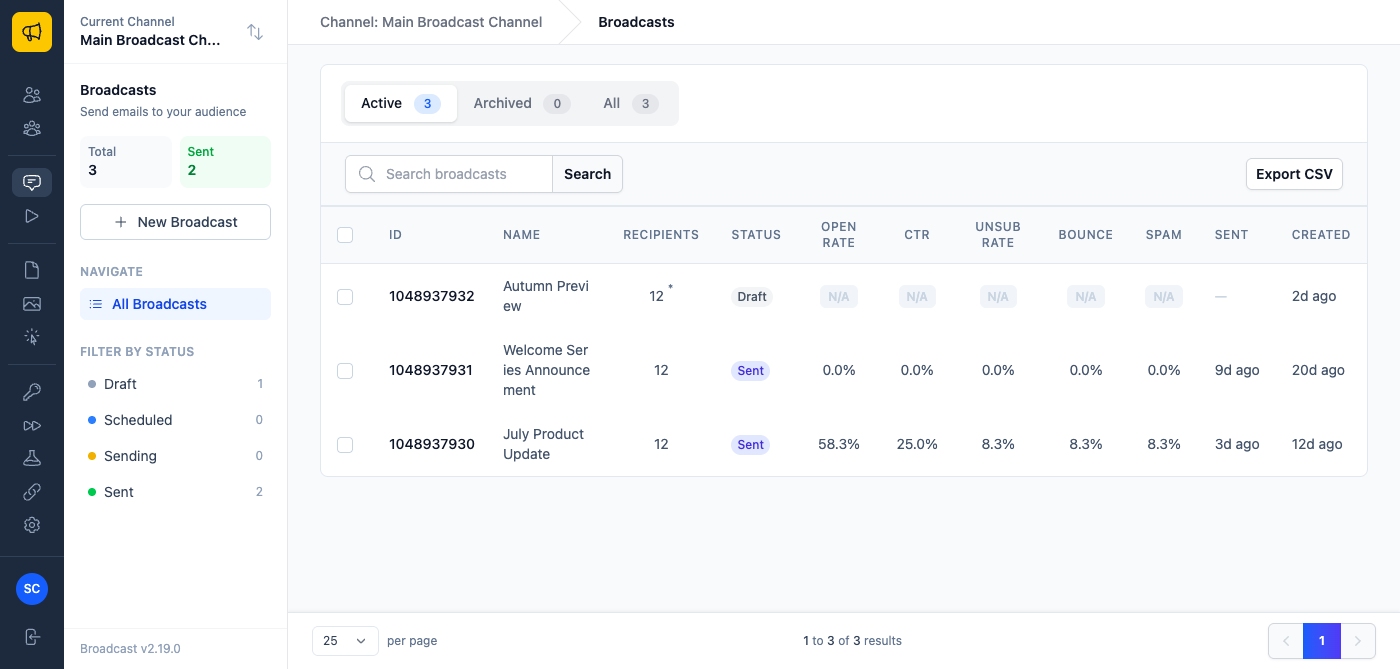
Bounce and Spam rates now sit alongside open, click and unsubscribe. Those two are the health metrics (the ones that predict a deliverability problem weeks before it becomes one) and they had no business being harder to find than the vanity metrics.
Stop rebuilding things you already built
Every template and every segment can be cloned from its list.
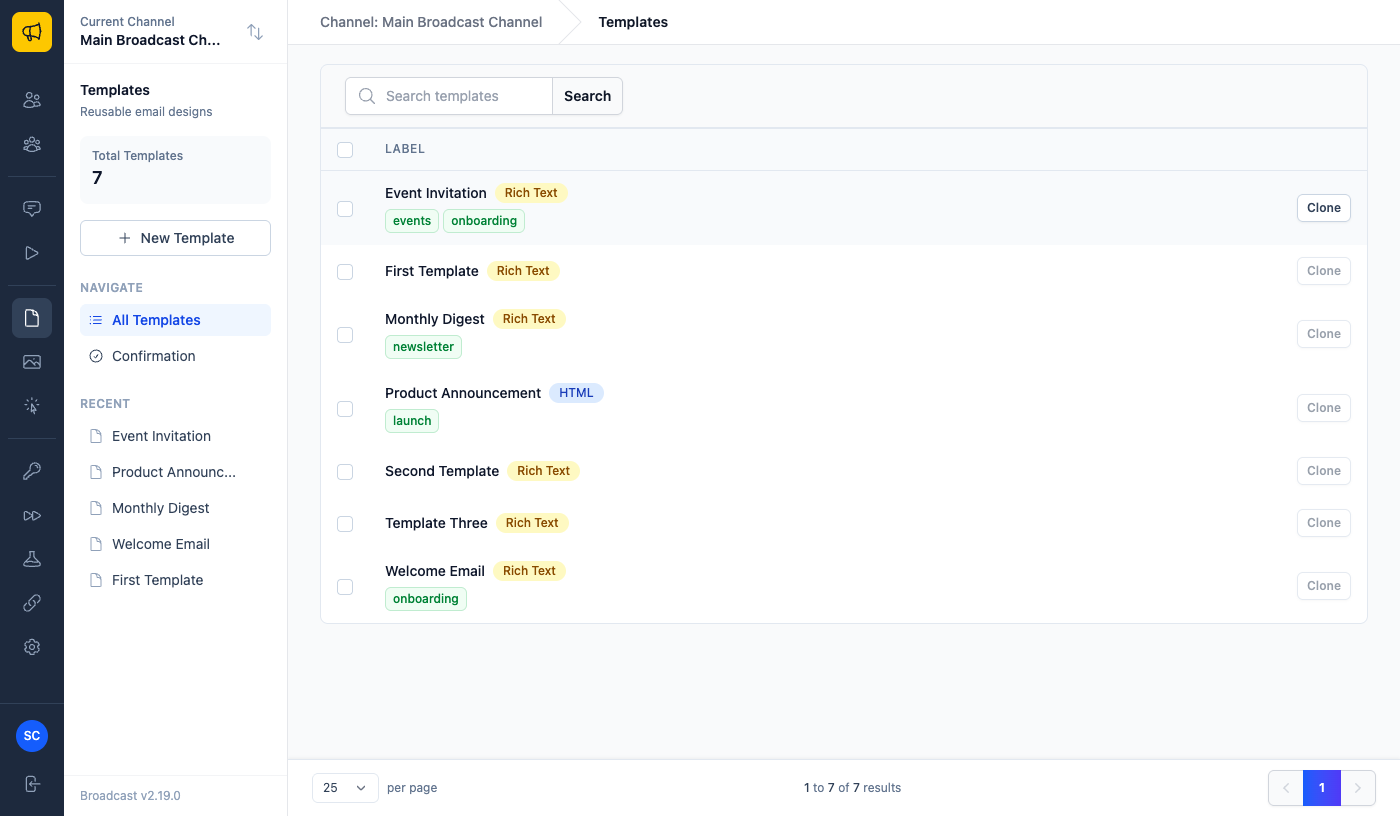
Cloning a template copies the subject, preview text, body and editor type into a fresh, independent template. Cloning a segment copies every rule group and every rule intact, which is the one that saves real time, because a segment with eight nested conditions is genuinely painful to rebuild when all you wanted was to change one of them.
Build one good newsletter template, then clone it per issue. Build one well-tuned “engaged in the last 90 days” segment, clone it, and change the window to 30. Template cloning respects the Duplicate templates permission, and a cloned segment starts with fresh statistics rather than inheriting stale ones.
What a subscriber actually did
A subscriber’s Activity sidebar recorded sends. Now it records engagement: Opened and Clicked entries appear alongside sends, each naming the broadcast involved.
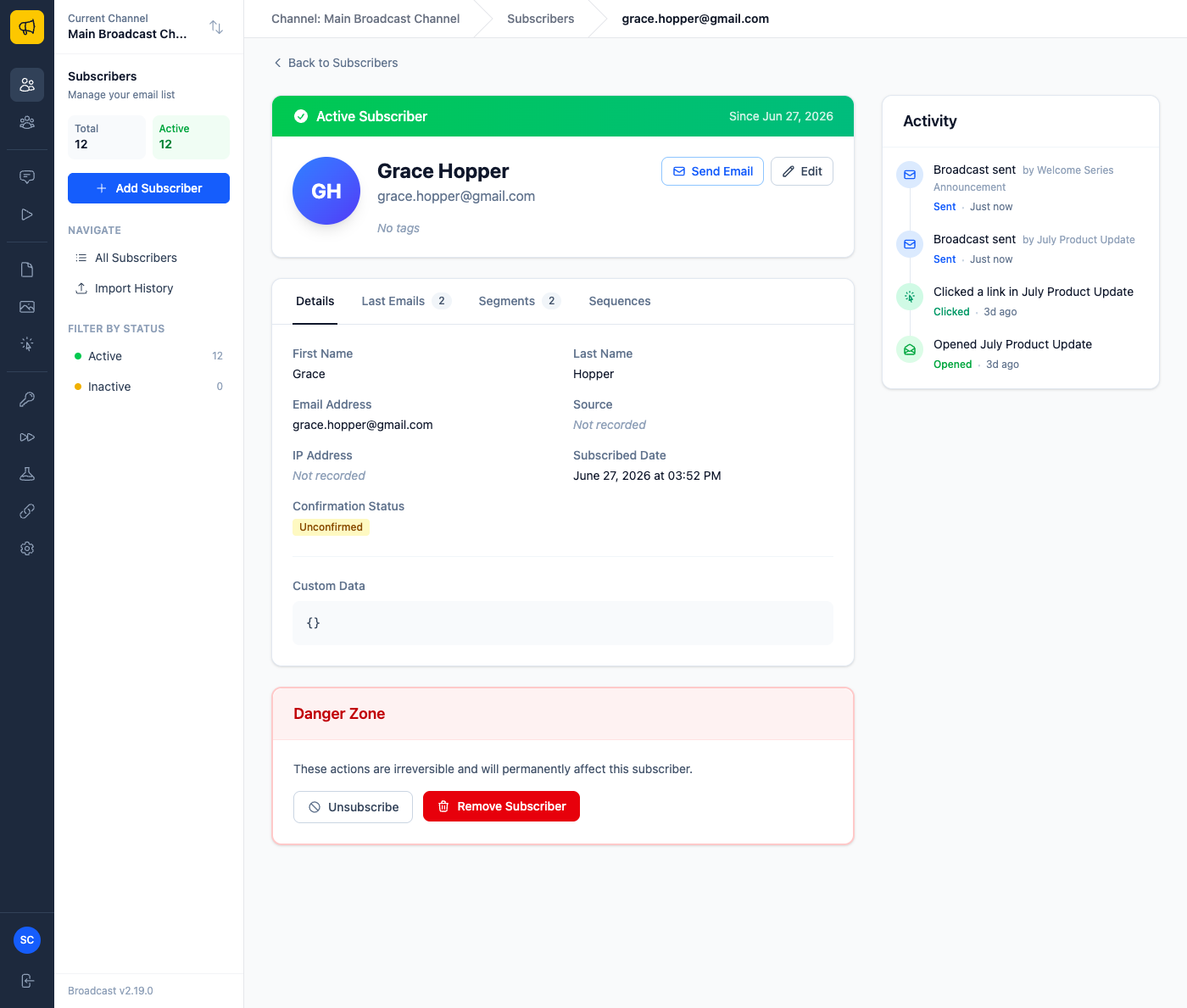
One person’s history now answers “have they been reading these, and did they ever click?” without opening every broadcast in turn and hunting for their address. Before a sales call, that’s a thirty-second check instead of a five-minute one. (It needs open and click tracking enabled on the broadcast, naturally.)
Tags you can click
Templates can carry tags now: group them by campaign, by role, by whatever matches how you work. Click any tag to see just those templates.
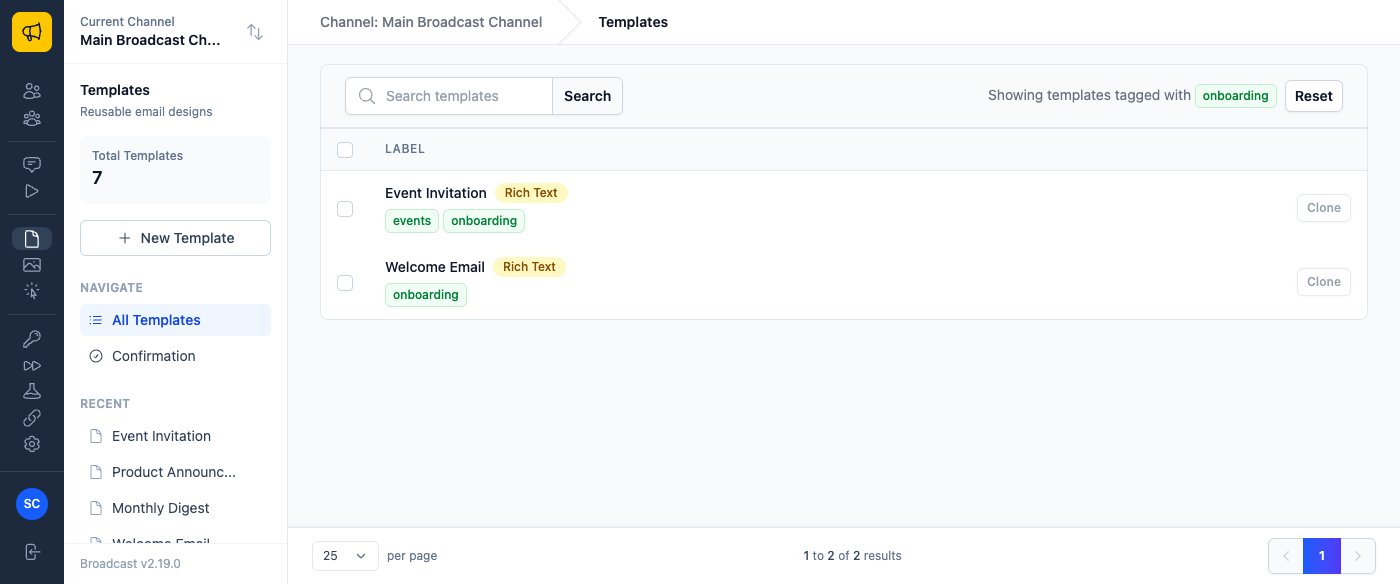
Subscriber tags became clickable in the same release, so a tag on someone’s profile filters the whole subscriber list to everyone who shares it. Tags stay internal (recipients never see them) and they travel with a template when you clone or copy it.
Move a template to another channel
If you run several channels, you’ve built something in one that belongs in another. Pick the destination on the template’s page and Copy to channel.
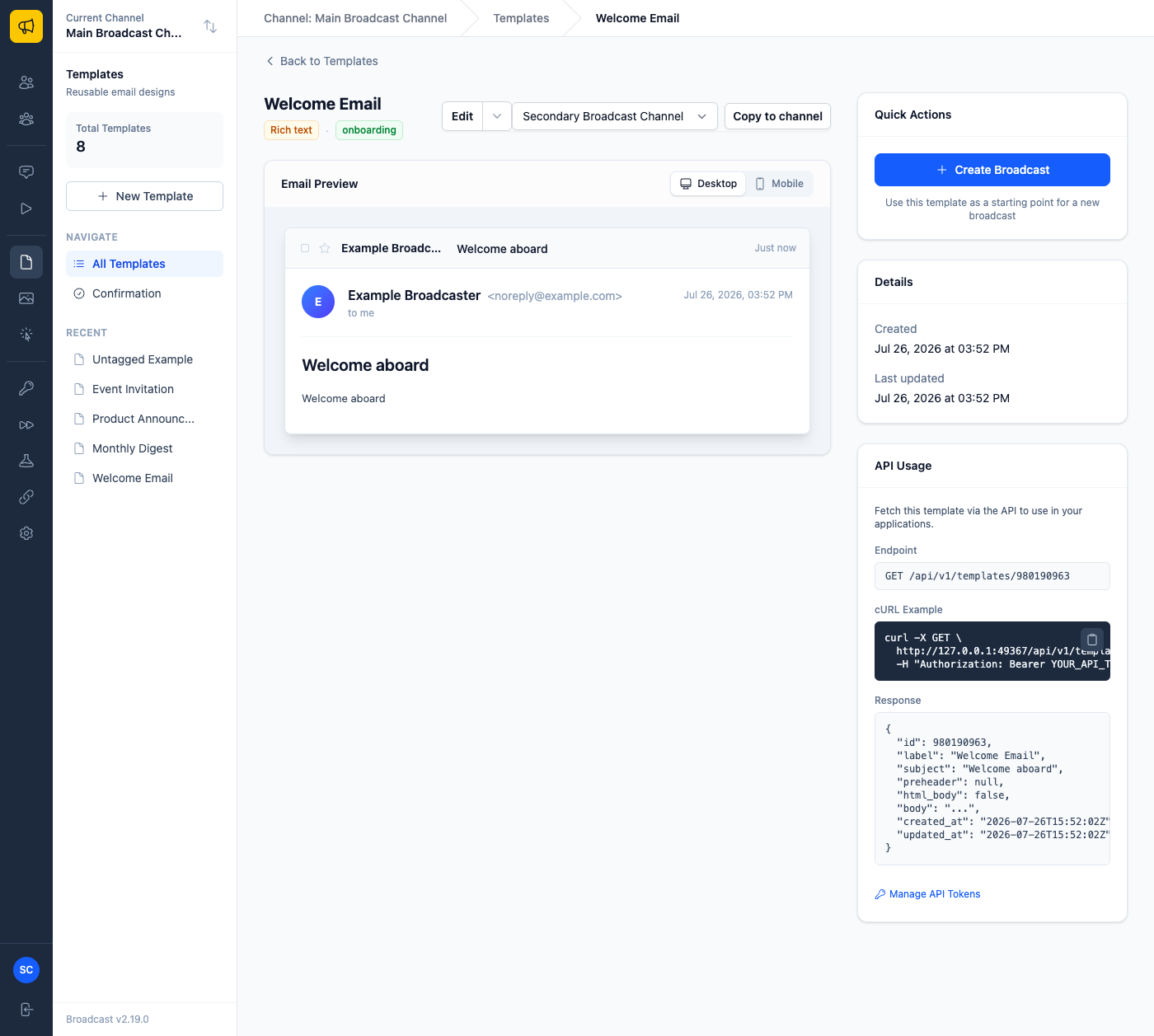
The copy is independent of the original, keeps its tags, and embedded images keep working, which was the actual reason pasting HTML between channels never quite worked before.
The fixes underneath
2.18 also carried a set of things that were quietly broken. Opt-in signups were losing the subscriber’s first and last name, so confirmation and welcome emails greeted people as nobody in particular. Confirmation links now go over https, keeping a single-use token off cleartext. Confirmation, welcome and API transactional emails now actually send on a channel relying on the platform default email server, instead of reporting the channel as ready and then sending nothing. That one is the sort of bug that costs you a customer without ever producing an error. The sequence.subscriber_error webhook now fires when an enrollment can no longer progress, carrying the reason; it had been offered in the endpoint settings and never delivered. The segments list distinguishes “never calculated” from “genuinely zero subscribers”. And the setup checklist starts collapsed with a count of what’s missing, instead of covering the page you came to use.
Send me the email
Two of these (template tags and cross-channel copy) were on the customer’s list as low priority. They shipped because I was already in that part of the code and they were cheap. That’s not something you can predict from outside, which is exactly why a ranked list of nine annoyances beats a single feature request: it lets me find the overlap between what hurts you and what’s easy.
Some of their list didn’t make it, deliberately. Segment-membership triggers for sequences need design work first, because segments are evaluated live and there’s no “added to segment” event to hook. Two-way Rich Text ↔ HTML switching isn’t happening in that shape, since converting back would silently destroy hand-written HTML; a one-way conversion is the honest version of it.
All of this is in 2.18, free to existing license holders like every 2.x release. If something in Broadcast annoys you daily, email me, ranked, with the cost of each one. It works.
See managing subscribers and templates in the documentation, or read why Broadcast is sold as a one-time license rather than a subscription that charges you again for improvements like these.
