Importing a List Shouldn’t Require Rewriting the File First
Migrating an email list starts the same way every time. You export from the old platform and get a CSV with columns named whatever that platform felt like naming them. EMAIL, or Email Address, or email_address. Names split in two, or joined in one. A tags column that uses pipes because commas were already taken. Three columns of your own data that don’t map to anything standard at all.
Then you open the importer and it wants a fixed column layout. So before you can import anything, you’re in a spreadsheet renaming headers and deleting columns, hoping you don’t mangle the file you’re about to trust with your entire list.
Version 2.11 removes that step.
Upload first, decide after
Upload your CSV or TSV, and Broadcast reads it and shows you what it found before importing anything.
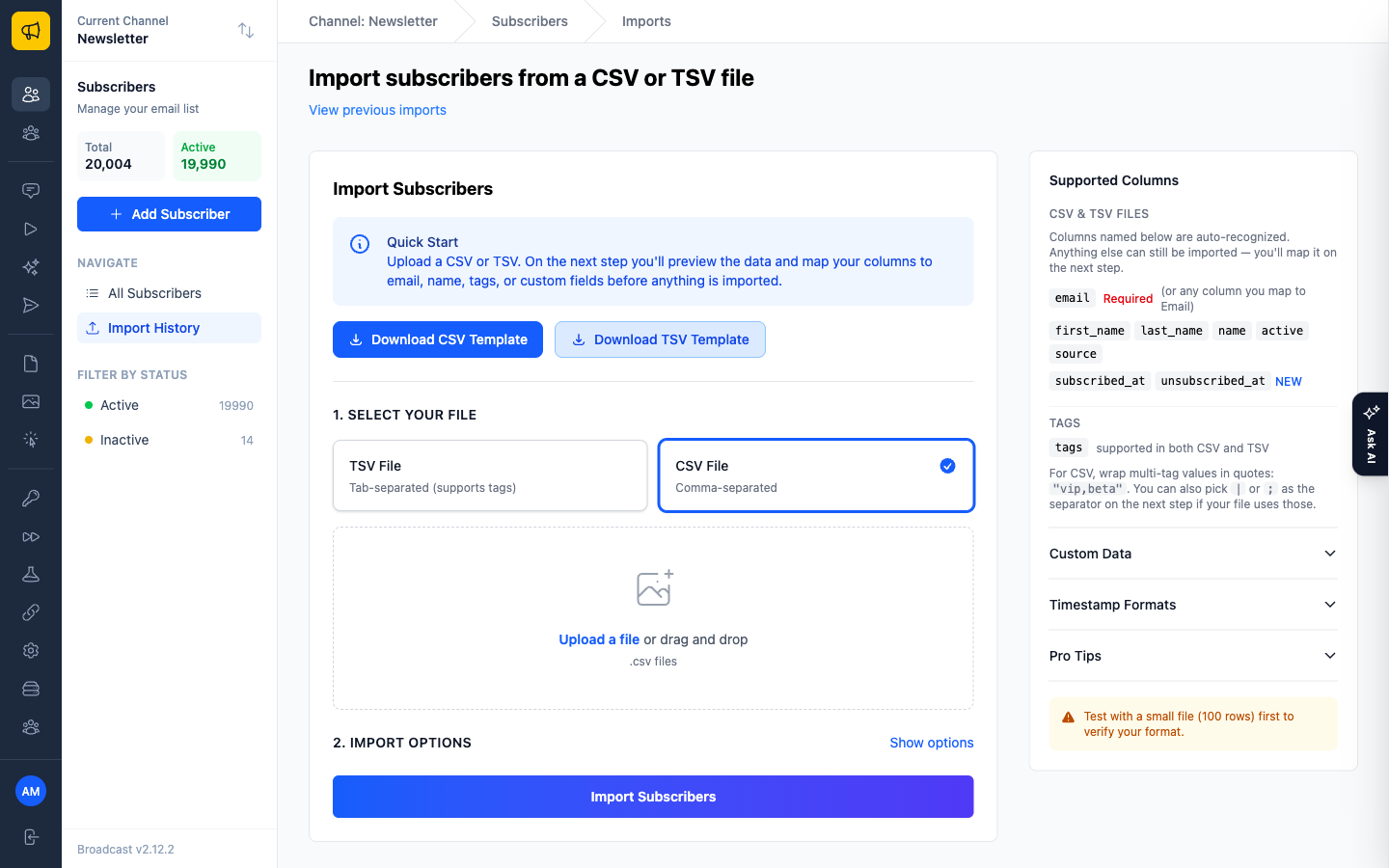
Next comes the part that matters: a column-mapping step, with your real data next to it.
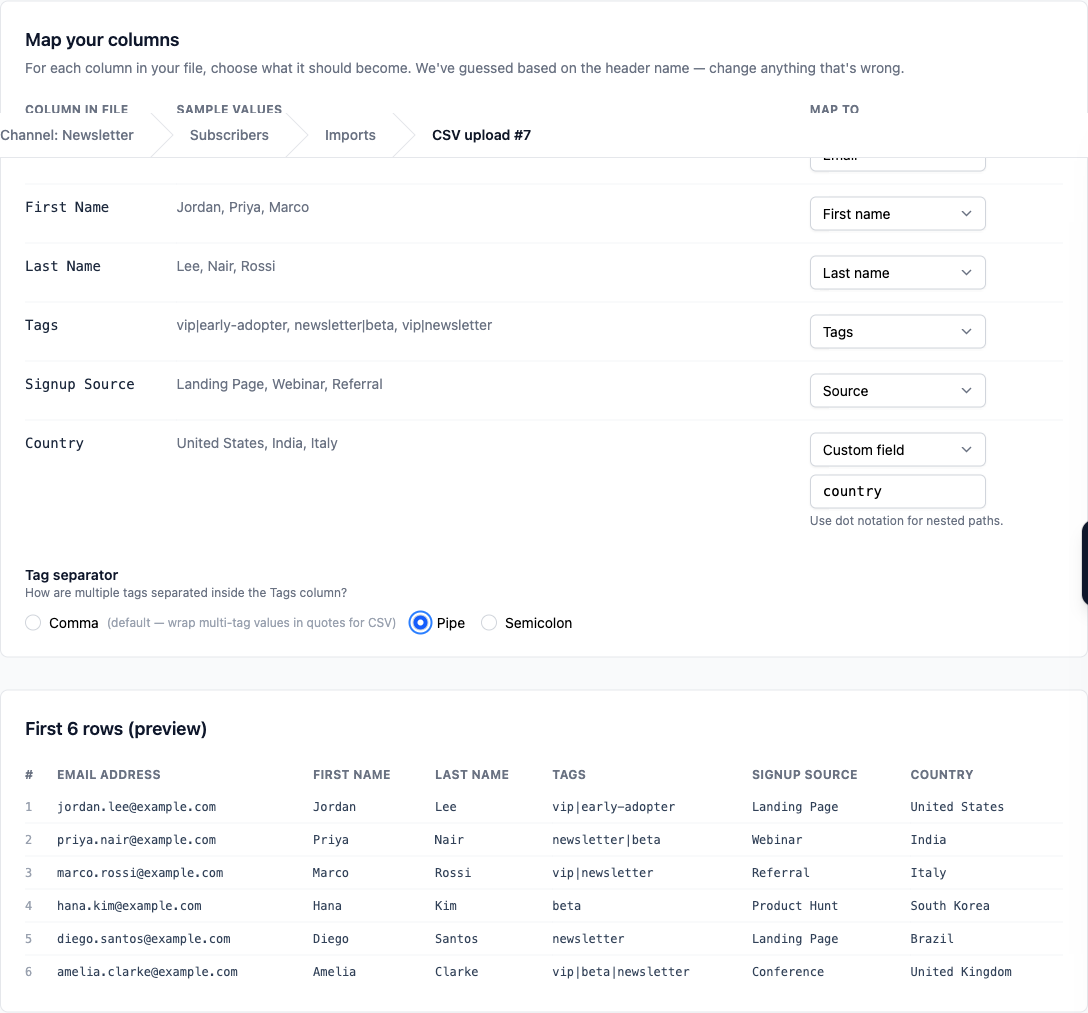
Each column in your file gets a row: its header, a few real sample values from your own data, and a dropdown for what it should become. Email, first name, last name, tags, source, a custom field with a key you choose, or ignore.
Broadcast guesses from the header names and gets most of them right. The guesses are the starting point, not the decision: anything wrong is one dropdown away from right, and you can see the sample values while you decide, which is what makes it possible to tell name apart from first_name in a file you didn’t create.
Anything mapped to a custom field lands in the subscriber’s custom data, which means the odd columns from your old platform aren’t lost. Country, Plan, Signup Source: import them as custom fields and they become things you can segment on later.
The first ten rows, before you commit
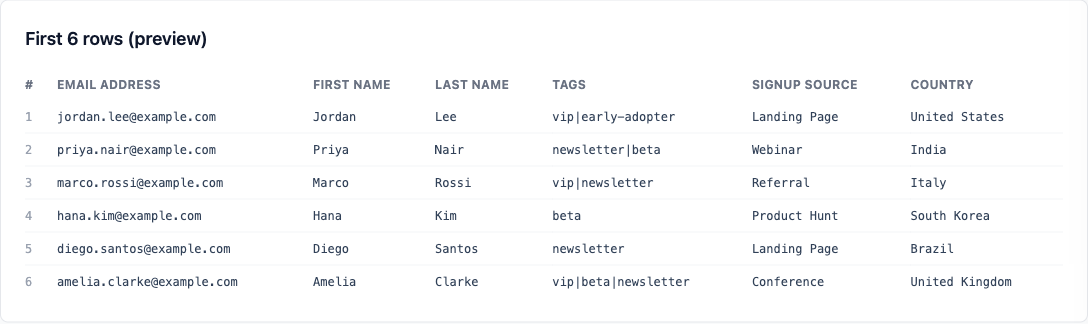
The preview is there for one reason: to catch the file that isn’t what you think it is. A stray header row. Everything shifted one column because of an unescaped comma. Names in the email column. You see it in ten rows, in five seconds, instead of discovering it after 40,000 records are in your database wearing each other’s names.
Tags, and the separator problem
CSV files can now include a tags column, which sounds simple and isn’t, because the tag separator inside that column collides with the CSV’s own separator. Most exports use pipes or semicolons to dodge it, and every export uses a different one.
So you pick: comma, pipe, or semicolon, on the import page.
That’s it. A pipe-separated tags column from one platform and a semicolon-separated one from another both import correctly, and neither requires you to open the file and find-and-replace first.
Where this earns its keep
Moving off Mailchimp or ConvertKit. Export, upload, map their column names to yours, spot-check the preview, import. The migration is a five-minute task instead of a spreadsheet-editing session that you’ll be nervous about for a week.
The list your colleague keeps in a spreadsheet. It has columns nobody standardised and never will. Map the useful ones, ignore the rest, and the data arrives without anyone having to reformat a file they consider finished.
A re-import that adds data. Have plan tiers or countries in a spreadsheet? Map them to custom fields, and the segment builder can slice on them afterwards.
The rest of 2.11
The opt-in form editor got four new block types in the same release (Dropdown, Radio Group, Image, and Spacer) so forms can ask multiple-choice questions and carry a logo without embedding raw HTML. Image blocks either upload a new file or pick from your existing asset library. Security and embedding-domain settings became editable directly in the editor’s Settings modal instead of living somewhere else entirely. And the opt-in form read API now returns the full attribute set for every block, including value type, custom data key, and the required and validation flags, so a form built in the editor can be read back faithfully by anything driving the API.
One infrastructure change worth knowing about if you self-host: ARM64 Docker images are now tagged with the application version alongside :latest, so you can pin a deployment to a specific release instead of tracking whatever latest happens to be that day. If you run on Graviton or an ARM VPS, that’s the difference between a reproducible deploy and a surprise.
See the managing subscribers documentation for import details, or read Your List, Your Data Model for what to do with the custom fields once they’re in.
