An Email API That Tells You What It Just Did
When you send a subscriber to an email API, you get a 200 back. That tells you the request worked. It does not tell you what happened. Was a new subscriber created, or did the address already exist? Did the person get a confirmation email? Are they active, or did an old unsubscribe keep them out?
Developers answer those questions by reading the docs and comparing fields. An AI agent that works with the API answers them by guessing, and then it tells the user something that sounds right. I wanted the API to say it in plain words. That shipped in 3.8.
A code for your code, a sentence for people
Every successful write to the Subscribers API now ends with an outcome: a code that does not change, so your integration can act on it, and a message that says what the request did and what happens next. A new person gets subscriber_created. An address that already exists gets subscriber_updated, with the note that their subscription did not change. An unsubscribe says that the person is on the channel’s unsubscribe list, and which call undoes it.
The messages are written for a reader who has not read the docs. That reader is often an AI agent. When an agent works with Broadcast through its MCP tools, it can pass the message on to the user as it is, instead of making up its own explanation.
Returning people confirm first
This part came from a self-hoster on our Discord. Their shop sent sign-ups to Broadcast with double_opt_in: true. When a person who had unsubscribed signed up again, the API made them active at once, with no confirmation email. The opt-in form already asked those people to confirm; the API did not.
In 3.8 the API does the same as the form. The person stays unsubscribed and gets the confirmation email. Their click subscribes them again. Until then they get no broadcasts. The outcome says exactly that, so the shop can tell the person to check their inbox.
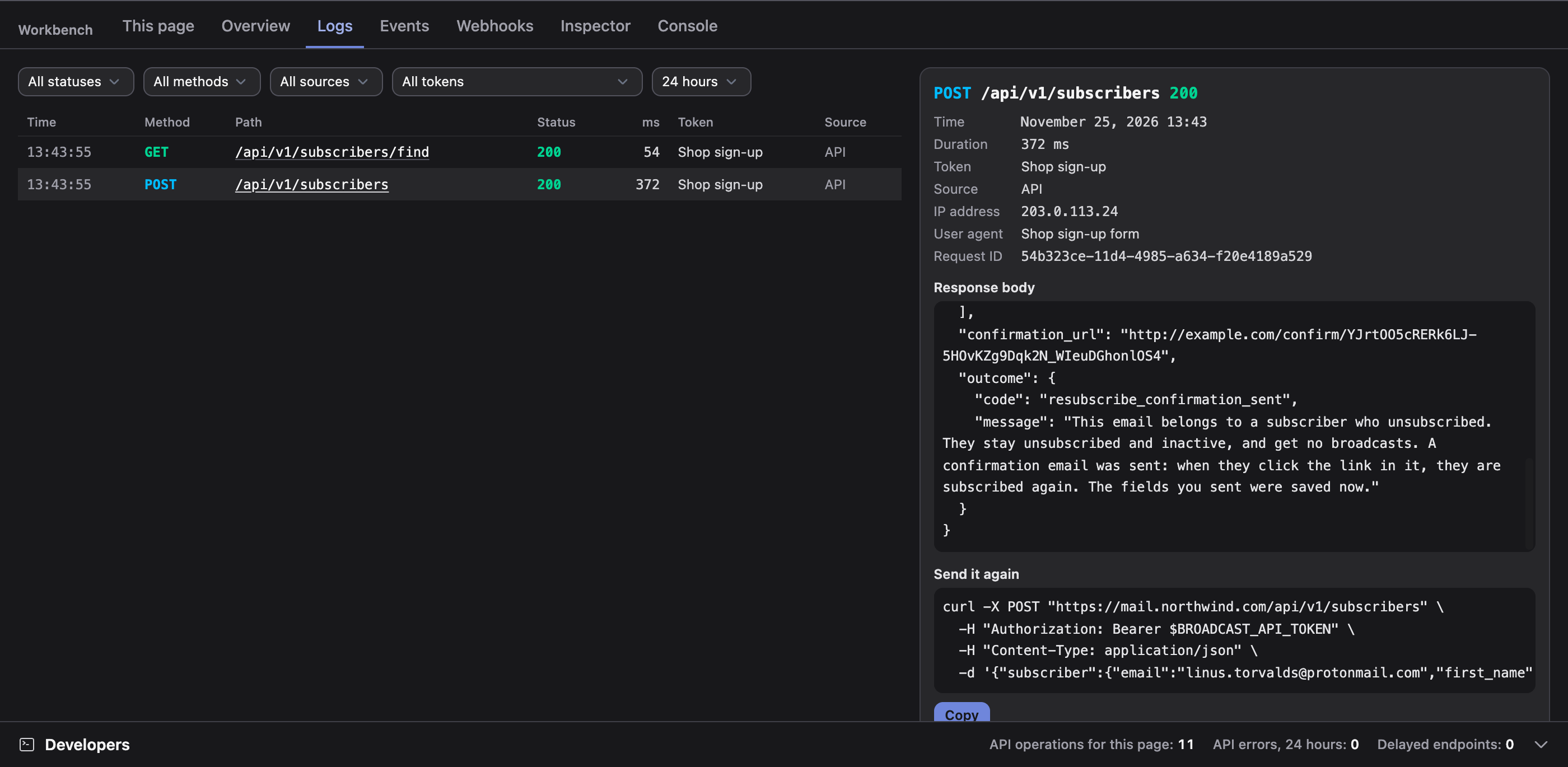
I drew one more line here. A confirmation link only brings a person back if it was sent after they unsubscribed. An old link in their inbox, opened months later by them or by a mail scanner, confirms the address and nothing more.
If your integration relied on the old behaviour, check it before you upgrade. The status code is the same; only the outcome shows the difference.
Engagement in one call
A customer asked for the open and click figures of one subscriber through the API. GET /api/v1/subscribers/find now returns engagement: how many tracked broadcasts the person opened and clicked, how many broadcasts tracked them, the rate, and the last time.
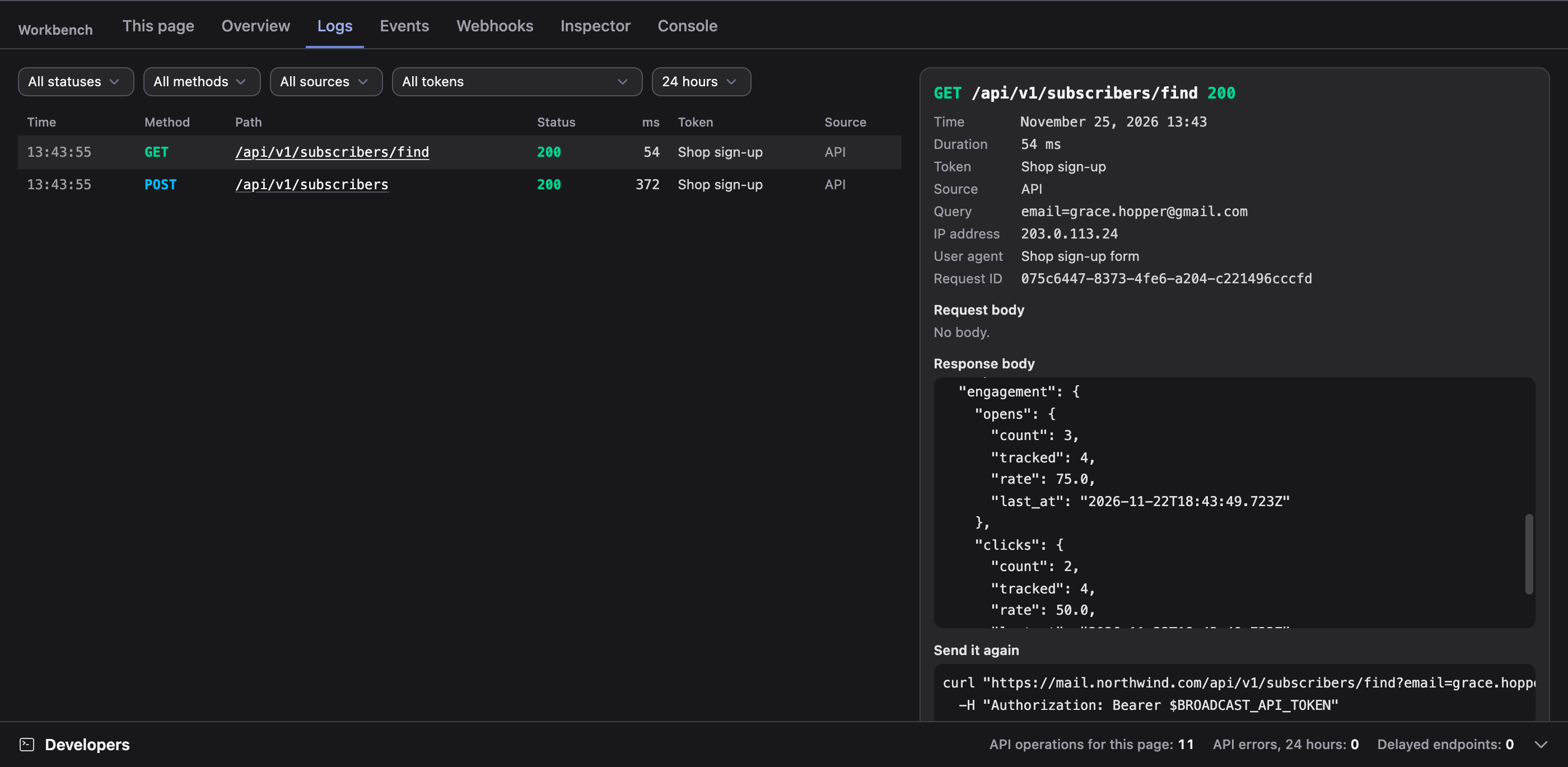
They are the same figures as on the subscriber page. Broadcasts without tracking and bounced emails are left out, so a broadcast that could not count an open does not read as “did not open”.

What this looks like in practice
A shop’s sign-up form sends every new address with double opt-in. A reader who left in October signs up again during a sale. The API answers resubscribe_confirmation_sent, and the form shows “Check your inbox to confirm” instead of “You’re in”.
An AI agent adds a list of people from a spreadsheet. For two of them the outcome says the address already existed and nothing about their subscription changed. The agent says so in its summary, instead of reporting two new subscribers.
A CRM sync calls find for each customer before a sales call. Someone who opened 9 of the last 10 newsletters and clicked 4 gets a different first sentence from someone who has not opened anything since spring.
The Subscribers API docs list every outcome code and the engagement fields. To watch these answers arrive while you build, see the Developers workbench and its API request log.