Login Codes No Longer Wait Behind Your Newsletter
Every email server in Broadcast has an hourly limit. You set it to match your provider, or to warm up a new domain slowly. Until now, Broadcast treated every email the same against that limit. A newsletter, a welcome email and a password reset all waited in the same line.
That is fine until the line is long. Send a newsletter to a few thousand people on a server with the default limit of 200 an hour, and the limit is used up in seconds. A customer who asks for a password reset in that hour waits for the newsletter. A login code that arrives 40 minutes late is not a login code anymore.
I found this while I tested a large send on my own machine. The broadcast page said the server was at its limit, then said that sending had “stalled”, and told me to pause and resume. Nothing had stalled. The send was waiting, as designed. And the count said 270 sent at a limit of 200, so the limit had not held either. I pulled on that thread for two days, and this release is the result. It shipped in 2.43.
It is the largest change to the sending engine in a long time. Please try it with a small broadcast first, and if anything looks wrong, email me at simon@sendbroadcast.net.
Transactional email goes first
Broadcast now sends in a fixed order: transactional email first, then sequences, then broadcasts. That order applies in two places.
The first is the queue of work. Login codes and password resets jump ahead of everything else, and they get a background worker of their own. A large broadcast can keep every other worker busy, and a login code still goes out in under a second. That worker costs about 300 MB of memory, which every install now carries.
The second is the hourly limit. When one server sends several types of email, each type stops before the limit, to keep room for the types above it.
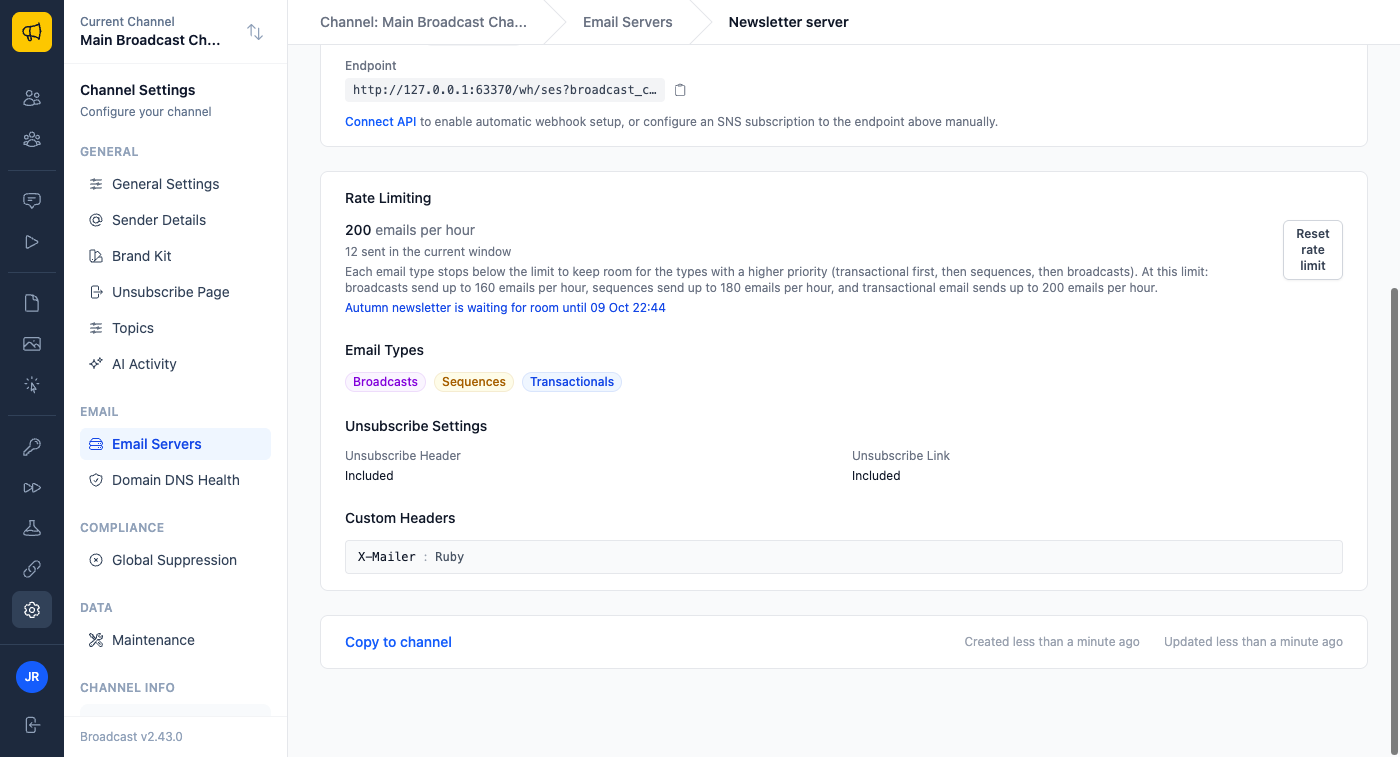
At the default 200 an hour, on a server that sends all three types, broadcasts can use 160. Sequences always have at least 20 more, and transactional email always has at least 20 more. The server page and the server form both show these numbers, so you never have to work them out.
A server that sends only broadcasts keeps its full limit. That is the setup I recommend: one server for broadcasts, and a separate one for transactional and sequence email. Postmark builds its whole product this way, with broadcast and transactional mail on separate infrastructure, and for the same reason.
Large broadcasts wait instead of going over
A broadcast that fits in the hour still goes out at full speed. If you send to 150 people on a 200-an-hour server, nothing changes.
A larger broadcast now sends what fits, then waits for room. It does not hold a worker while it waits, and it does not go above the limit, even when two broadcasts share one server. In my tests before this change, two broadcasts on one server sent 604 emails against a limit of 100. Now they send 100 together.
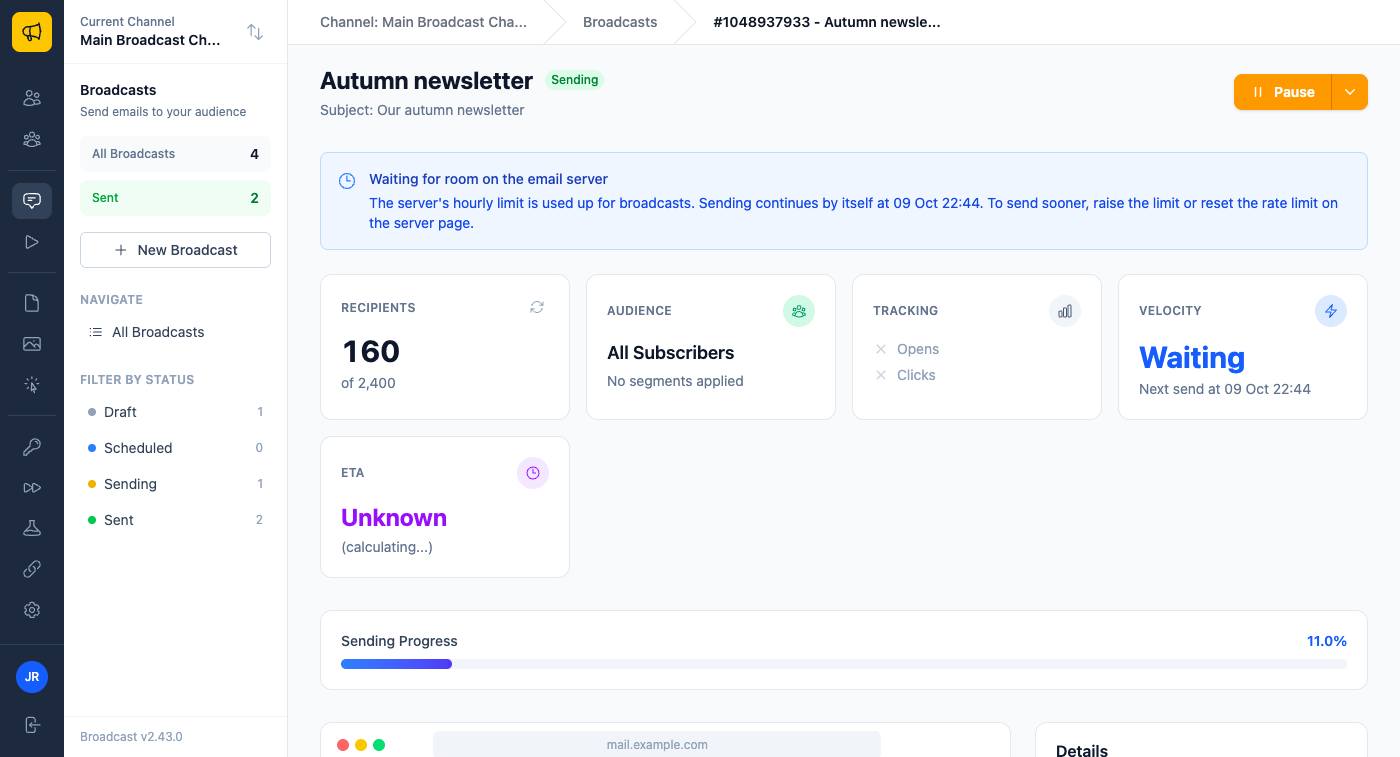
The page says what is happening instead of guessing. You see that the broadcast is waiting for room, and when the next send starts. The old “Sending appears stalled” warning no longer shows up for a broadcast that is only waiting.
Two smaller things changed along the way. Pause takes effect within a moment, where before up to 100 more emails could go out. And Reset rate limit on the server page now wakes a waiting broadcast at once.
You hear about a delayed code right away
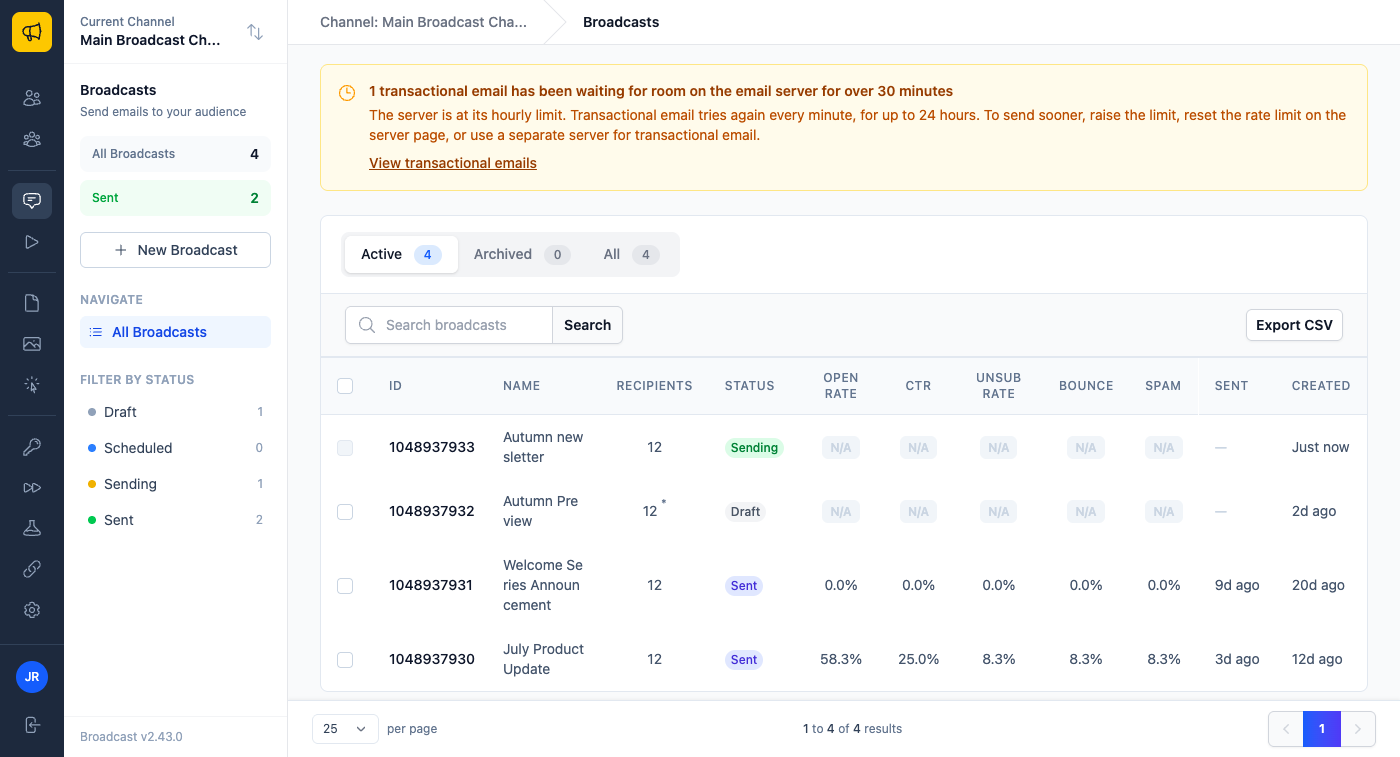
If a transactional email does have to wait, Broadcast tries again every minute, for up to 24 hours. After 30 minutes of waiting, a notice appears on every page of the channel, so you do not find out from a customer.
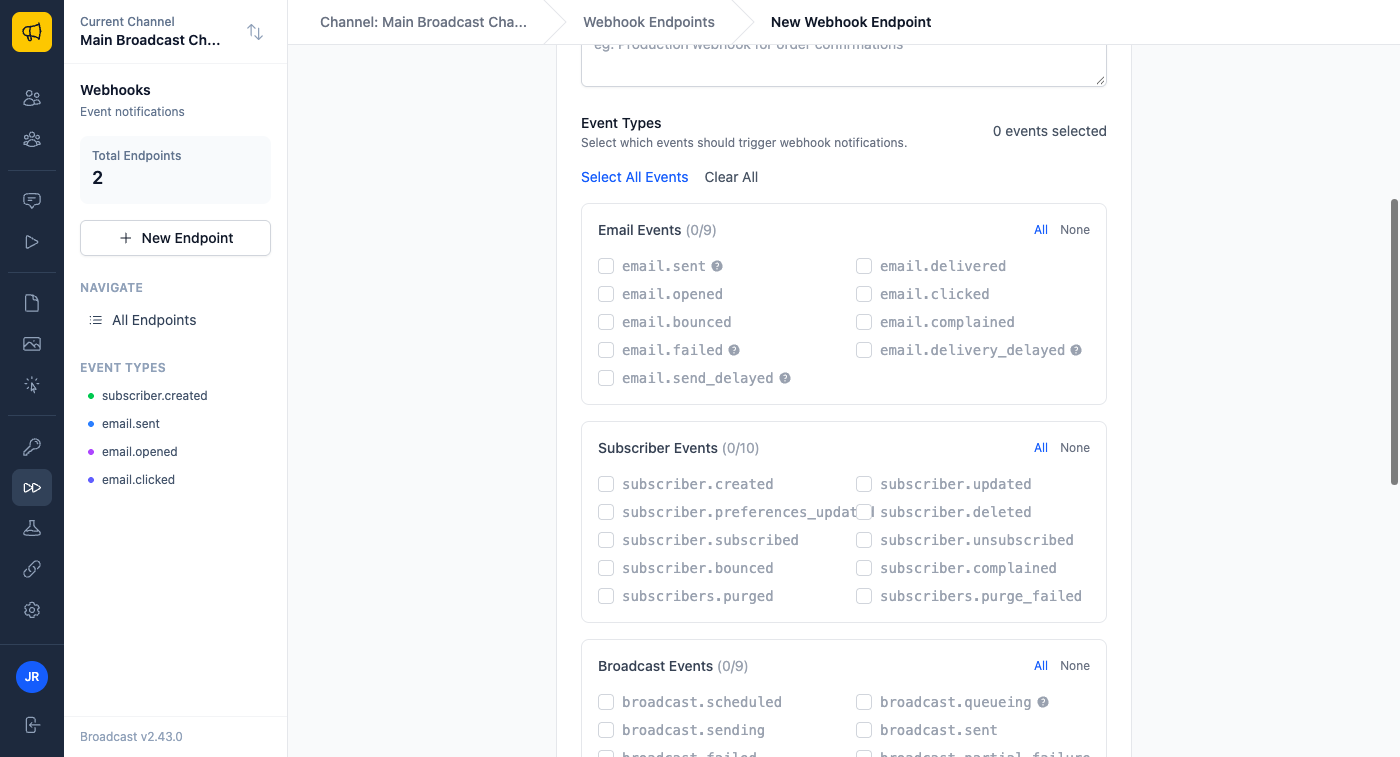
Your own app can know too. The new email.send_delayed webhook event fires the first time a transactional email has to wait. It names the server and its hourly limit.
What this looks like in practice
You run a course and send a launch announcement to 3,000 people on Amazon SES, with the limit at 200 an hour. Halfway through the first hour, a student forgets their password. Before, the reset email waited behind the announcement, possibly for most of an hour. Now it goes out at once, on its own worker, from the room the server kept for it. The announcement carries on at its own pace and finishes on its own.
You run a newsletter with a welcome series, both on one server. A big issue goes out on Tuesday morning. New subscribers still get their welcome email on time, because sequences go before broadcasts and have their own share of the limit. If you want the newsletter to have the whole limit, you add a second server for the welcome series, and the form tells you exactly what each one gets.
Your app sends login codes through the Broadcast API. On a bad day the server hits its limit anyway. Your app listens for email.send_delayed, and instead of a blank screen, the user sees “Your code is on its way, it may take a few minutes.” You see the amber notice in Broadcast and raise the limit.
The email server rate limits guide explains the hourly limit and how to set it, and the webhooks guide lists every event. For more on what happens when a send goes wrong, see resume a failed email broadcast.
