Let Claude Code Run Your Email Marketing, and Script Your Team
This release is mostly about two things that should never have needed a person clicking through a dashboard: an AI agent talking to Broadcast, and adding people to it.
An MCP server that is part of Broadcast
I owe an explanation first. An earlier version of our agent docs described an MCP server as an npm package you would run with npx. That package was never published. If you tried the configuration, it did not work, and I’m sorry about that.
The fix I wanted was not to publish a separate package, but to put the server inside Broadcast itself. There is nothing to install. Your instance answers at /api/mcp, and it uses the same API tokens as the REST API. The Agents page shows the exact command for your instance:
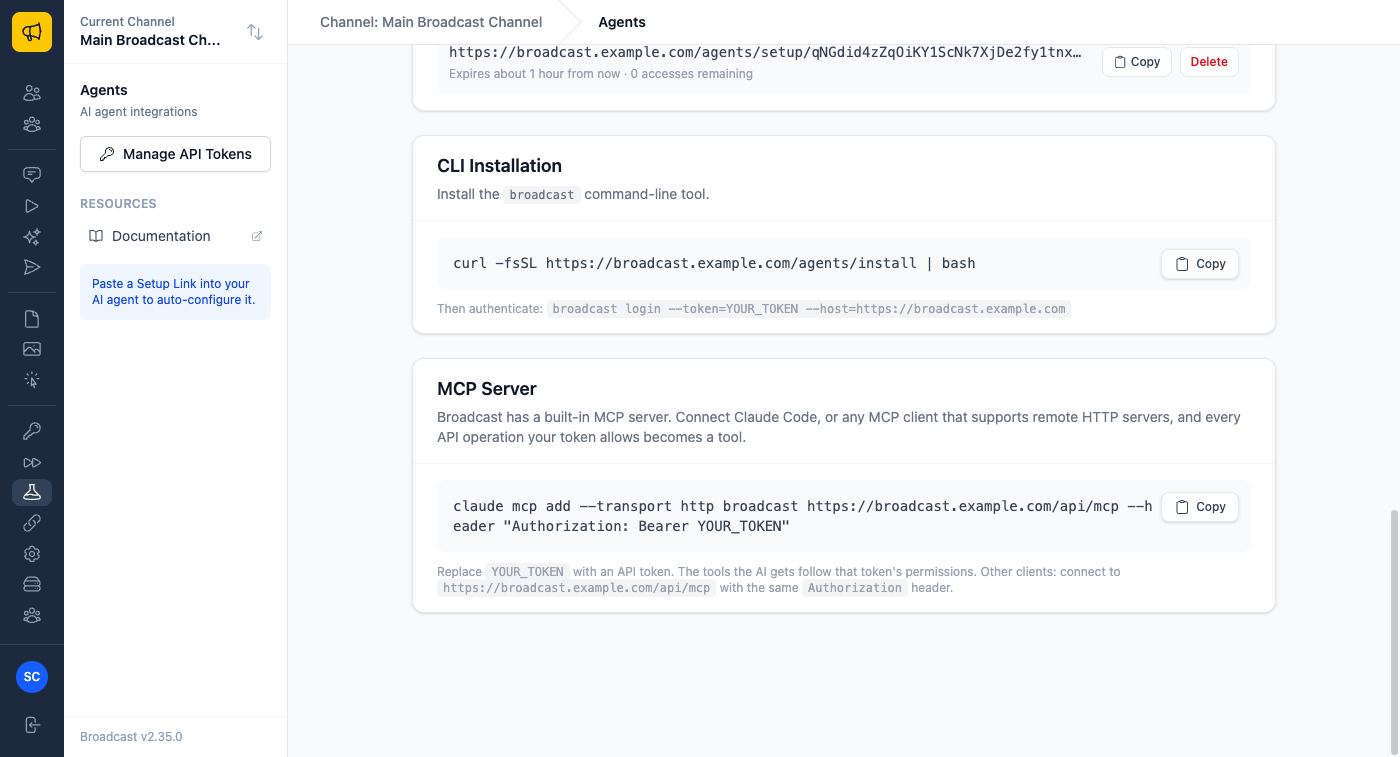
claude mcp add --transport http broadcast https://your-instance.com/api/mcp \
  --header "Authorization: Bearer YOUR_API_TOKEN"
The tools are generated from Broadcast’s own API description, so they always match the version you run, and every tool call goes through the real API. That matters for safety. The server can only do what the token can do: a token with read access to subscribers gets subscriber lookup tools and nothing else. Sending a broadcast, deleting, unsubscribing and redacting are marked destructive, and the server tells the agent to confirm with you before running them. If the API refuses something, the agent gets the error message back instead of a quiet success.
Here is what that looks like in practice:
- “Find everyone who bounced on Tuesday’s newsletter and tell me which domains they’re on.” The agent reads broadcast stats and subscribers, and answers without touching anything.
- “Draft next week’s product update from these release notes, schedule it for Thursday 9am, and show me before you schedule.” It creates the draft, then stops at the destructive step and asks.
- “Is this channel ready to send transactional email?” One status call, and a plain answer about the email server and sender identity.
A Users API, because onboarding a team should be scriptable
This one came from a customer moving a team over from Kit. Their people come and go through an identity provider, and they wanted Broadcast accounts to follow automatically instead of an admin creating each one by hand and ticking permissions per channel.
Admin API tokens now have a Users permission. With it you can create users (with a password, or by emailing them a link to set their own), update and deactivate them, delete them, and set their access to each channel with a built-in role, a saved preset, or exact permissions.
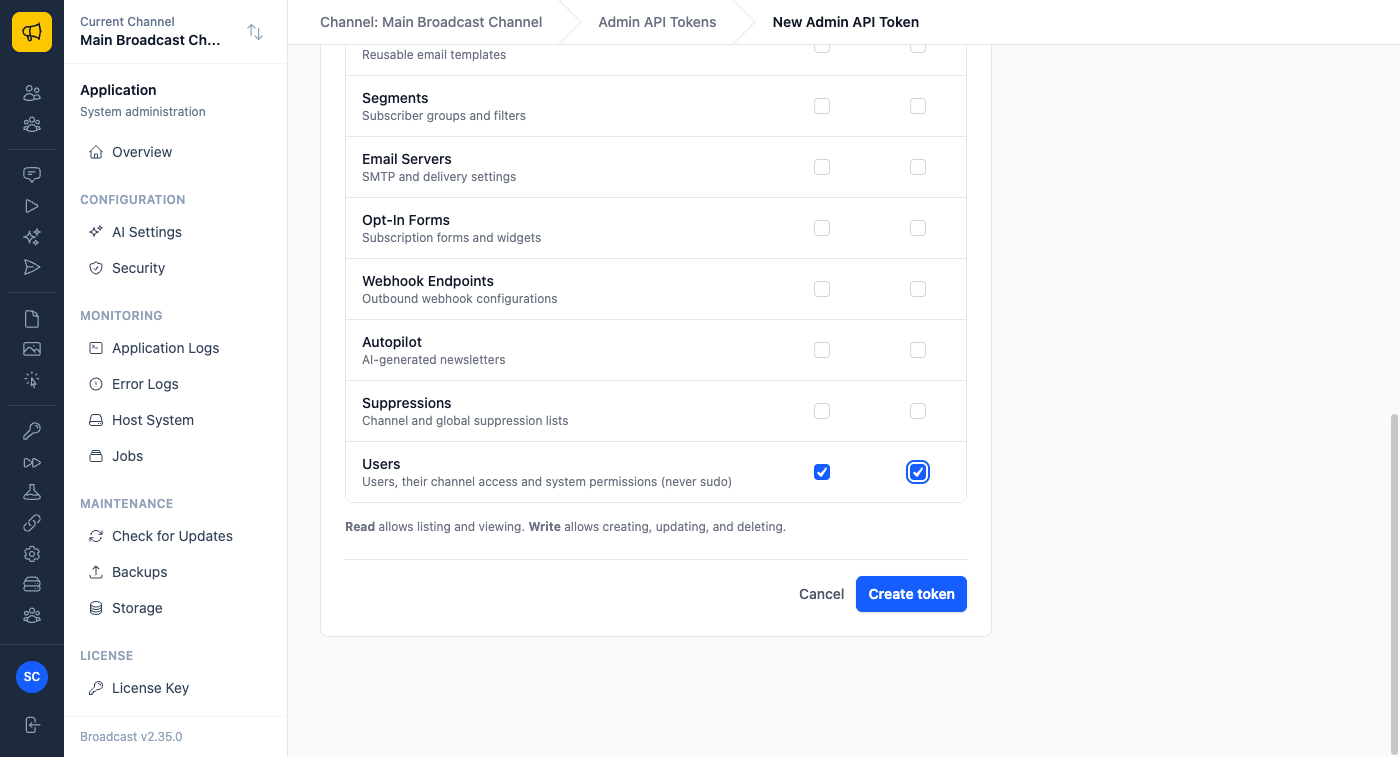
I drew the line at sudo. Sudo users are read-only through the API, and sudo can never be granted by it. Changing a sudo user’s email or password from a script would be a quiet way to take over an installation, so that stays in the web interface. The API also refuses what it won’t apply rather than ignoring it: send sudo: true and you get a 422 that says why, not a 200 that looks like it worked.
A few ways people will use it:
- A new hire appears in your directory, a script creates their Broadcast user with
send_password_reset: true, and gives them the Editor role on the two channels their team runs. - Someone leaves, and the same script deactivates them the day their directory account is closed.
- You open a new brand channel, and one bulk call gives the whole marketing group Manager access to it.
A rate limit per token
Agents make a lot of API calls. Until now the only knob was one installation-wide limit, set with an environment variable, so giving an agent room meant giving every integration the same room. Each token can now have its own requests-per-minute limit. Leave it blank and the installation default applies, as before.
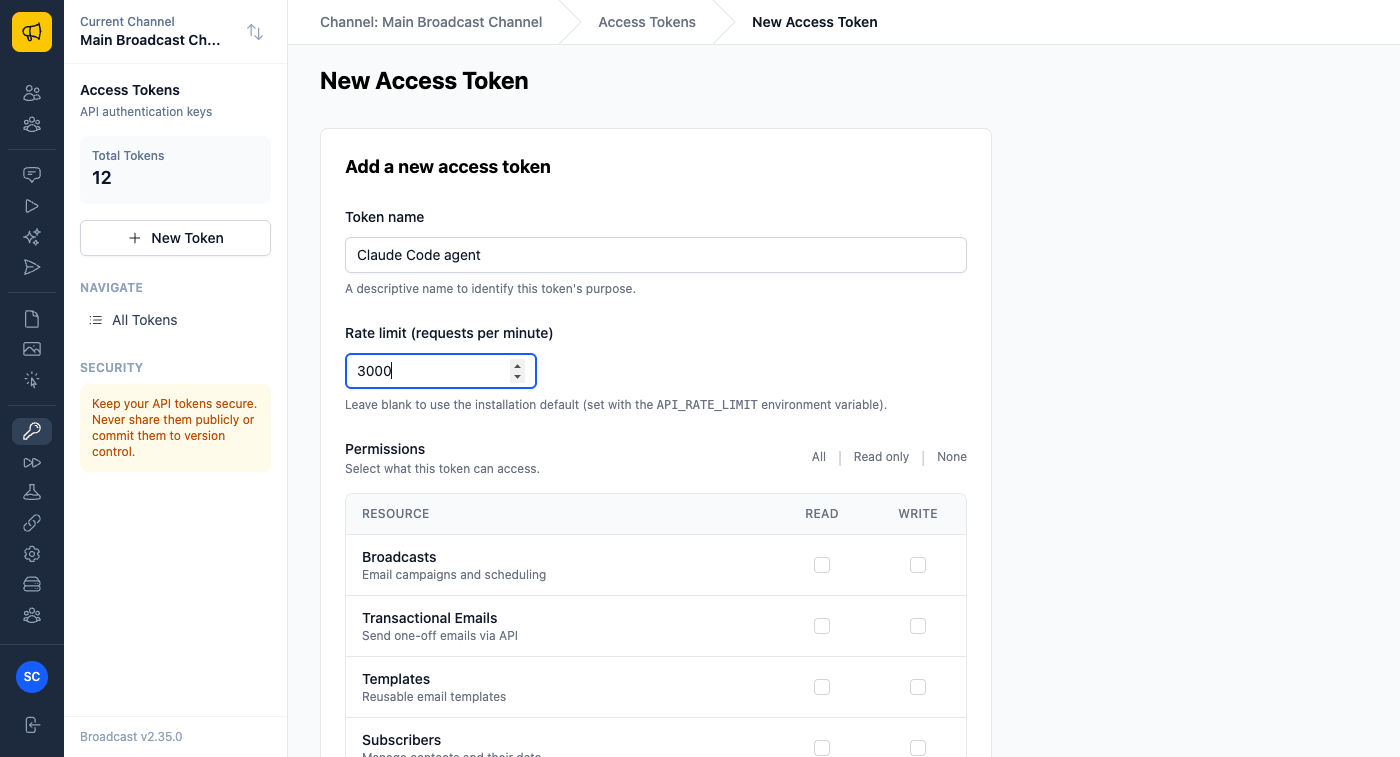
An MCP tool call counts once against the limit, even though it makes an API request behind the scenes.
Every email a subscriber was sent, in one tab
The same customer also noticed that a subscriber’s Last Emails tab only listed broadcasts. A one-off email you sent from their page, a password reset from your app, or a step in a welcome sequence never showed up there. Now they do, newest first, each labelled.
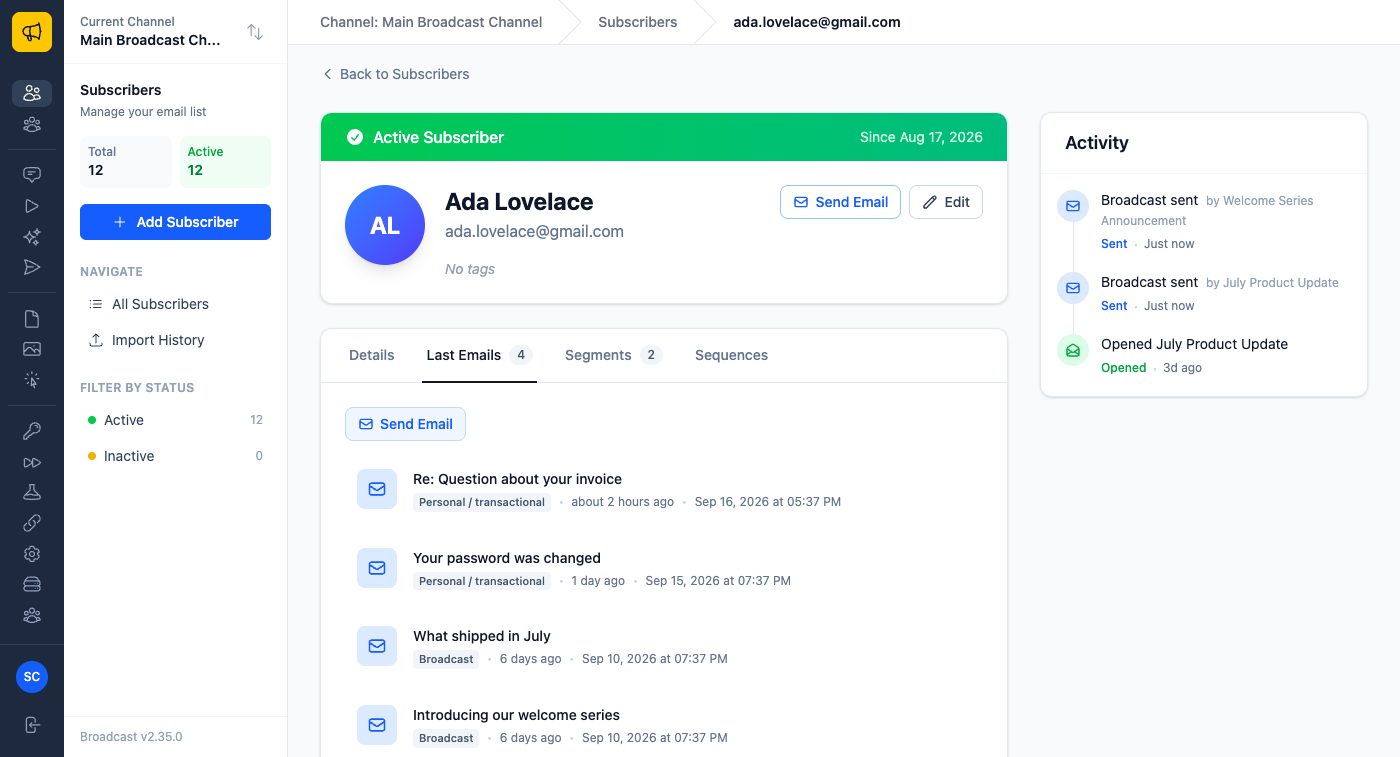
When someone writes in asking “did you ever send me the invoice?”, the answer is on one screen.
All of this shipped in 2.35, along with fixes for assigning permissions to brand-new users and for Copy buttons on the Agents page.
The MCP Server documentation covers other clients and troubleshooting, and the Users API reference has every endpoint. For the rest of the agent tooling, see Email Marketing Software Your AI Agent Can Actually Drive.
