The Segment That Quietly Matched Nobody
The worst bugs are the ones that don’t look like bugs.
A segment rule that reads “joined in the last 30 days” runs, returns a number, and shows you a list. Nothing errors. Nothing is flagged. The number is just smaller than it should be, and there is no way to tell from looking at it, because the subscribers who should have matched aren’t missing, they’re invisible.
Here is how that happens. A CSV is exported from another platform, or from a spreadsheet, and a
date column comes across written as 24/01/2026. It imports fine. It appears on the subscriber’s
page. It looks like a date. But a segment rule comparing dates cannot read it, so that subscriber
silently drops out of every segment that filters on it.
That is the problem 2.21 is about.
Why the app can’t just work it out
The obvious question is why Broadcast doesn’t simply understand 24/01/2026 and move on.
For that particular value it could: 24 can’t be a month, so the day must come first. But the same
column will contain 01/02/2026, and that is the 1st of February to most of the world and the 2nd
of January in the United States. Nothing in the value says which. A program that picks one is
wrong for half the people using it, and (this is the part that matters) wrong silently, having
moved every affected date by a month.
So the rule I settled on is: repair only what has exactly one possible correct answer.
That turns out to cover far more than I expected. Whitespace, missing zeros, year-first formats
like 2026/01/24, named months like Jan 24, 2026, and any slash date where one number is
above 12: all of those have a single reading. Only two numbers that could each be a month, with
no year leading, are genuinely stuck.
Maintenance
Settings now has a Maintenance section with four repairs.
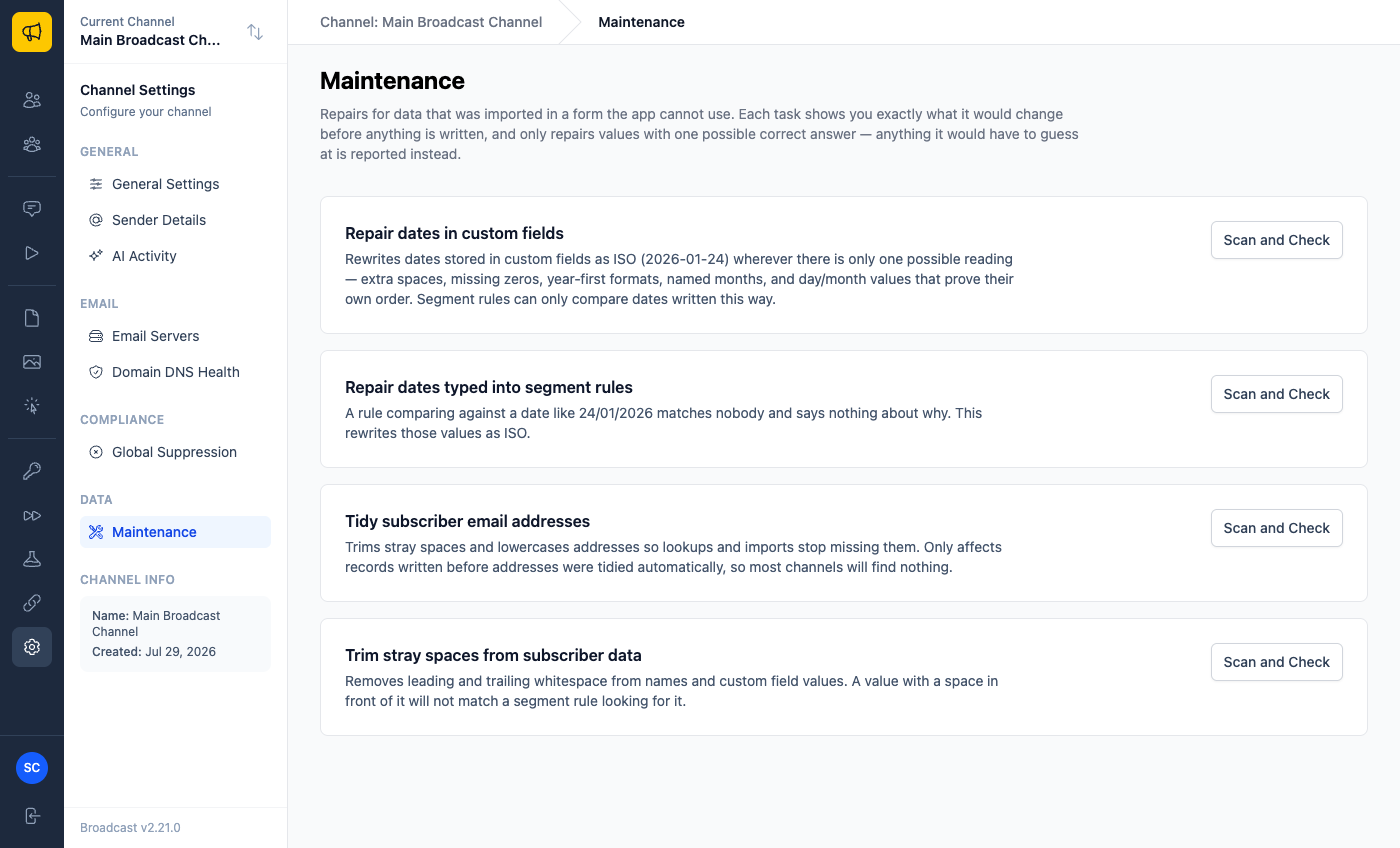
Nothing runs automatically and nothing runs on a schedule. You press Scan and Check, it walks your channel, and it reports what it found. On a large list that takes a while, so it runs in the background and shows a live log of the records it is working through. You can leave the page.
You see the change before it happens
The scan shows every value it would rewrite, which field it lives in, and what it would become, with a link straight to the subscriber, so you can open one and judge for yourself rather than trusting a count.
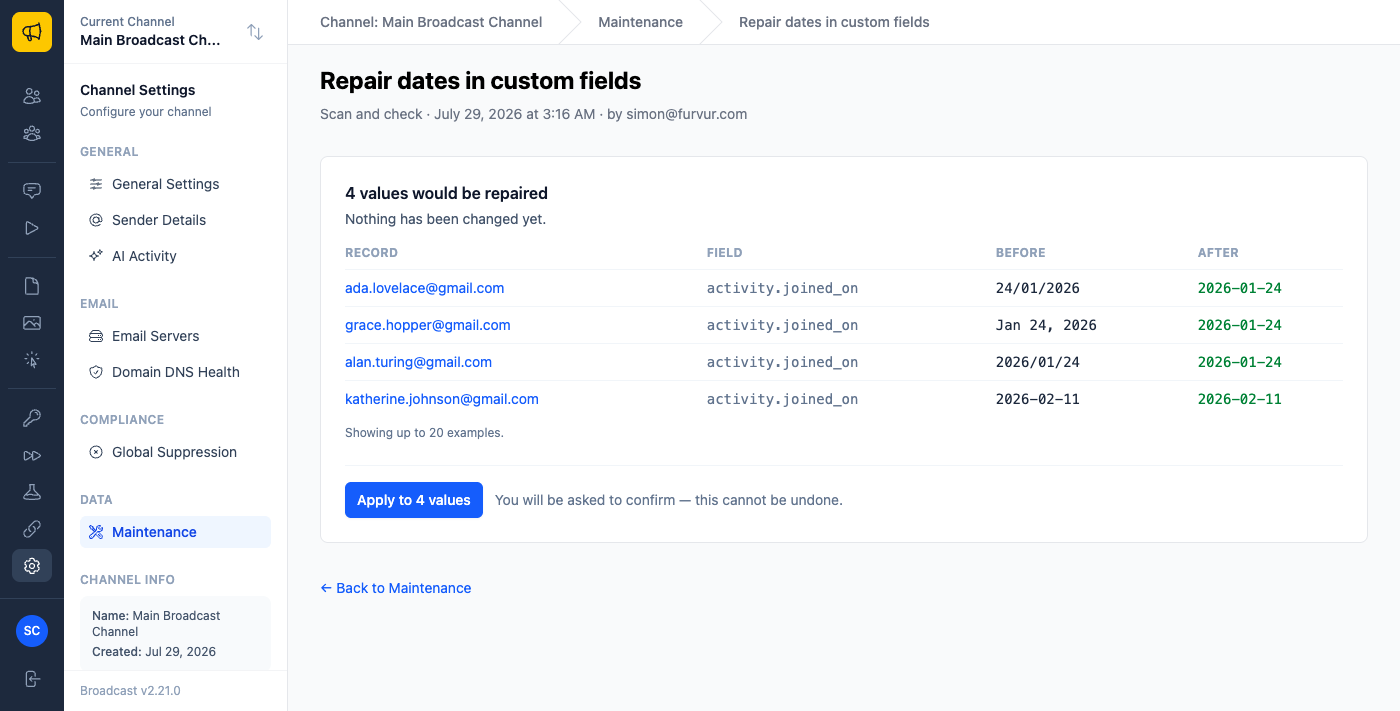
Look at that list and you can see the range in a single import: a day-first date, a named month, a year-first date with slashes, and one that was already correct but carried a stray space. All four were unusable to a segment rule. All four have exactly one correct reading.
Anything ambiguous is reported separately and left alone. If a field holds 01/02/2026 and nothing
else in that column settles the order, Broadcast tells you it cannot know, and if the column
contains both day-first and month-first dates, it says that too, because no single reading is
right for all of them.
Applying is a separate, deliberate step, and it asks first.
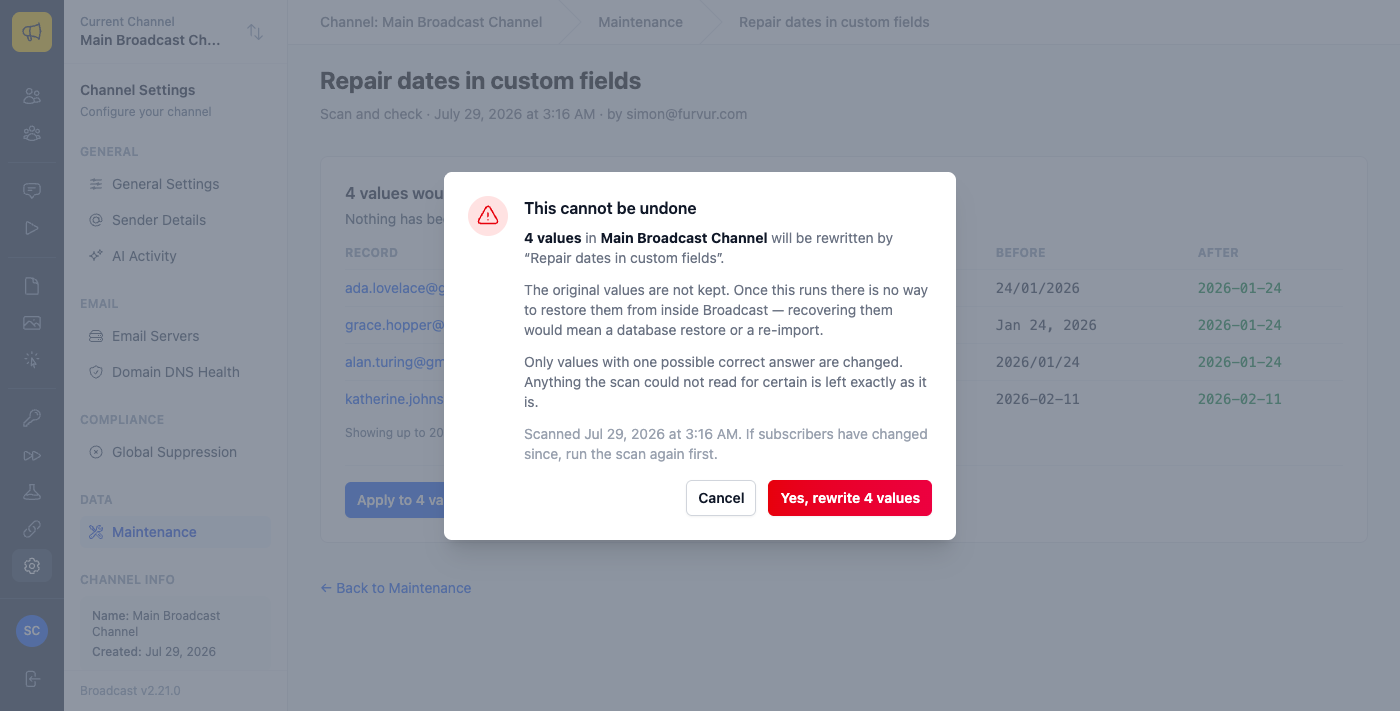
I went back and forth on how strongly to word that dialog and landed on saying it plainly. There is no undo. The original values are not kept anywhere, so recovering them means a database restore or a re-import. Software that rewrites your data in bulk should say so in the same tone you’d use if you were standing next to someone.
Stopping it at the door
Repairing what is already there only helps once. The column mapping step of an import now has a
Format picker for date columns, so you can tell Broadcast that a column is DD/MM/YYYY and
have it read exactly as you meant: no editing the file, no re-exporting from the other platform.
Declare the format on a custom field and the value is stored as an ISO date, which is what makes it usable by a segment rule at all. Leave it as ISO and nothing is reinterpreted. The import summary also tells you how many dates it could not read, so a wrongly mapped column is obvious immediately rather than six weeks later.
Three things you can do with this today
If you have ever imported a list from another platform, run Scan and Check on Repair dates in custom fields. It is read-only. Either it finds nothing, which takes a minute and tells you your data is clean, or it finds values you did not know were broken.
If a segment has ever returned a number that felt too low, check whether it filters on a custom date field. That is the signature of this problem: not an error, just a count that is quietly wrong.
If you have a rule that returns zero subscribers and you cannot see why, run Repair dates typed into segment rules. A date typed into the rule itself in the wrong format matches nobody and explains nothing: the segment simply shows zero, forever.
The bug behind the feature
I should be honest about where this came from. The date handling in 2.21 exists because an
unreadable date in a custom field could crash the broadcast composer outright: one subscriber with
24/01/2025 stored in a custom field, and the page failed to load for the entire channel.
Fixing that meant deciding what the app should do with a value it cannot read, and once that was settled the rest followed: read every incoming date the same way, refuse to guess, tell people when something cannot be used, and give them a way to repair what was already stored. The composer bug was the smallest part of the work and the only part anyone had noticed.
See the Channel Maintenance documentation for what each repair does, or read what an error report sends, the report that surfaced this one.
