You Should Know What an Error Report Sends
If something in Broadcast breaks, you get a 500 page with a box on it asking what you were doing when it happened. Fill it in, press Send Report, and it comes to me.
That was the theory. In practice the button had been broken for a while, in four separate ways that each independently guaranteed nothing useful arrived. The form collected your description under one name and the code that sent it read a different one, so the description was dropped. The technical details were never attached at all. The submission answered a request format the error page can’t produce, so pressing the button returned a second error on top of the one you were already reporting. And the report was labelled with a license key hardcoded years ago, so anything that did arrive was attributed to the wrong installation.
I found this while going through a customer’s bug report the slow way (over email, with screenshots) and wondered why they hadn’t just used the button. They had. It had been swallowing reports the whole time.
The part I want to talk about
Fixing the plumbing is not interesting. What is interesting is the question I had to answer before I could fix it honestly: what exactly is this button about to send to me?
The answer, for any error reporter, is more than people assume. To diagnose a crash you want the exception, its message, and the backtrace. But an exception message in an email marketing tool is rarely abstract. It says things like Couldn't find Subscriber with email: someone@theircompany.com. The URL of the page that failed can carry a token in its query string. You are, without meaning to, about to hand a third party a piece of your subscriber list.
For self-hosted software this matters more than it does elsewhere. The reason a lot of people run Broadcast on their own box is precisely so their subscriber data doesn’t go anywhere they didn’t choose. A support feature that quietly ships that data out by email is a hole in the thing they installed it for.
So 2.20.1 does two things. It strips the sensitive material out, and then it shows you what’s left before you send it.
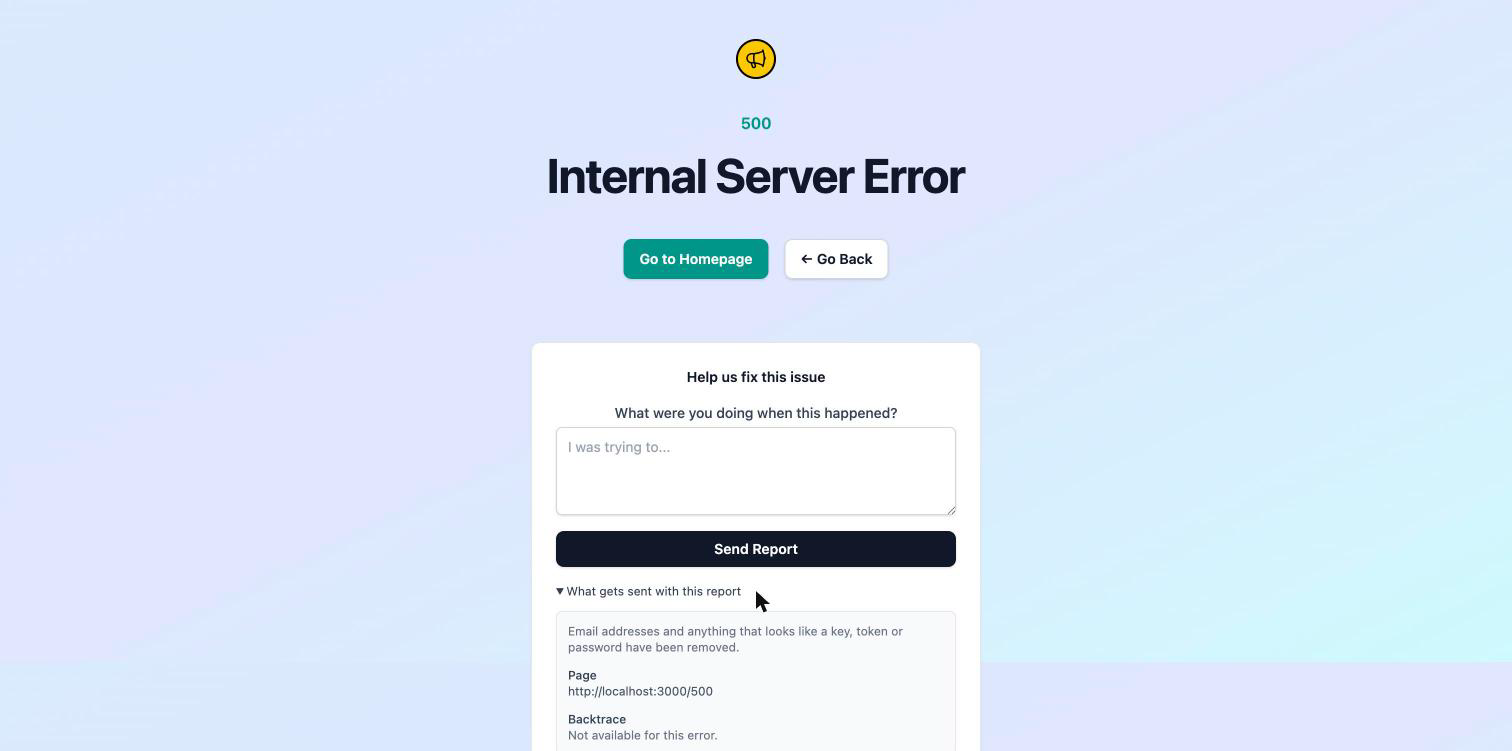
What gets sent with this report expands to the actual payload: the page that failed, the error, and the backtrace. Email addresses become [email redacted]. Values for anything named like a token, secret, password, signature or API key are replaced. Long hex strings (session ids, digests, keys) go too. File paths and line numbers survive untouched, because those are the part that lets me find the bug.
Two details make that panel trustworthy rather than decorative. The displayed values and the transmitted values come from the same redacted object, so the page cannot show you one thing and send another: that’s not a promise, it’s the only copy that exists. And the panel is plain HTML, not a JavaScript disclosure, because the error page deliberately loads no JavaScript. A page that appears when the application is broken should not depend on the application working.
The screenshot above was taken on a synthetic error page, which is why the backtrace section reads as unavailable: there was no real exception behind it. On an actual 500 that section is the full trace.
Being straight about failures
While I was in there I removed a sentence from the error page: “Our team has been notified.”
Nothing notified me. There was no alerting behind that claim, and given the button was broken, there was nothing behind the button either. It’s a comforting line that a lot of applications print, and its effect is to send people away believing the problem is already in hand when nobody knows about it. If you hit a 500 in Broadcast, the report form is how I find out. Now the page says so by not claiming otherwise.
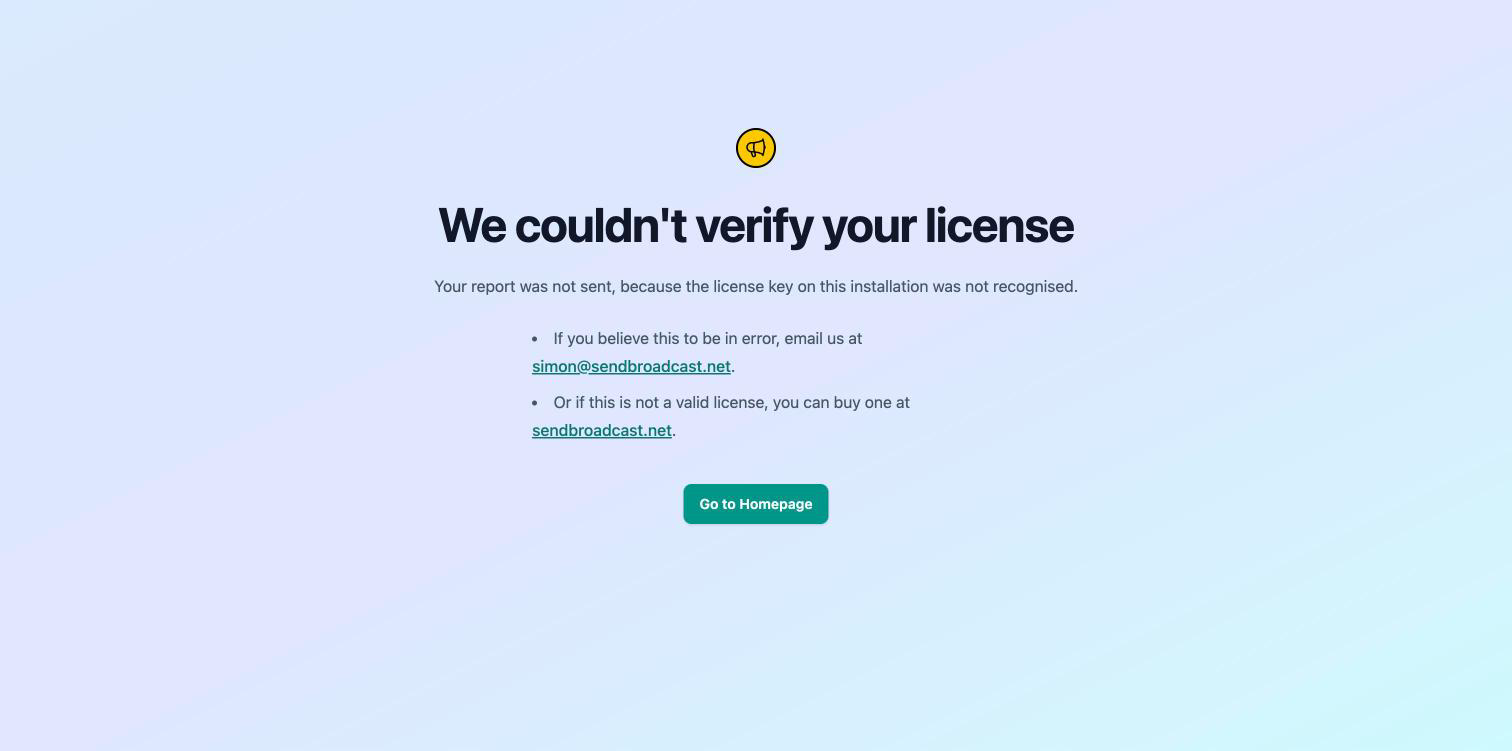
The same instinct drove one other change. If your installation’s license key isn’t recognised, sendbroadcast.net drops the report, so telling you “Report sent” would be false. It now says what happened and offers you both ways out.
What this looks like in practice
You’re building a broadcast and the page 500s. You press Send Report, expand the panel first, and see that the failing URL and a Segment#matching_subscribers backtrace are going over, with a customer’s address already redacted out of the message. You send it knowing precisely what left your server.
Or your compliance policy says subscriber data doesn’t leave your infrastructure, full stop. You expand the panel once, satisfy yourself that addresses are stripped before transmission rather than after receipt, and write the exception into your notes with a screenshot to back it up.
Or you’re on an install whose license lapsed. Instead of a false confirmation, you find out immediately and email me directly, which is what you wanted to do anyway.
Shipped in 2.20.1, along with a fix for the subscriber Active/Inactive filter, which had been rendering links that returned the unfiltered list.
See the monitoring and logs documentation for streaming your application log and sending a capture to support, or read why your install should tell you when it’s out of date for a related look at being precise about what a feature actually does.
