One Webhook When You Purge a List, Not Thousands
Purge All Subscribers in Settings empties a channel in one go. People use it on test channels, on lists they are rebuilding from scratch, and when a list has to go entirely. It is a blunt tool on purpose.
A few releases ago, a customer purging a large list hit a timeout. The purge ran inside the web request and deleted subscribers one at a time, and on a real list that took longer than anything should. So the purge moved into the background and started deleting in batches. That fixed the timeout, but it also meant the purge no longer sent a subscriber.deleted webhook for every subscriber it removed. Sending thousands of near-identical events for a single click was never a good idea, and batching made it impractical.
That left a gap. If another system kept a copy of your list, a purge now happened without it hearing a thing. Your CRM still had everyone. Your analytics still counted them.
What changed
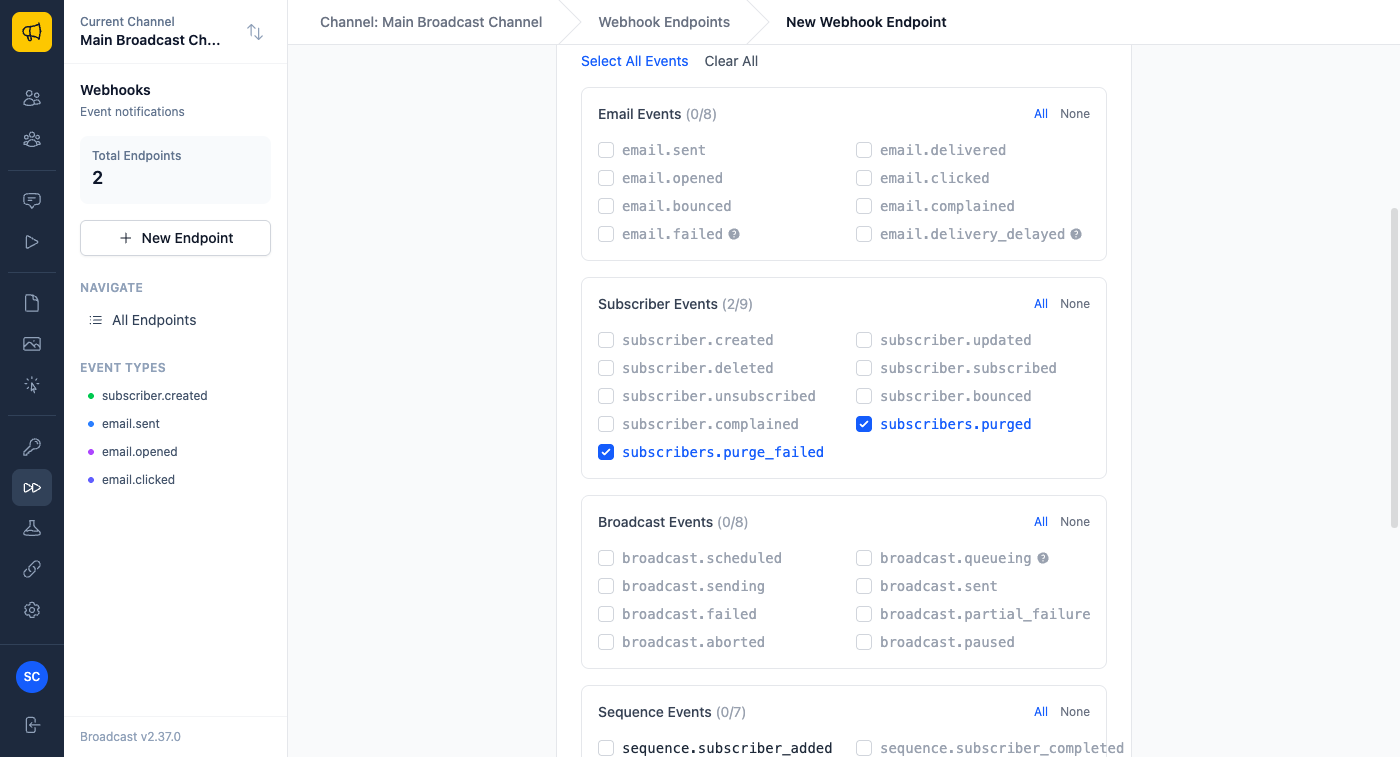
There are two new webhook events. subscribers.purged arrives once, after a purge finishes, and says how many subscribers were removed and how many entries came off the channel’s unsubscribe list, with start and finish times. subscribers.purge_failed arrives if a purge stops before it finishes, with the kind of error and what is still left in the channel. Running the purge again is safe and removes the rest.
You choose them like any other event, under Subscriber Events on a webhook endpoint.
The payload carries counts, not email addresses. People often purge a list precisely because the addresses should stop existing somewhere, and a webhook that sent them all to another server would work against that.
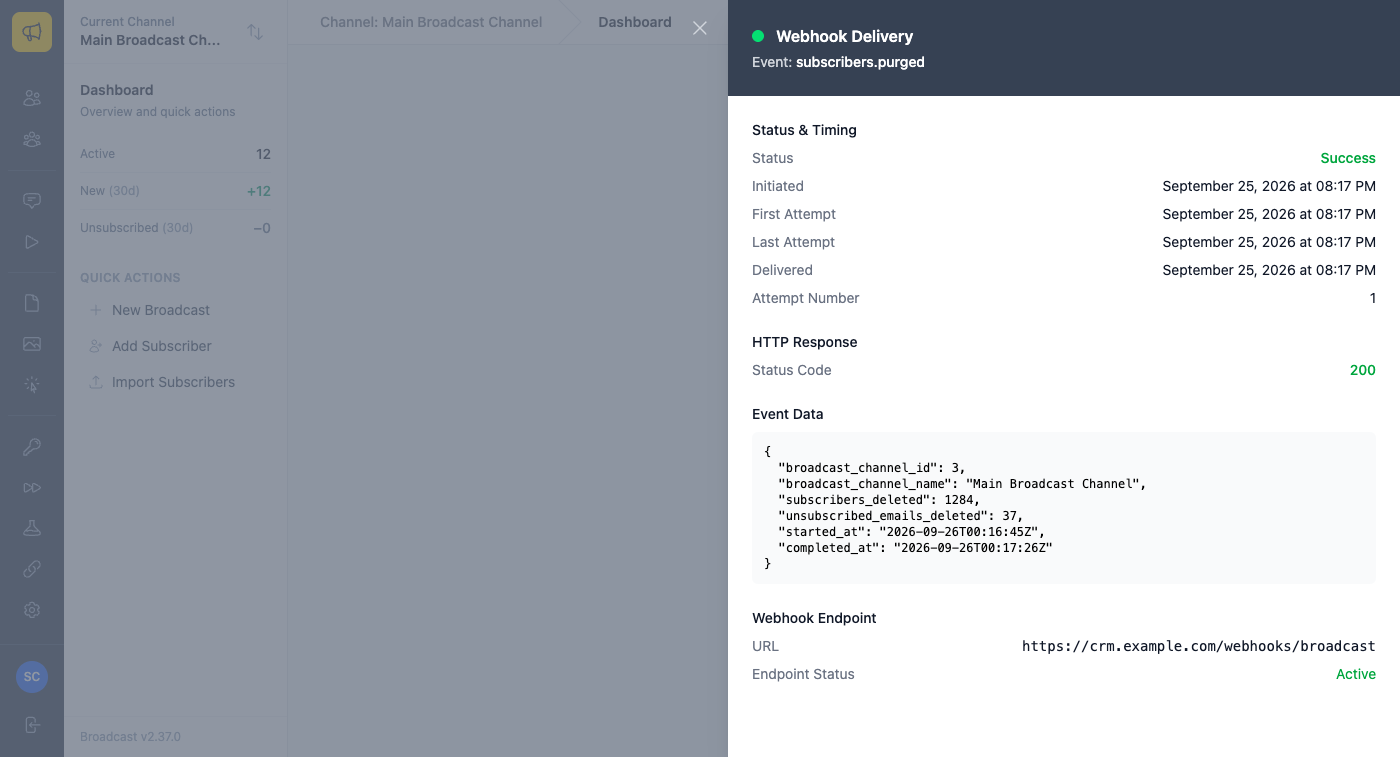
The events only cover Purge All Subscribers. Deleting a subscriber on their own, from the app or the API, still sends subscriber.deleted as before. If you want to see the exact shape before wiring anything up, pick either event under Send Test on the endpoint and Broadcast sends you a sample.
Three ways to use it
Keeping a CRM in step. If a sync copies your newsletter subscribers into a CRM, have it listen for subscribers.purged and clear that channel’s contacts when it arrives. Before, the CRM would have kept every one of them indefinitely.
Resetting a test channel. Some teams empty a staging channel before each test run and import fresh data. The import can wait for subscribers.purged instead of guessing how long the purge takes, and treat subscribers.purge_failed as a signal to run the purge again.
Keeping a record. If you purge a list to honour a removal request, log each subscribers.purged event. You get the date, the channel and how many people were removed, without copying anyone’s address into another system.
This is in 2.37. Existing endpoints do not receive the new events until you tick them.
The payloads are in the Webhooks documentation. If you connect other tools to Broadcast, you may also like Email Marketing Software Your AI Agent Can Actually Drive.
