Ask the Question at Signup
There is exactly one moment when someone will happily answer a question about themselves: while they are already filling in a form because they want something from you. Their attention is on you, they’ve decided to trust you, and one extra field costs them four seconds.
Six months later, that same question costs an email campaign, a survey tool, a 12% response rate, and a reminder send. The data is the same data. The price is not remotely the same price.
Version 2.10 makes the cheap moment usable: opt-in forms can collect free-text answers directly into a subscriber’s custom data.
A block in the palette
The opt-in form editor is block-based (you drag what you want onto the canvas) and 2.10 adds Custom Field to the palette.
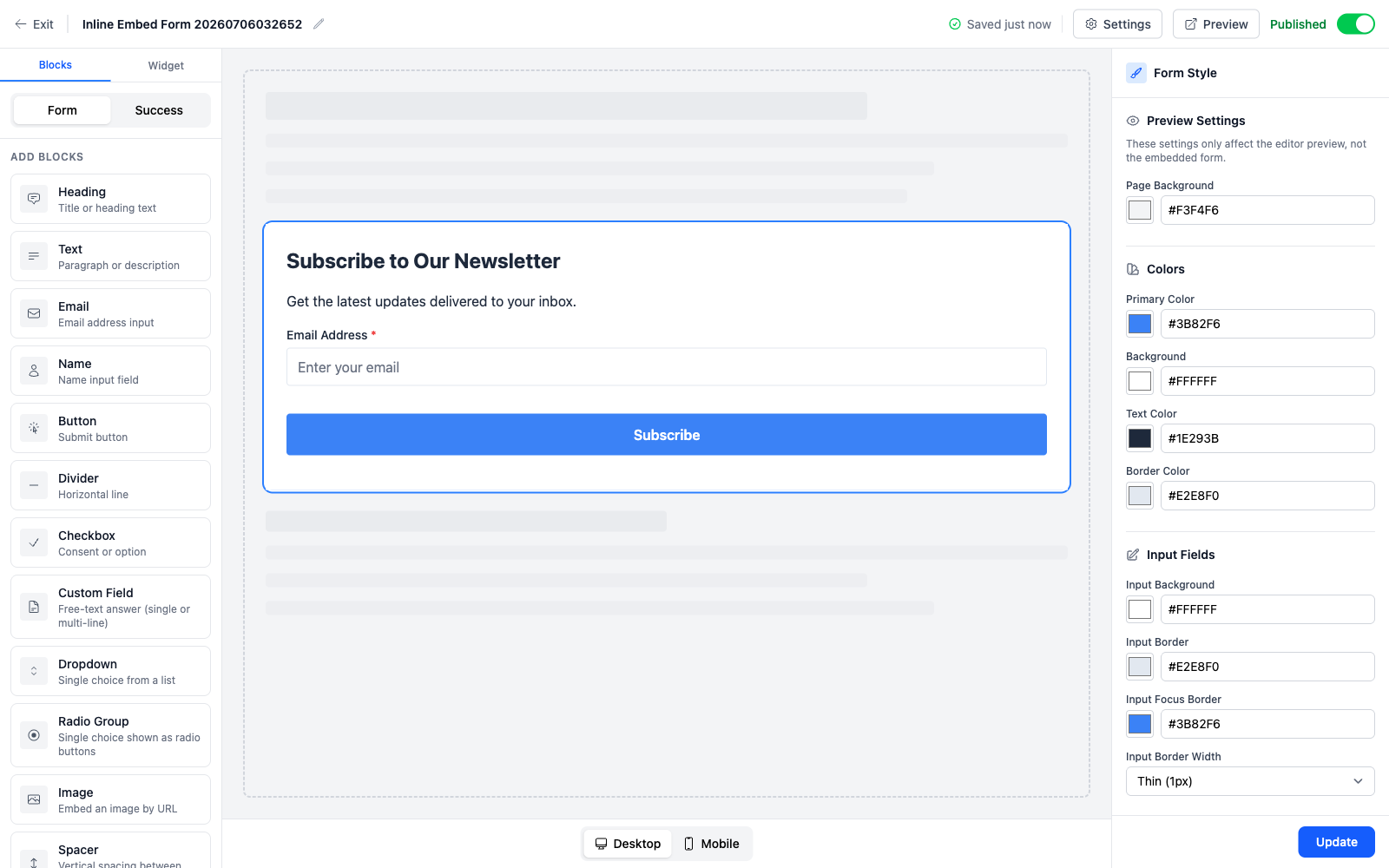
You give it a label and a custom data key, and whatever the subscriber types lands under that key on their record. No code, no hidden fields, no webhook to a script that patches the subscriber afterwards.
Fields can be set to multi-line, which renders them as a textarea instead of a single-line input: the difference between “What’s your company?” and “What are you hoping to get out of this?”. The multi-line option comes with a hint about how to preserve line breaks when you render the answer in an email template, because a paragraph that arrives as one run-on line is the obvious next thing to go wrong.
The limit, and why it’s a real error
Custom data values are capped at 2KB, and a submission with a value over the limit gets rejected with a clear error naming the field.
That’s a deliberate choice about failure modes. The alternative, silently truncating at 2KB, is worse in every way that matters: the subscriber thinks their answer was recorded, you think you have their answer, and what you actually have is the first two kilobytes of it with no indication anything is missing. A rejected submission is annoying and honest. A truncated one is comfortable and wrong.
What people actually collect here
A segmentation key you’ll use every send. “What best describes you?” with three options, or a free-text role field. From then on, segment on it and the same newsletter can lead differently for developers and for marketers.
The question that makes your welcome email good. “What are you working on right now?” as a multi-line field. Read the answers, and your first reply can be about them rather than about you. On a small list that’s the single highest-leverage field on the form.
Anything your own systems need. A company name, a plan tier, a referral code. It’s your custom data; the key is whatever your other tooling expects, so the export lines up with the system you’ll eventually feed it into.
Pair it with the Dropdown and Radio Group blocks that arrived in 2.11 alongside the import improvements and a form can ask closed questions too, which is usually the better call when you already know the answer set, because free text needs cleaning and a dropdown never does.
The editor got quieter
Three smaller changes in the same release, all in the direction of the editor arguing with itself less.
Block inspector panels no longer duplicate the canvas preview. Previously you’d see a rendering of the block in the inspector and on the canvas, which sounds harmless until they disagree and you have to work out which one is the truth. Now the live canvas is the single preview, and the inspector is only controls.
The checkbox inspector now spells out exactly where its value is stored and what the default key is, a question that previously required reading documentation to answer about a field sitting right in front of you. And the checkbox itself got rounded corners matching the rest of the widget, which is a one-line change that stops the form looking assembled from two different kits.
Rails moved to 8.1.3 underneath, along with the usual dependency updates.
The theme across all of it: a form builder should let you ask for exactly what you need, tell you where the answer goes, and never quietly discard part of it.
See the opt-in form API reference for the block attributes behind the editor, or read Your List, Your Data Model for how custom data drives segmentation.
