Your Team Should Not Need English to Send Your Newsletter
Broadcast’s unsubscribe and confirmation pages already come in thirteen languages, because your subscribers could be anywhere. The dashboard was different. Every page, button and error message was in English.
A customer in Italy asked if their team could use Broadcast in Italian. The owner set it up, but the people who write and schedule the newsletters work in Italian all day. For them, every click was a small translation exercise, right before sending to thousands of people.
In 2.39, the dashboard is available in twelve languages: English, Italian, French, German, Spanish, Portuguese (Brazil), Dutch, Polish, Swedish, Danish, Norwegian and Finnish.
Each person picks their own
The language is set per person, not per installation. One setting for the whole install would have been simpler, but it would not help a team where the owner prefers English and everyone else prefers Italian.
Open My Profile, pick a language and click Save. The page reloads in that language.
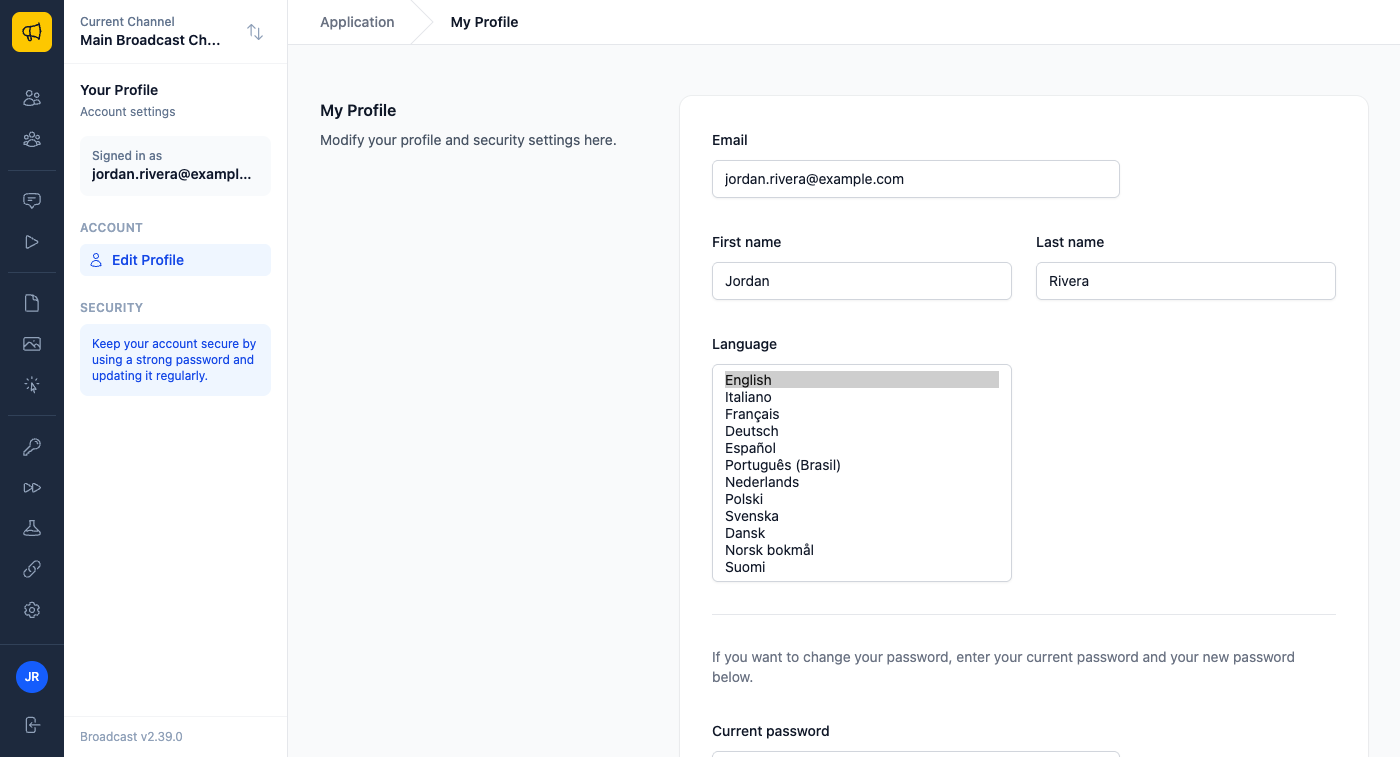
Each language is listed in its own name, so anyone can find theirs. The setting is saved to your account, so it applies on every device you use.
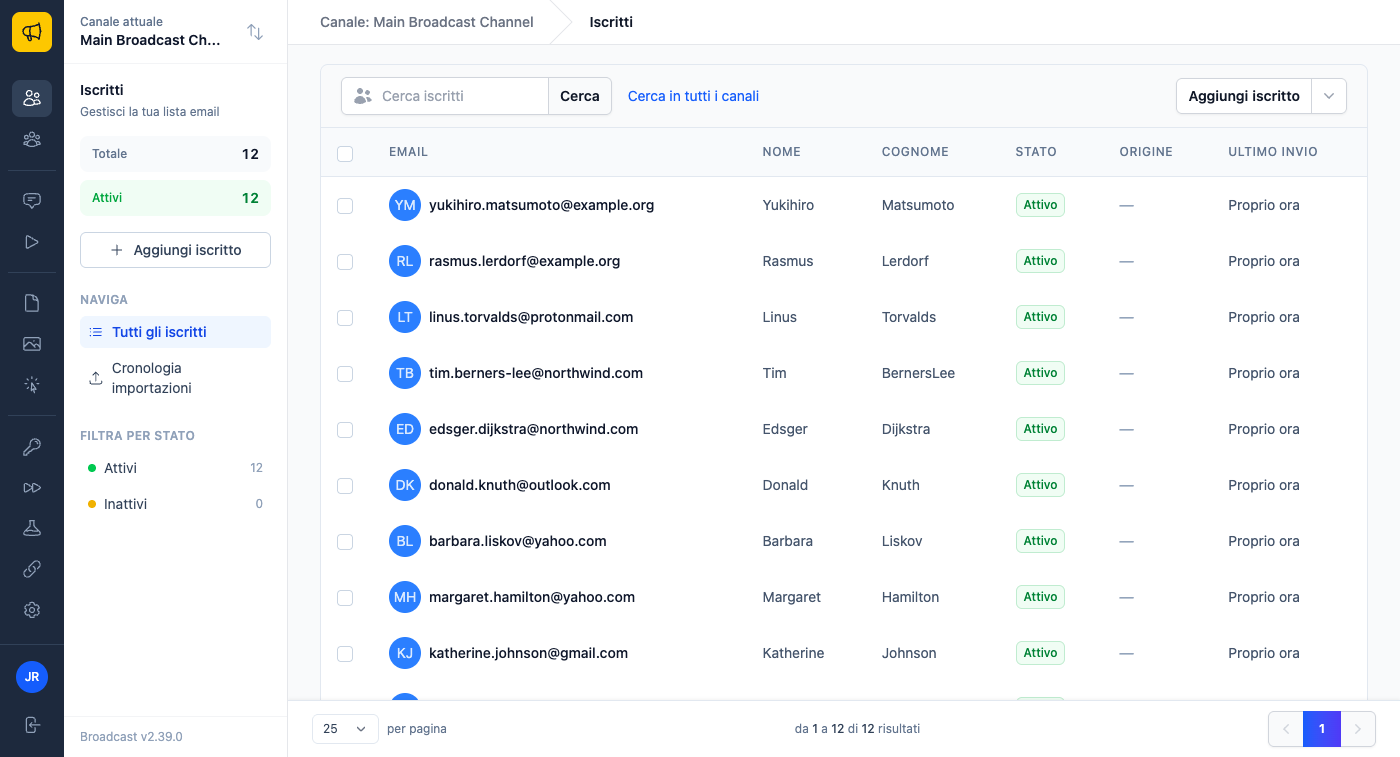
It covers more than the menus. Error messages, the notices after you save or send, chart dates, “5 minutes ago” times, and the live progress during an import or a send all use your language. Two people watching the same broadcast each see its progress in their own language. Password reset emails arrive in the language of the person who asked for one.
What stays the same
Your language does not change what subscribers see. Their pages follow the channel’s language, which you set separately. An Italian editor can work on a newsletter for an English-speaking list.
The API stays in English. Its error messages and field names are the same for every token, so an integration does not break when someone changes their profile. Text you write yourself, like broadcast content and template names, stays as you wrote it.
Who this helps
An agency in Milan sends newsletters for a dozen clients. The founder keeps Broadcast in English. Her two account managers switch to Italian and build segments with rules that read “contiene” and “non è vuoto”.
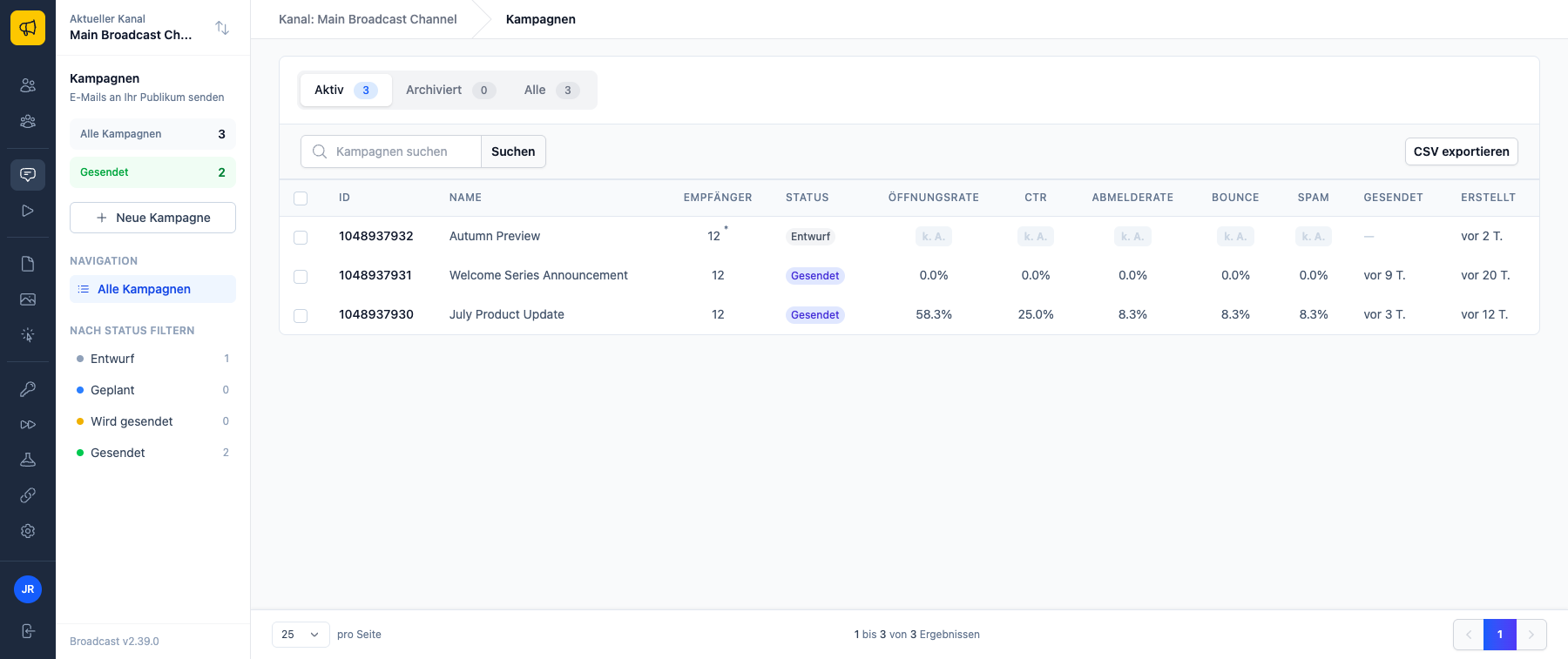
A company in Berlin has its marketing lead working in German and a contractor in Warsaw handling imports. One picks Deutsch, the other picks Polski, and both use the same campaigns list.
A Swedish nonprofit asks a volunteer to send the monthly update. English is the volunteer’s third language, and “suppression list” is not a phrase anyone learns at school. In Swedish, the page says “spärrlista”.
Fixing a word that reads wrong
With thousands of strings, some words will not be what a native speaker would choose. The translations are open source in broadcast-i18n. If something reads wrong, open an issue or a pull request there, and the fix ships in the next Broadcast release. You do not need to install anything separately.
English is the source for every language, and a language only ships when every string is translated. A new feature will not show up half in English and half in Polish.
The dashboard language guide lists every language and what it covers. If you are setting up a team with different roles, see channel permissions, roles and bulk apply.
