Let Subscribers Choose Which Emails They Get, Instead of Losing Them Entirely
Most lists are not one list. You send product updates, webinar invitations, offers, maybe a monthly roundup. A subscriber who loves the webinars but has no use for the offers has had exactly one option until now: unsubscribe from everything. You lose the person, and they lose the emails they actually wanted.
The request for this came from a customer in Germany who runs a self-hosted install for a professional association. Their list has six kinds of email, and most of their contacts came through a partner who may only receive webinar invitations. Anything else is unlawful advertising under German and EU law. They were already storing each contact’s choices as yes or no fields in custom data, and building a segment for every send. What they needed was for Broadcast to understand those fields: send to a topic, let people leave one topic, and keep a record of every choice. I needed the same thing for my own event newsletter, so I built it properly. It shipped in 2.41.
A topic is a field you already have
The first decision was where a topic lives. I did not want a new hidden field that nobody can see or export. A topic in Broadcast points at a custom data field you pick, such as sub_webinars, or at a tag. If you already store choices in custom data, the way this customer does, your topics work on the first day with no migration.
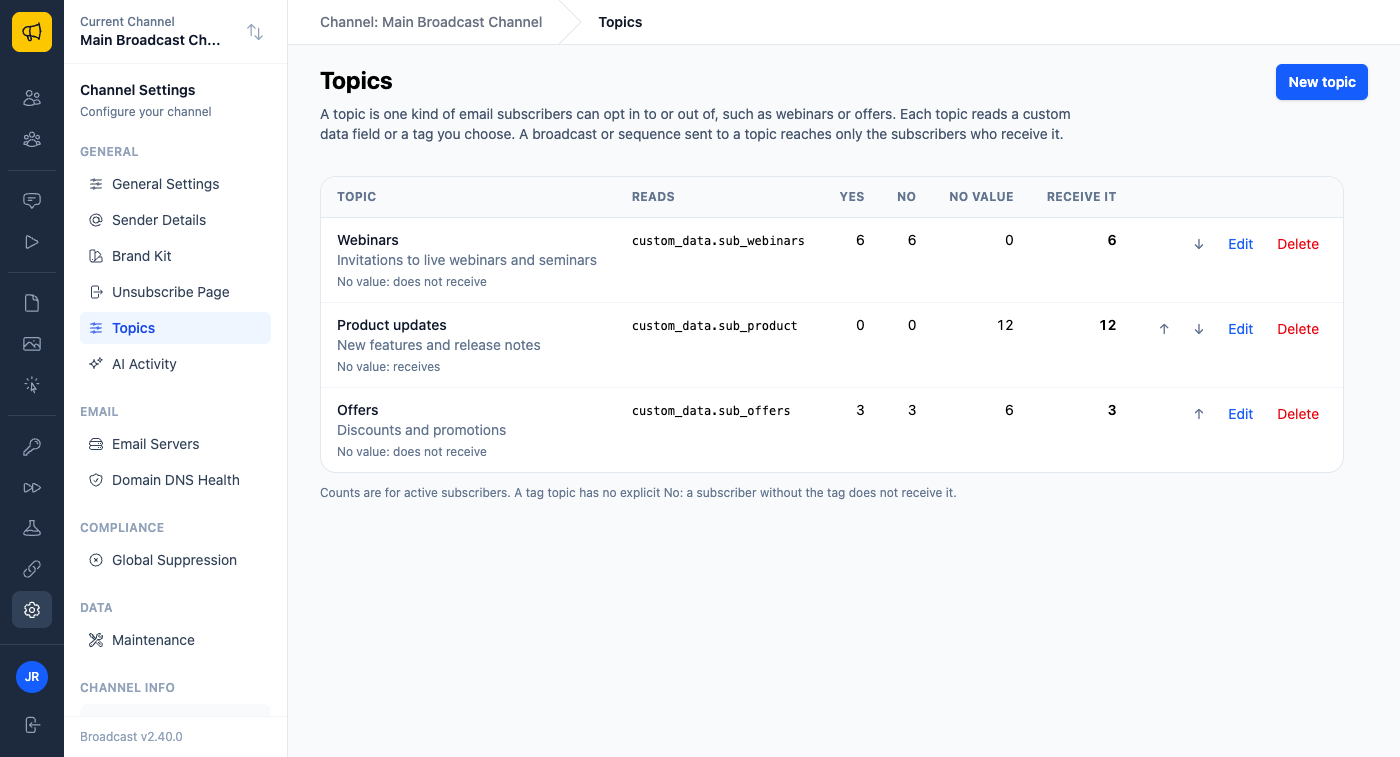
The second decision mattered more: what happens to someone who has never chosen? A custom data topic is yes, no, or no value at all. A yes or no that is set always wins. For people with no value, each topic has one setting: they receive it, or they do not. New topics start at “do not receive”.
Broadcast reads that setting when an email goes out and never writes it into anyone’s data. I went back and forth on this. Filling in defaults when a contact is created sounds convenient, but it quietly turns “this person never answered” into “this person said yes”, and for a list with legal limits that is exactly the wrong guess. So the form shows you the effect before you choose.
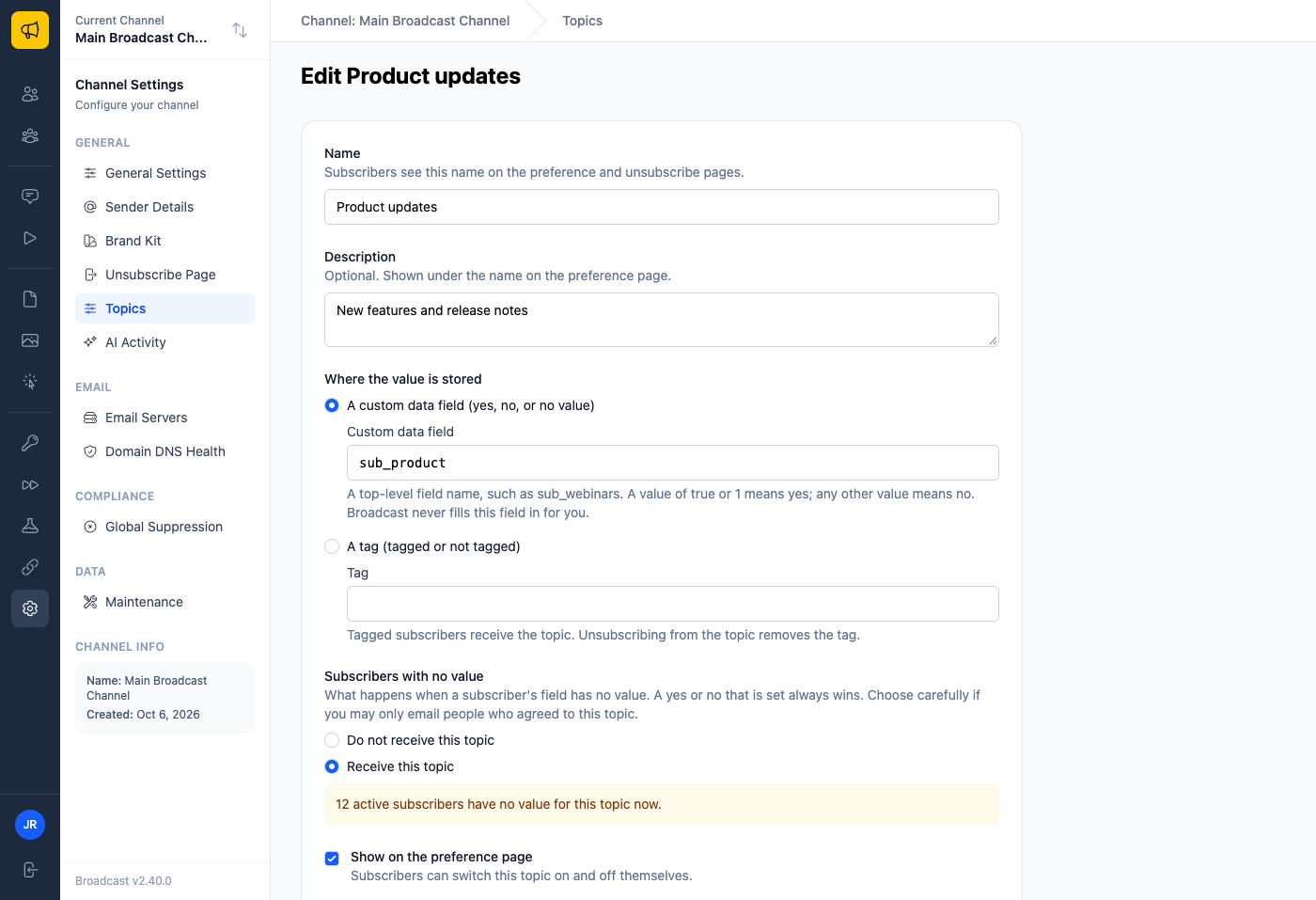
If you are adding topics to a list that has always received everything, set them to “receive”, and nobody misses an email. If you may only write to people who opted in, leave them at “do not receive”, and a contact gets a topic only after a real yes.
Send to a topic
On a broadcast’s Audience tab there is a new Topic select. The email goes to your segments AND the topic, and the recipient count shows the result before you send. Sequences can have a topic too: each email step reaches only the subscribers who receive it, and everyone else carries on through the sequence.
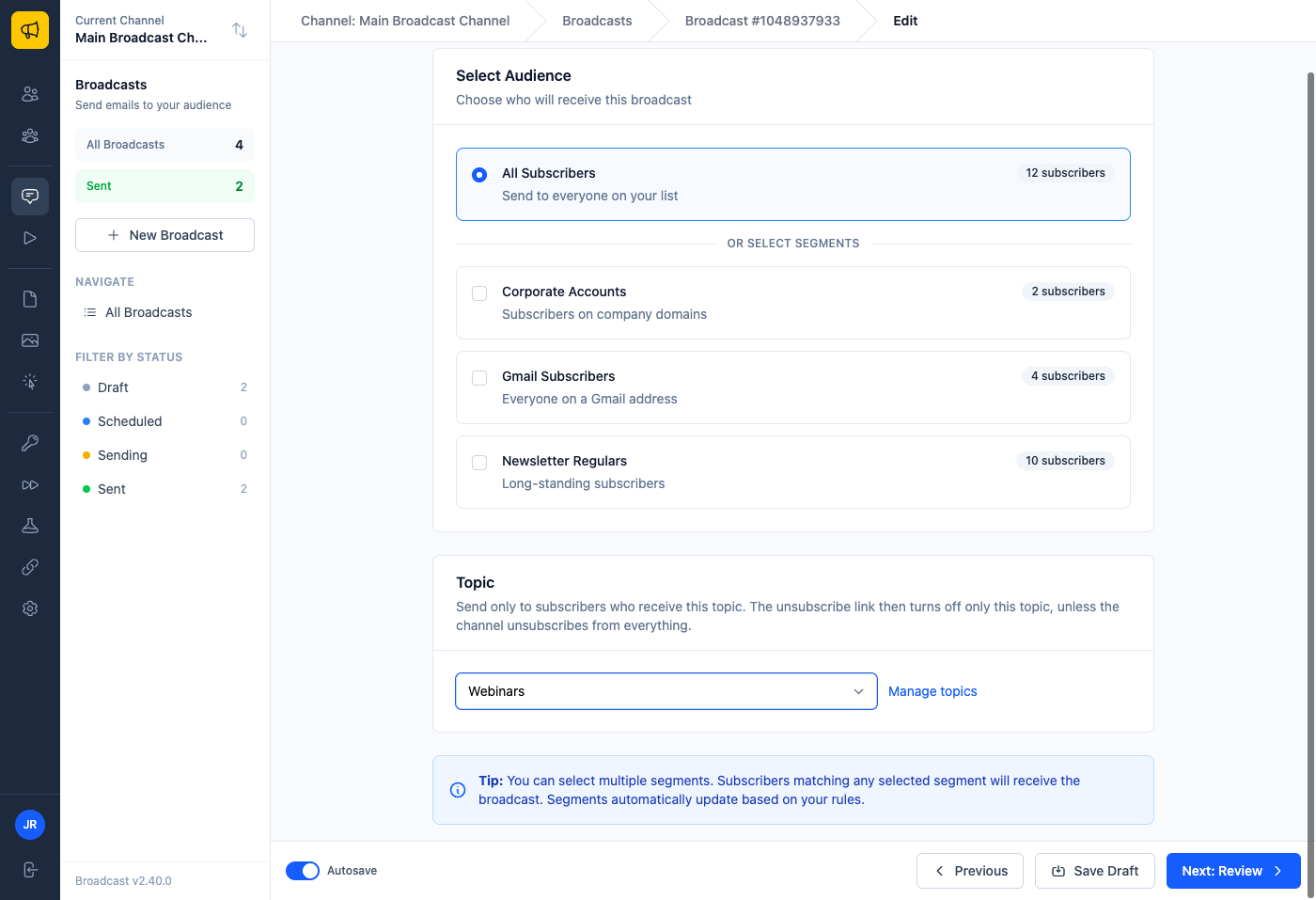
For our German customer, the typical send is now one choice in the composer: segment “partner contacts”, topic “Webinars”. Nobody outside that topic can receive it, no matter how the segment is built.
Unsubscribing from one topic keeps the rest
On an email sent to a topic, the unsubscribe link and the one-click Unsubscribe button in Gmail and Yahoo now turn off just that topic. The subscriber stays on your list and keeps their other topics. The page tells them exactly what happened, and “Unsubscribe from everything” is one click away for anyone who wants out completely.
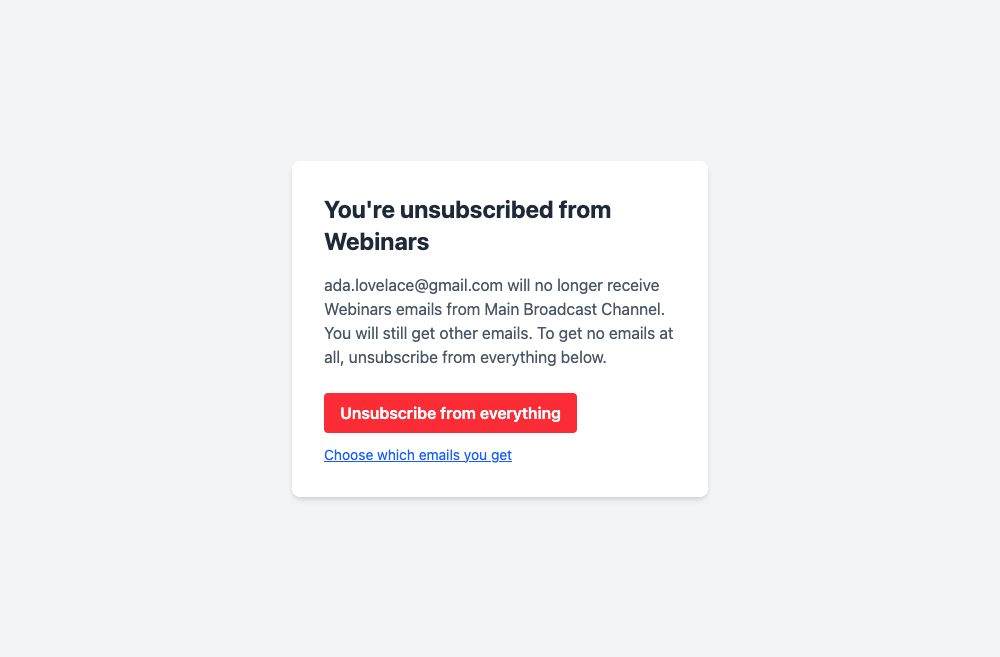
This is how the big platforms treat their subscription types, and it is allowed by the one-click standard: the button removes you from the list the email came from, and a topic can be that list. If you prefer the old behaviour, one setting under Unsubscribe Page makes topic emails unsubscribe from everything again. Emails without a topic, sequence emails and transactional emails always unsubscribe from everything.
A preference page subscribers can find
Every subscriber now has a hosted preference page. Put {{ preferences_url }} in any email, or type a link text into the footer block, and people can switch topics themselves.
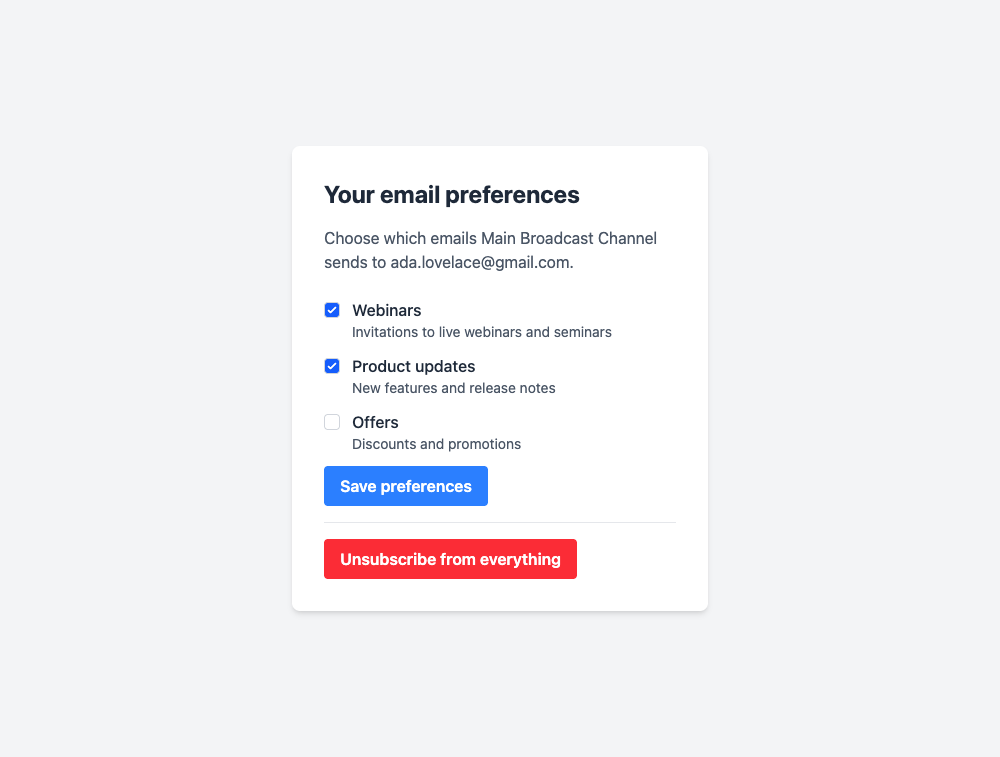
It shows only the topics you choose to show, never your other custom data, so fields like where a contact came from or their legal basis stay private. It uses the same branding, languages and custom text as your unsubscribe pages, so a German list gets a German page.
Here is a typical week with it. A reader is tired of the weekly offers but wants the product updates. They click “Choose which emails you get” in the footer, untick Offers, and save. They stay on your list, the next product update reaches them, and the next offer does not. Nobody had to write to support, and nobody was lost.
A record of every choice
Consent is only useful if you can show it. Every topic change is in the subscriber’s activity, and every change fires a new webhook, subscriber.preferences_updated. It lists each topic that changed, the old and the new value, the time, and where the change came from: the preference page, an unsubscribe link, the one-click button, the API, an import, or someone on your team. The existing subscriber.updated event now carries that source too.
So when the partner association asks how you know a contact agreed to the product updates, you can point at the record: the contact ticked it on the preference page, on this date, and your CRM stored the event the moment it happened.
Topics are in the API, the CLI and all four SDKs, and a subscriber update can now merge custom data instead of replacing it, so an integration can change one topic without resending everything else.
The subscriber topics guide covers setup, the no-value setting and the preference page, and the webhooks guide shows the consent payloads. For more on consent, see double opt-in for email marketing.
