A Referral Program That Sends the Reward Email Itself
The first version of the Referrals plugin did one thing at a milestone: it added a tag. Three referrals added referral-sticker, and the rest was yours to build, as a sequence that starts from that tag. That works, but it is a lot of setup for “send this person their reward”. The reader had a second problem. Their only view of the program was the block in an email, so to find their link or their count they had to find an old email.
Broadcast 3.3, with Referrals 2.1, fixes both. The plugin sends the reward email itself, and each reader gets a page of their own.
The reward email
Each reward now has a Milestone Email tab. Choose one of the email templates of the channel, and Referrals sends it to the subscriber when they reach the milestone. The template is a normal Broadcast template, so you write and design it in the editor you already use.
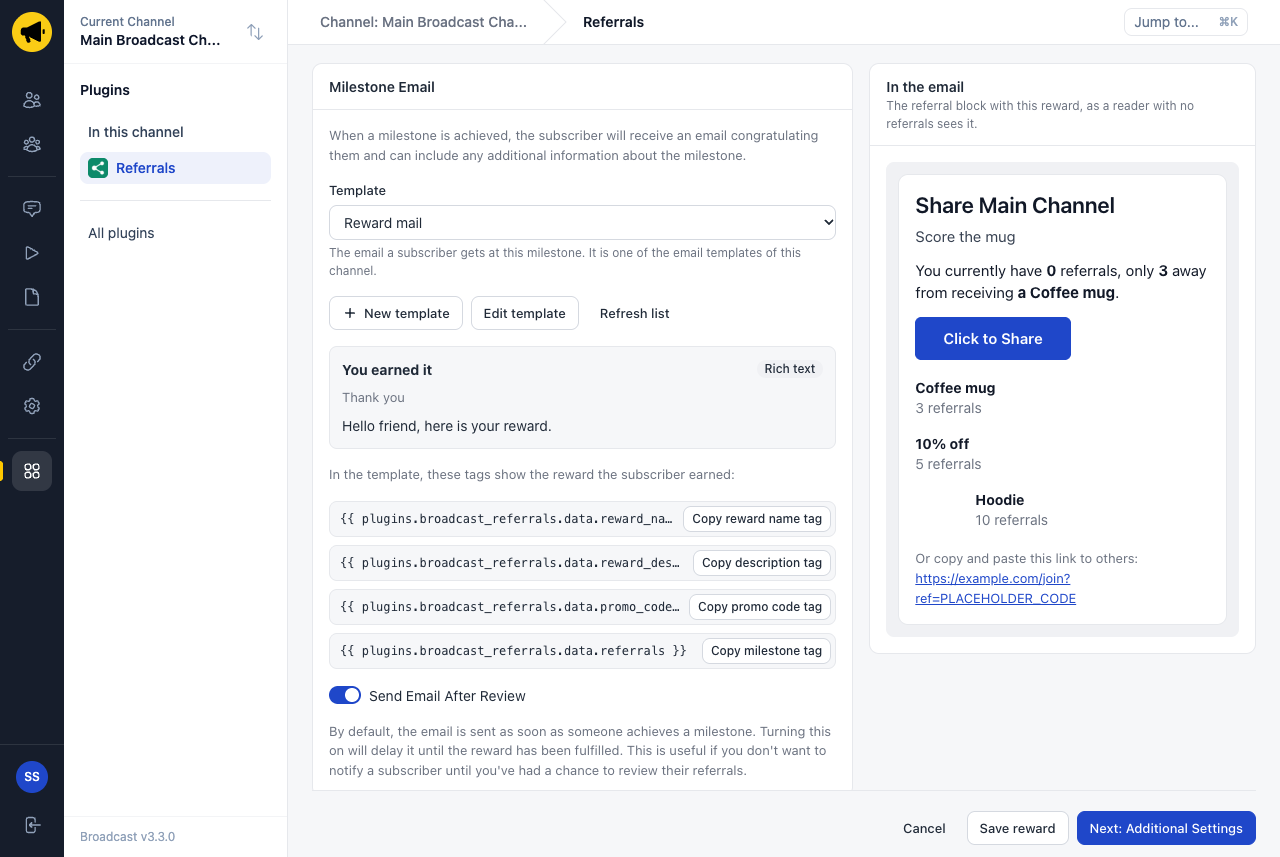
Four tags show the reward that the person earned: its name, its description, the promo code and the number of referrals. One template can serve every reward, or each reward can have its own.
Some rewards need a look before they go out. A hoodie costs money to ship, and you may want to check that the ten referrals are real people. For those, turn on Send Email After Review. The email then waits until you mark the reward as fulfilled.
A page for each reader
Each reader now has a personal page. It has their referral link with a copy button, share buttons for email, WhatsApp and X, and a bar for each reward that shows how far they are.
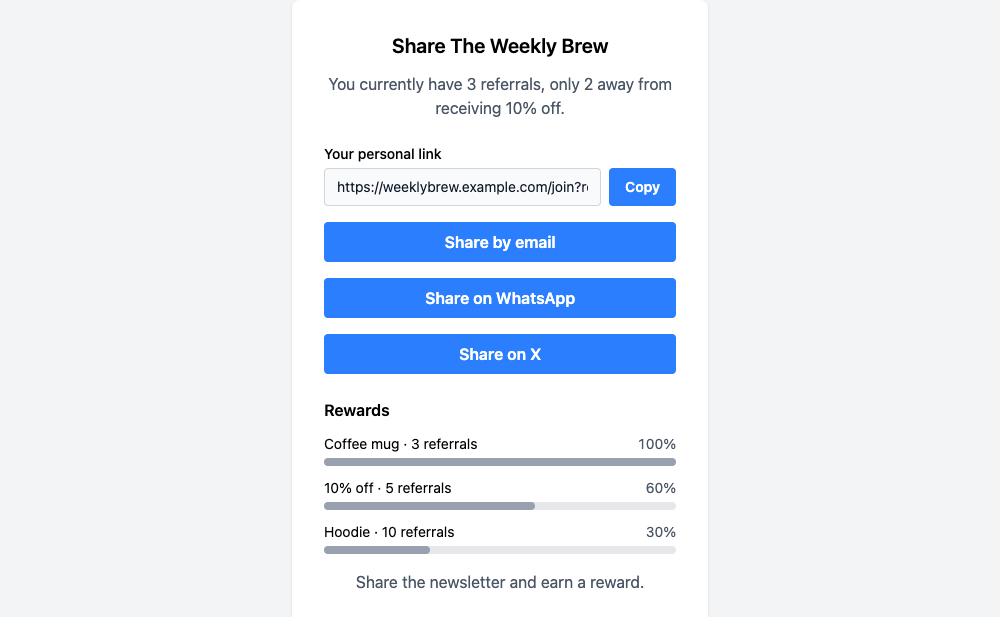
The Click to Share button of the referral block opens this page. Before, it opened an empty email draft, which was no help to a reader who wanted to post the link in a group chat. You can also link to the page from any email with the tag {{ plugins.broadcast_referrals.hub_url }}. The page needs no login, because the link is signed for that one reader.
Where I drew the line
A plugin that can send email is a risk, so the rules are strict. A plugin cannot write an email. It can only send a template that you made, to one subscriber of its own channel. It needs a new permission, Send your email templates, and Broadcast shows that permission before you deploy the update.
A reward email is not a receipt. So an email of a plugin follows consent: it never goes to a person who is unsubscribed, inactive or suppressed, and it always has an unsubscribe link, also when the template has none. There are limits against a plugin that runs in a loop: 1,000 emails an hour for each channel, and 10 a day for each person.
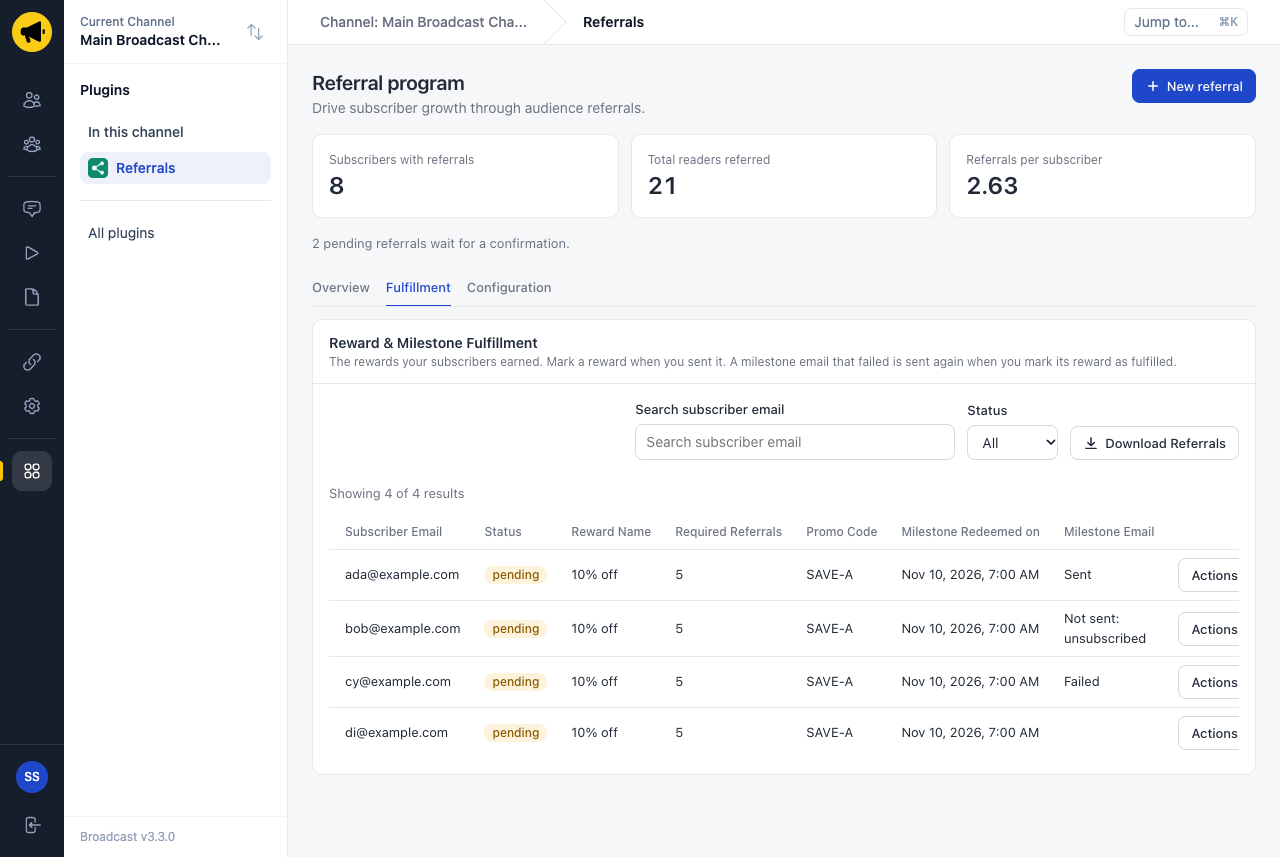
The Fulfillment tab shows what happened to each email.
Three ways to use it
A coffee newsletter gives a 10% code at five referrals. The reward has a list of promo codes and a template that says “Here is your code: {{ plugins.broadcast_referrals.data.promo_code }}”. The fifth friend confirms, and the email with the next free code goes out with no work from you.
A local news list sends a mug at three referrals. The owner turns on Send Email After Review, checks the three addresses on Friday, and marks the reward as fulfilled. The email that asks for a postal address goes out at that moment.
A weekly digest puts one line in its footer: “You have referred {{ plugins.broadcast_referrals.referral_count }} people. See your rewards.” The second sentence links to the reader’s page, so the program is one click away in every issue.
How to get it
Upgrade to Broadcast 3.3, then update Referrals to 2.1 on the Plugins page and approve the new permission. The plugin developers get the same tools: emails.send in the Host API, and a copy block and a link block for the page after a click.
See the Referrals documentation, or read how plugins work in Broadcast.