This and this, but not that
A customer sent in two lines and a screenshot.
Add rule group → no option to change to AND condition when we are using ANY
Value of 1 is this and this, but not this and that
The screenshot showed their cursor resting on a small amber pill in the middle of the segment builder, the one that reads OR. They wanted it to read AND.
The awkward part is that it already could. The AND condition shipped in 2.24, back in February. They were running a version that had it. They simply could not find it, and having now looked at the page the way they were looking at it, I do not blame them.
Where the control was
The setting lived in a dropdown at the top of the rules section. Their segment had two rule groups, each with several rules, so by the time they had scrolled down to the connector between the groups, the control that changes it was several screens above and out of sight.
It got worse. That dropdown read “Include subscribers who match ALL of these rules”. The dropdown attached to each individual group, the one sitting right next to the badge they were looking at, read “Include subscribers who match ALL of these rules” too. Same sentence, two different meanings, one of them nested inside the other. When they reached for the nearer one, they changed how the rules inside a group combined, watched the badge between the groups stay stubbornly on OR, and concluded the feature did not exist.
So the badge is now the control. Click it and it flips.
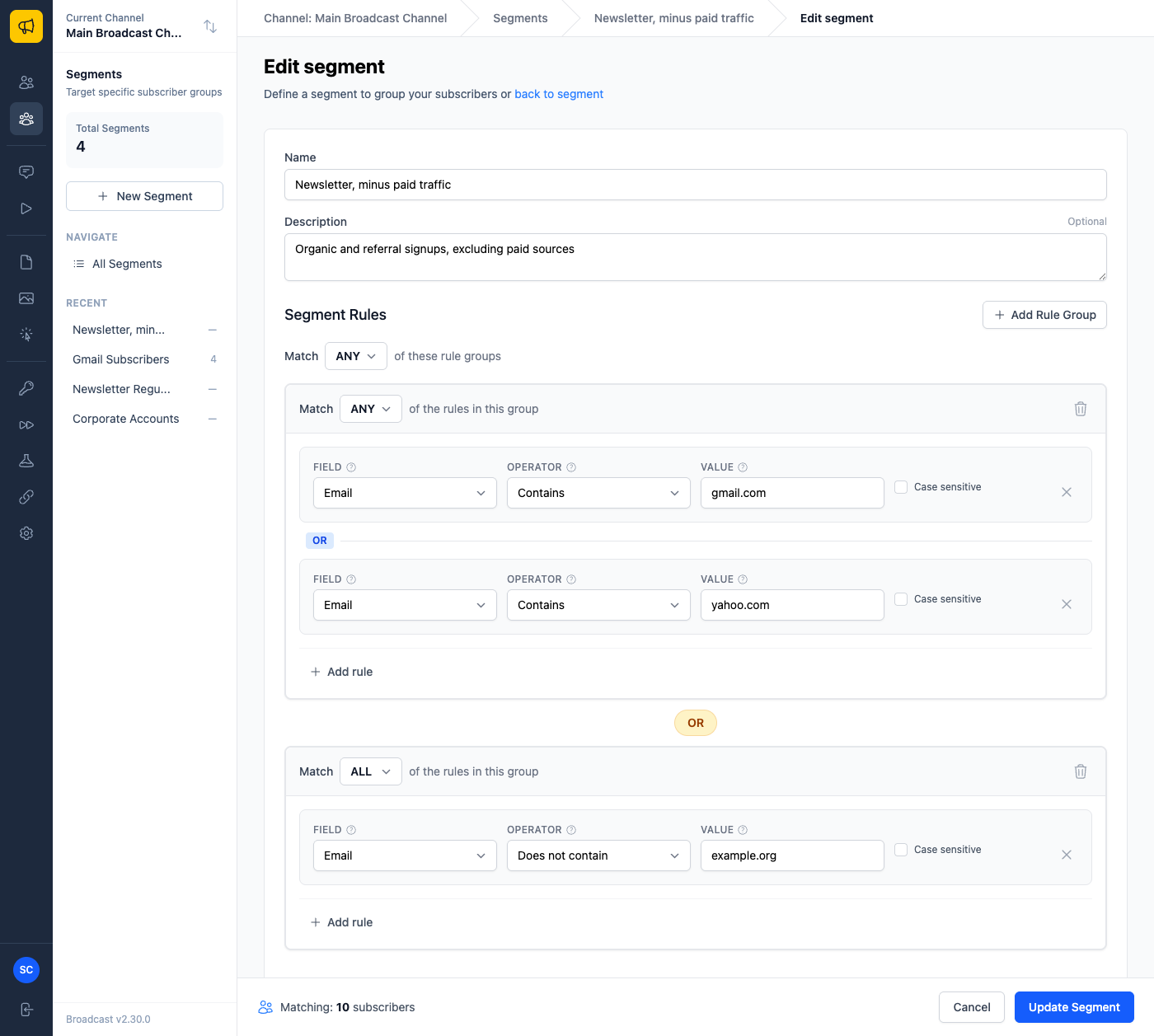
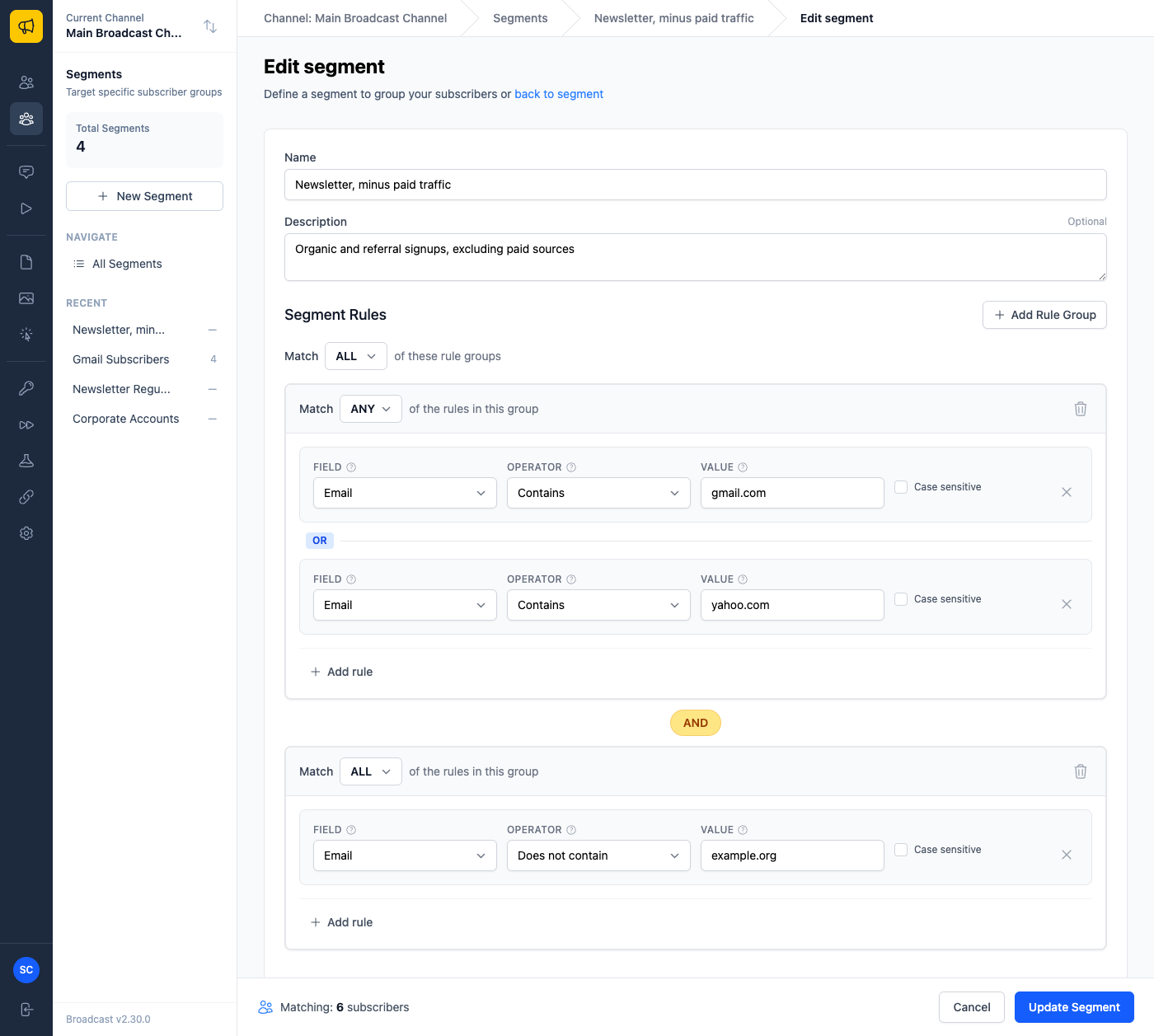
It is a real button, so it takes keyboard focus and responds to Enter and Space. The two dropdowns now say different things: Match ANY of these rule groups at the top, Match ALL of the rules in this group inside each one. And the subscriber count at the bottom re-runs as soon as you click, so you can see immediately whether you meant it.
The setting is segment-wide, so with three or more groups every badge flips together. That is deliberate, because a segment has one answer to the question of how its groups combine, but it does mean clicking one pill changes the others. The tooltip says so.
The half of the question I nearly missed
The customer’s second line took me longer. “Value of 1 is this and this, but not this and that.”
Read literally it is impossible. A subscriber has one lead source; it cannot equal two things at once. What they meant, and what almost everyone means when they say it this way, is set membership: keep the people from Google or Facebook, drop the people from these two other sources.
That sentence needs both operators at once. The keeping half is OR, because each subscriber matches only one of the values. The dropping half is AND, because a subscriber has to clear every exclusion. Inside a single group you get one setting for all of its rules, so the two halves genuinely cannot live together. You need two groups, and the connector between them has to be AND.
Which is exactly the control they could not find. Their instinct was right and the interface was in the way.
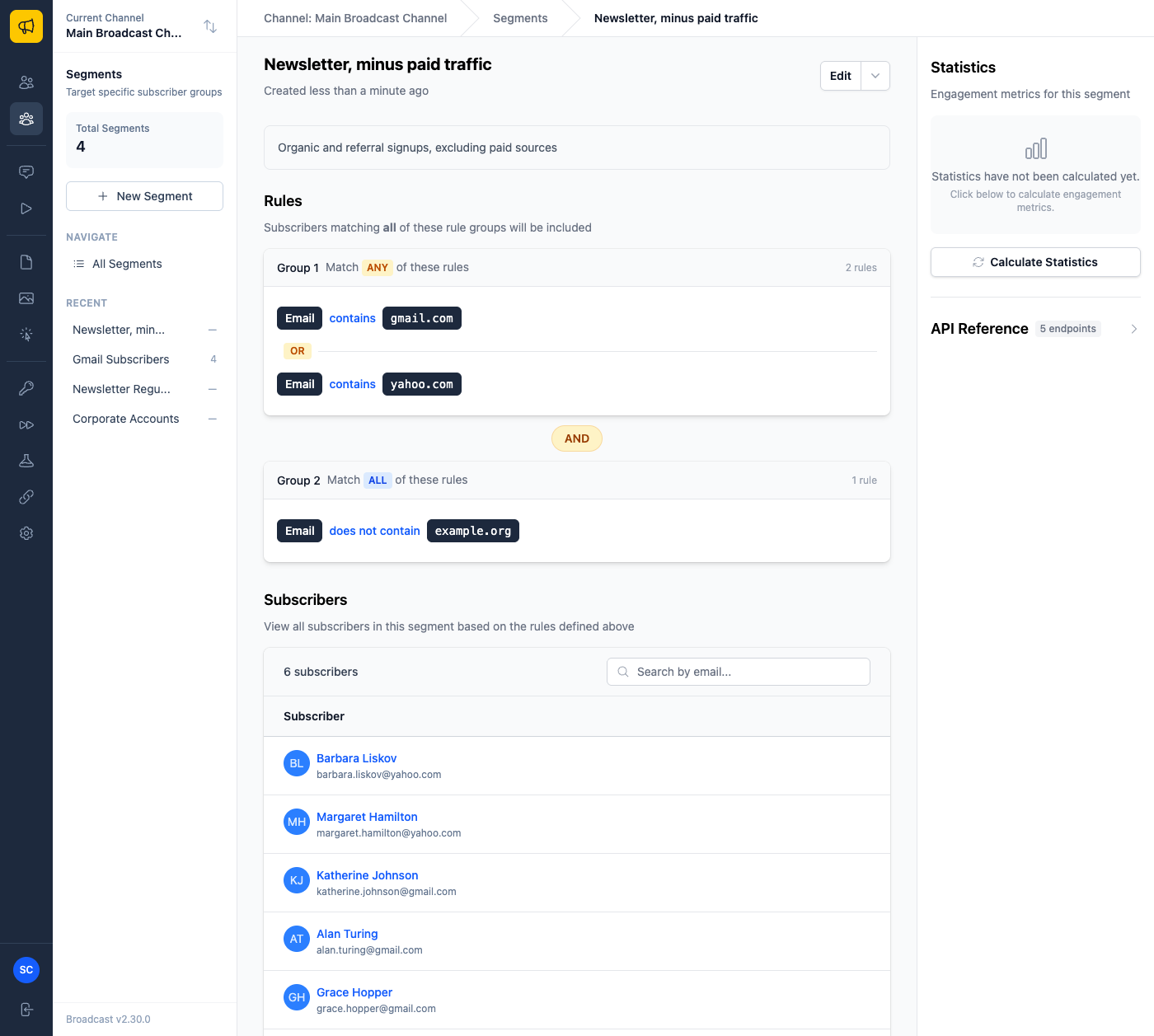
The saved segment now describes itself honestly, which it did not before. The page used to print OR between every pair of groups regardless of the setting, and describe a group matching any of its rules as matching all of them. If you had built the right segment, the page would still have told you it was wrong.
Targeting people by what they clicked
While in there I found a set of operators that worked, were tested, and had never been offered in the interface.
Broadcast records which broadcast each click came from, and broadcasts can carry tags. So you can build a segment of people who clicked an email tagged pricing, which is an interest signal rather than a demographic one. The query supported it. The API exposed it. The Tags field in the builder offered only “Contains”, which reads as a tag on the subscriber, with no hint the other meaning existed.
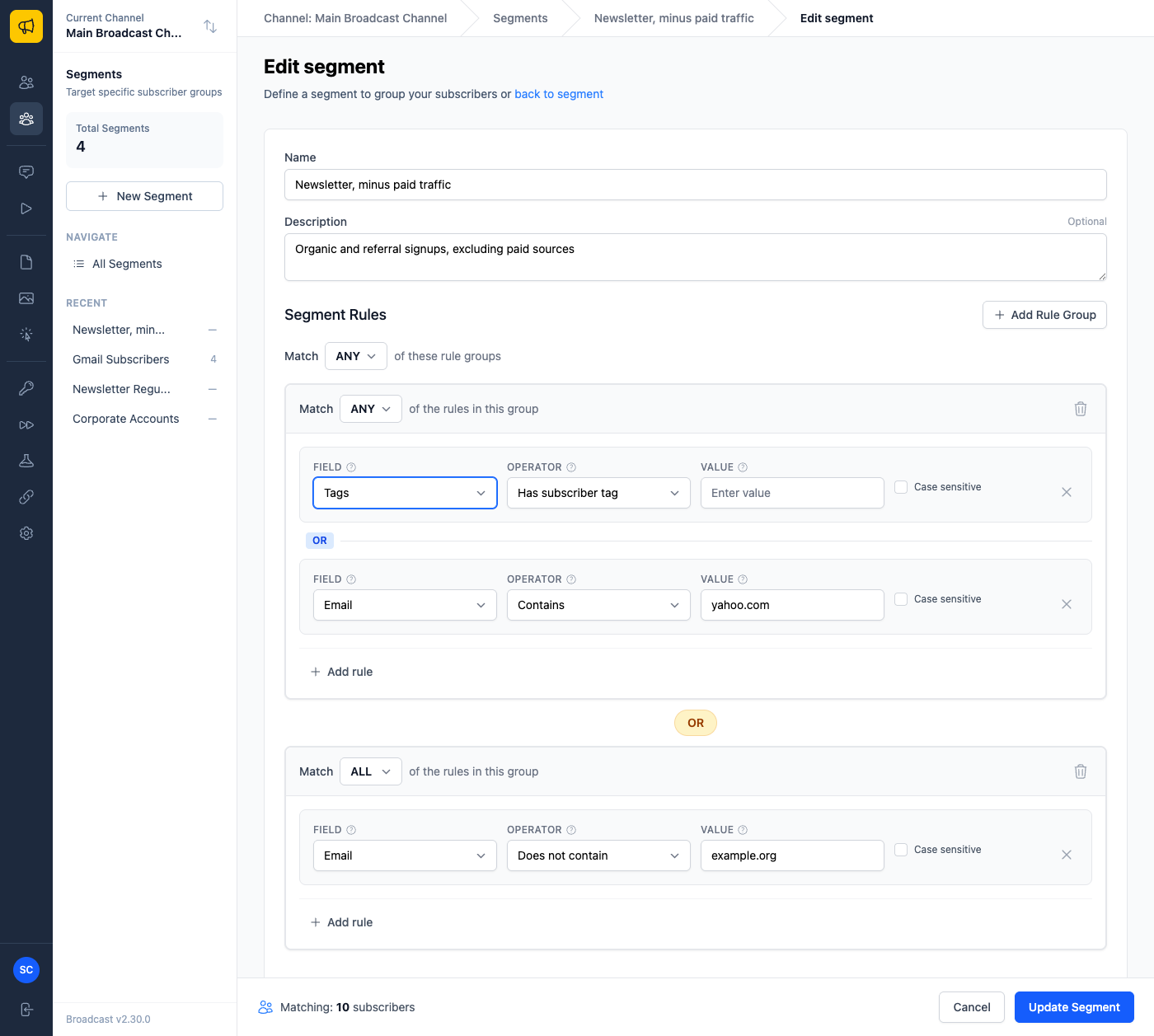
Four operators now, named for what they actually do. Two match tags on the subscriber, two match tags on an email the subscriber clicked.
Some things that becomes easy:
Tag your pricing emails pricing, then segment everyone who clicked one in the last quarter and has not bought. That is a warm list you could not previously build without exporting and cross-referencing by hand.
Tag a webinar invitation webinar, then build two segments: people who clicked, for the follow-up with the recording, and people who did not, for one more nudge before it starts.
Combine it with the connector: group one matches anyone who clicked something tagged product-update or changelog, group two excludes anyone tagged churned on the subscriber record, joined with AND. Engaged readers, minus the people who already left.
The bug underneath
Fixing discoverability meant reading the builder closely, and closely is how I found something worse.
Add a new rule group. Add two rules to it. Save. Only the last rule was kept.
The preview count at the bottom included both rules, so the number you approved was the number you wanted. The save reported success. The segment then targeted a different set of people than the builder had shown you, and nothing anywhere said so. In the case I reproduced, a preview of 164 subscribers saved as 101.
It only ever affected rules added to a group that had not been saved yet. Add rules to an existing group and everything worked, which is why it survived this long. It had been there since the builder was written, quietly, for anyone who built a two-rule group in one sitting.
The cause was mundane. The template for a new group and the template for a new rule used the same placeholder text for their position in the form, and inserting a group overwrote both. Every rule after that submitted under the same slot, and only the last one survived.
If you have built segments with multiple groups, it is worth opening them and checking the rules are all still listed. Anything already saved correctly is unaffected, because this only lost rules at the moment of writing them.
Also in 2.30
The subscriber activity feed required no sign-in. Anyone who knew a subscriber’s email address could read their opens, clicks and subscribe history by visiting a URL. It is fixed, and it is the reason to take this upgrade promptly even if you have no interest in segments.
SendGrid and Mailgun can now send over their APIs instead of SMTP, which gives better error reporting than an SMTP failure code. A segment rule on Is Active returns deactivated subscribers instead of silently returning nothing. Changing a rule’s field no longer leaves the previous value sitting in the box. And the two boxes on an emails-clicked rule are labelled now, so it is clear which is the count and which is the number of days, a thing I got backwards myself while writing the tests for it.
More on building segments in the segments documentation. If you want the longer story of shipping from customer reports, I wrote about that in Shipping a customer feedback release.
