My sequence is not advancing
1. Confirm anyone is actually enrolled
Open the sequence and look at its subscribers. An empty sequence is the most common cause, and it usually means the enrollment trigger is not firing.
There are four ways in:
- Manually added
- When a tag is added to the subscriber
- When they match a segment
- Through the Sequences API
If you are relying on the tag trigger, confirm the tag is being applied and that it matches exactly, including case. If you are relying on the segment trigger, confirm the segment matches anyone at all. See segmenting subscribers.

2. Check whether a delay is simply still running
Add delay and delay until a specific time steps do exactly what they say. A sequence that looks stuck at step two may be three days into a five-day wait.
Check the step configuration before assuming a fault. A delay until “next week” can be considerably longer than it reads.
3. Check the conditions
A condition step routes subscribers based on whether something is true. If everyone is piling up at a condition, the condition is not matching. Common causes:
- Testing against engagement that has not had time to happen
- A tag that is applied later in the flow than the condition checks for
- A condition on data the subscriber does not carry
The sequences documentation covers every step type.
4. Check subscriber status
Sequences skip people who are no longer mailable:
- Unsubscribed subscribers stop receiving sequence email
- Addresses on your suppression lists are skipped
- A Make subscriber inactive step earlier in the sequence does this deliberately
5. Check background jobs
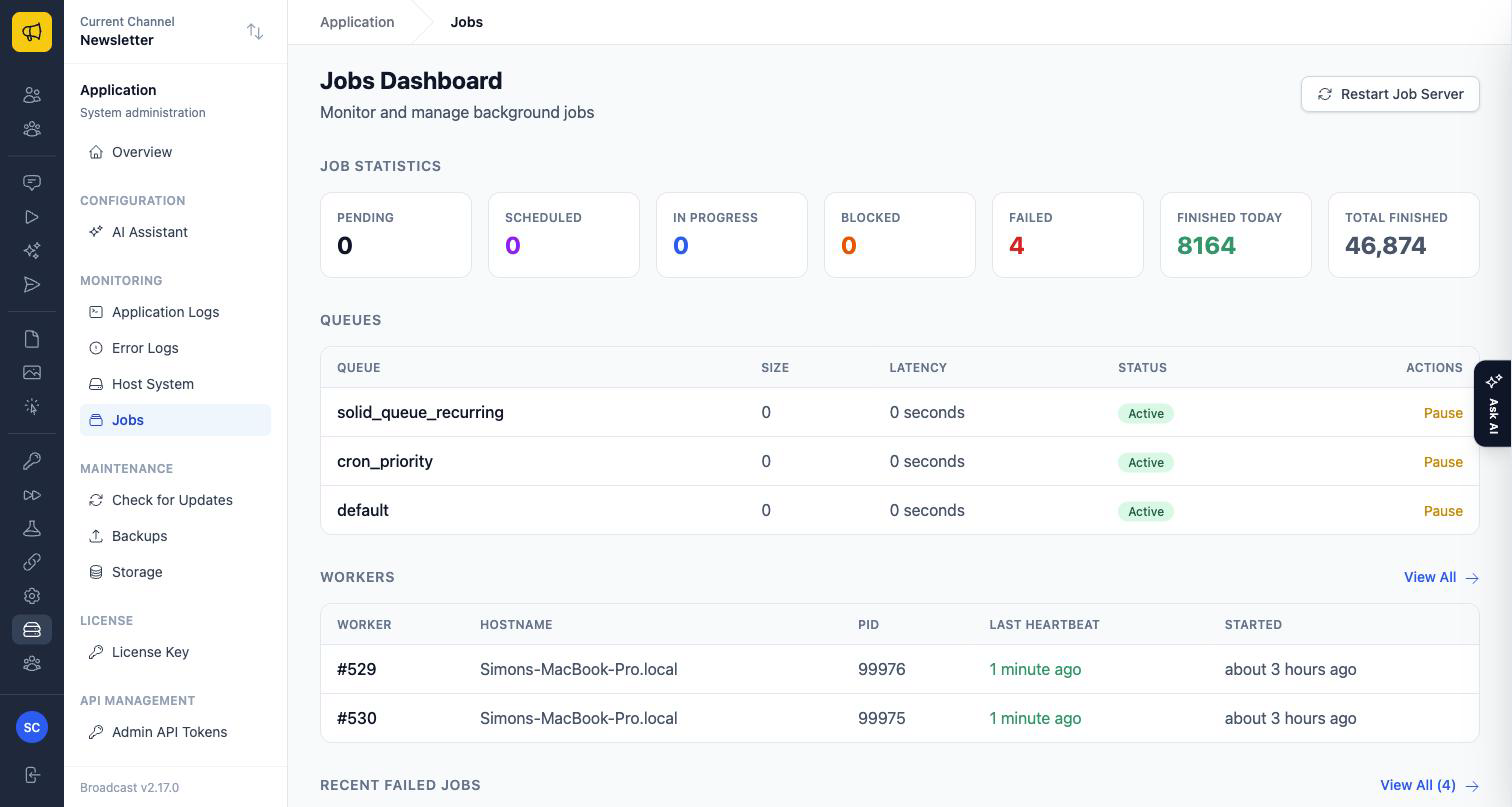
Sequence steps run in the background. If jobs are not processing, every sequence stalls at once, which is the tell. Check the background jobs dashboard and error log in Monitoring and Logs.
If broadcasts are also not sending, this is your cause. See broadcast not sending.
A note on duplicated sequences
Duplicating a sequence can optionally include its subscribers, and parent and child sequences behave in specific ways documented in the sequences page. If you duplicated recently and the copy is not running, read that section.
Email us with the step it is stuck on.
