Signal Feedback
These components tell a person what is happening.
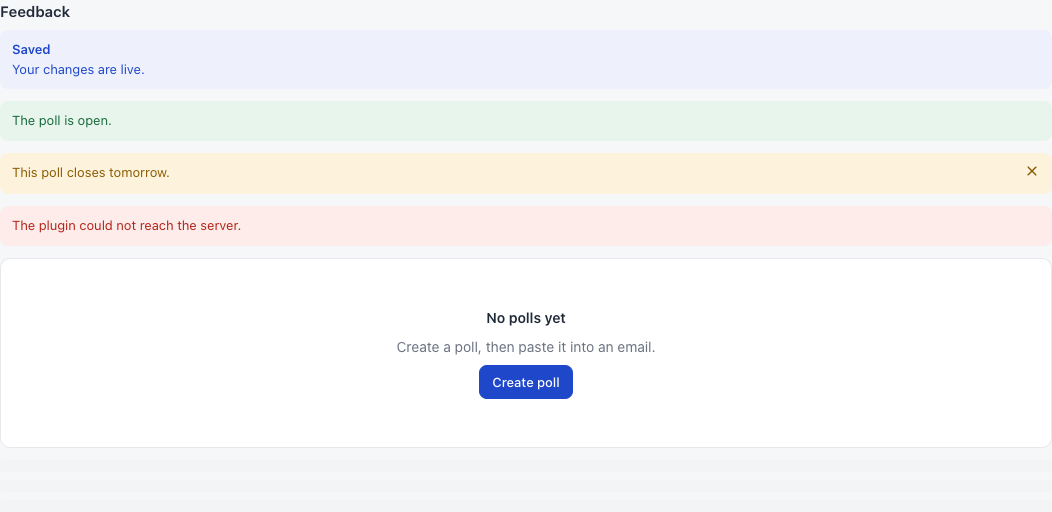
Which one do I use?
| Situation | Use |
|---|---|
| A short result of an action: “Saved” | sg.toast, in The sg API |
| Something that stays true until fixed: “One step left” | sg-banner |
| A list with nothing in it | sg-empty, or empty-title on a table |
| A small wait in one place | sg-spinner |
| A wait for the whole content | sg-skeleton |
sg-banner
A colored message across the page.
<sg-banner tone="warning" title="One step left" dismissible>
  Enter the signup address in the settings.
</sg-banner>
| Attribute | Values | Meaning |
|---|---|---|
title |
Text | A bold first line |
tone |
success, warning or danger |
The color. Leave it out for blue |
dismissible |
Present | Adds a close button, which removes the banner |
A danger banner is announced at once to screen readers.
To show a banner only when needed, write it with hidden, and flip that property:
<sg-banner id="notice" tone="warning" hidden>Check the settings.</sg-banner>
document.getElementById("notice").hidden = data.configured;
Common mistakes. Changing the title or tone after it draws: nothing happens. Using a banner for “Saved”: use a toast. Keeping a banner up that nobody can act on.
sg-empty
The empty state: a title, a line of text and an optional action.
<sg-card>
  <sg-empty title="No polls yet" text="Create a poll, then paste it into an email.">
    <sg-button variant="primary">Create poll</sg-button>
  </sg-empty>
</sg-card>
| Attribute | Meaning |
|---|---|
title |
The main line |
text |
The next line |
Children are the action.
Common mistake. Writing “No data”. Say what will be here, and how to get it.
sg-spinner
A small turning circle.
<sg-spinner label="Loading results"></sg-spinner>
| Attribute | Default | Meaning |
|---|---|---|
label |
Loading |
A name for screen readers |
sg-skeleton
Grey bars in place of content that is on its way.
<sg-card id="summary"><sg-skeleton lines="3"></sg-skeleton></sg-card>
| Attribute | Default | Meaning |
|---|---|---|
lines |
3 |
The number of bars |
When the data arrives, swap it out. In a card, swap the card’s body or use replaceChildren on a box you own:
<sg-stack id="polls"><sg-skeleton lines="4"></sg-skeleton></sg-stack>
document.getElementById("polls").replaceChildren(makeResults());
Common mistake. Forgetting to remove it when a call fails. Handle the error in a catch.
